
















Engineering notes on this page are current through 5 October 2026 (engineering notebooks, DoE protocols, V1 reflection, V2 build and wiring).
Stickies
Drag the sticky notes anywhere on the page to explore hardware ideas. Positions are saved in your browser for this prototype.

Bioreactor Build
Design requirements for the centralized living hardware (bioreactor) system.
Bioreactor build · requirements
June 17, 2026
Initial requirements brainstorm transcribed from the Centralized Living Hardware Doc (Bioreactor Build → Requirements). This is a living doc; blanks ( _ ) mark values still to be quantified.
Overarching objective: try to be power efficient.
| Objective | Related sub-objectives | Metric & Criteria | Constraints | Links / references |
|---|---|---|---|---|
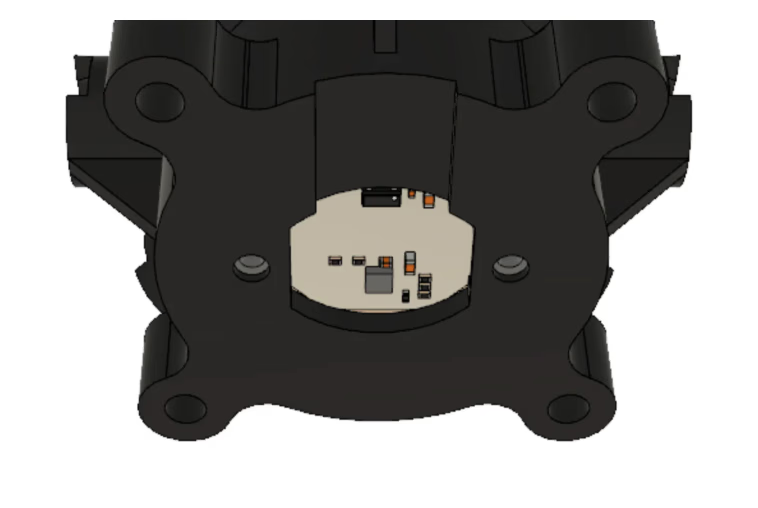
importantneeds-quantify Heating |
|
|
|  |
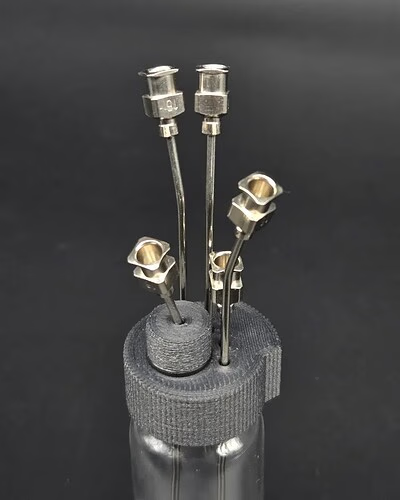
importantneeds-quantify Aeration for vials |
|
|
|
 |
importantneeds-quantify Mixing fluid (even concentration) |
|
| Complaints suggest heating affects the stirring magnet connection, so the mixer should not limit the temperature range the solution can work in. | |
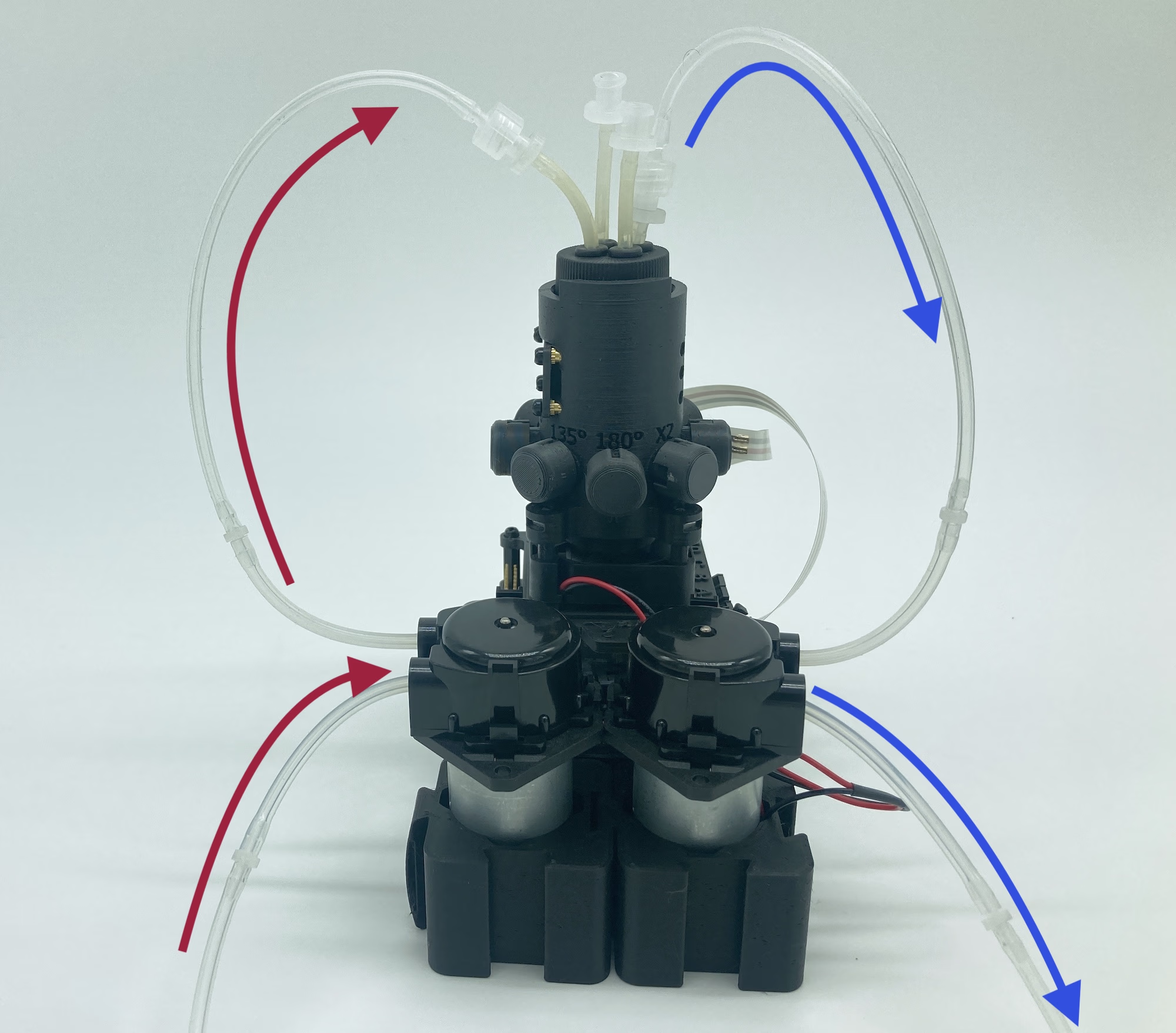
importantneeds-quantify Pumping fluid (in and out) |
|
|
|  |
needs-quantify Vial volume |
|
|
| None |
Runtime | Minimum: 1 week to longer than a week. | None | None | None |
Experiments
Reusable subsystem validation protocols (temperature, pump, OD). Use these as living RRF / DoE references; dated bench work lives in the Journal section below.
Temperature
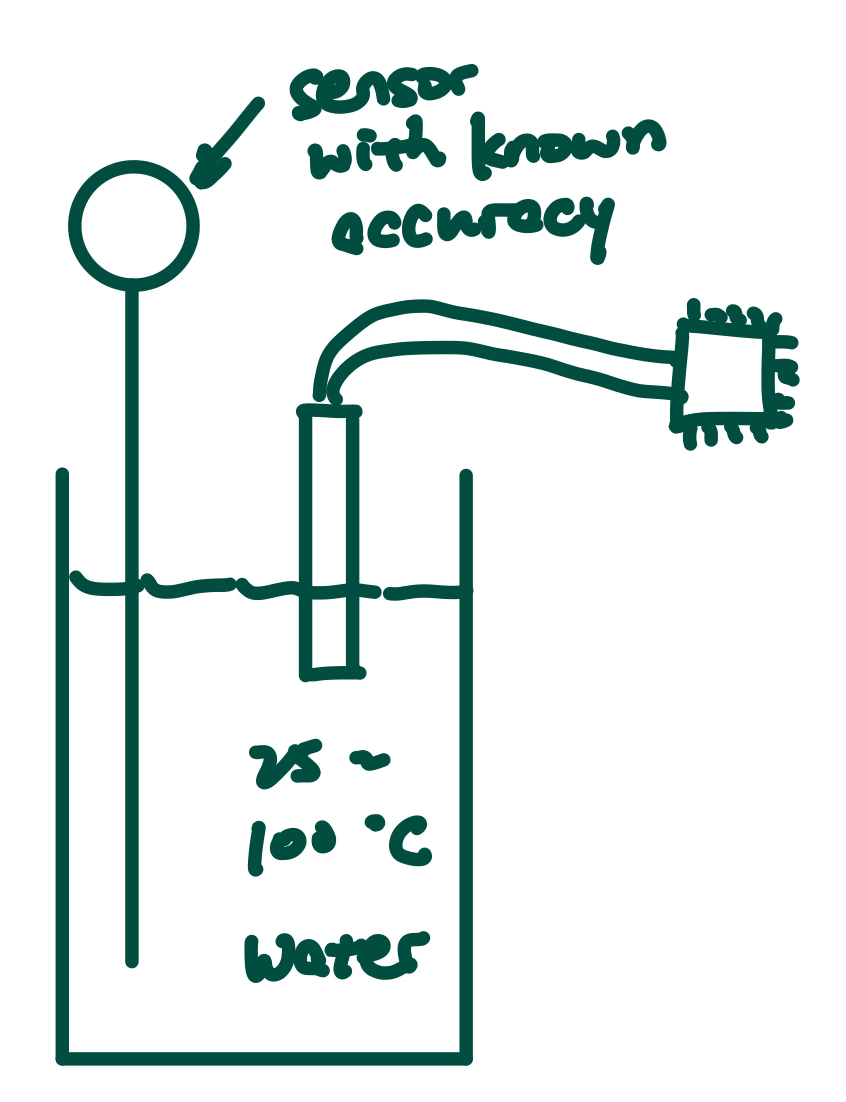
Experiment 1: Sensor accuracy (25–90 °C)
Purpose. Validate and calibrate candidate temperature sensors across the bioreactor operating range.
Sensors under test. DFRobot waterproof digital; Adafruit analog contact; Adafruit digital contact; thermocouple + amplifier; surface-mount thermistor; analog IR.
Process.
- Boil ~200 mL water and pour into a 300–500 mL beaker.
- After 3 minutes, place the test sensor and a known-accurate probe in the water.
- Record both readings every 30 s until the reference reaches 25 °C.
- Repeat for three trials per sensor; plot and calibrate if needed.
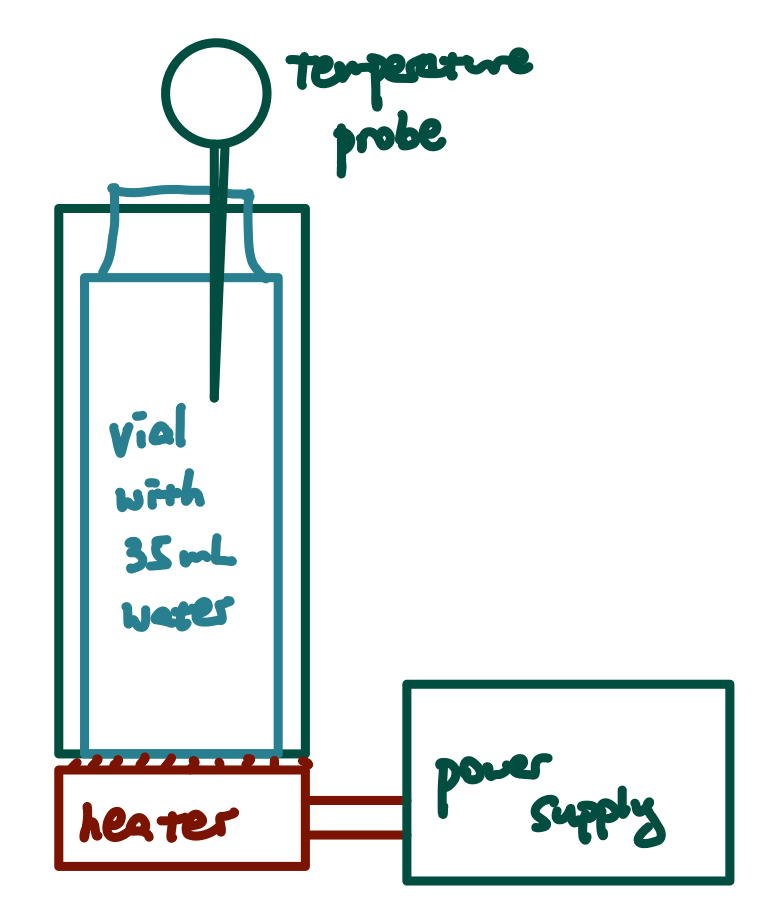
Experiment 2: Heater performance
Purpose. Measure whether a heater can bring ~35 mL in a 40 mL vial to a set point (40–80 °C) in a representative housing.
Heaters under test. DFRobot PTC; custom SMT resistor array; custom nichrome coil.
Process.
- 3D-print a ~4 mm vial housing (PETG preferred) with voids for heat retention.
- Power the heater (5 V / 2 A); use TIM between heater and housing.
- Log vial temperature every 30 s until 80 °C or plateau >30 min; note current deviations >20%.
- Three trials per heater; plot temperature vs time.
Pump
Experiment 1: Mass-flow consistency
Purpose. Confirm peristaltic mass flow stays consistent across repeated trials at fixed PWM.
Experiment 2: Flow vs PWM
Purpose. Map flow rate against PWM duty cycle to set UI / firmware limits.
Experiment 3: Small-volume input
Purpose. Check accuracy when dispensing small liquid volumes (relevant to assay top-ups).
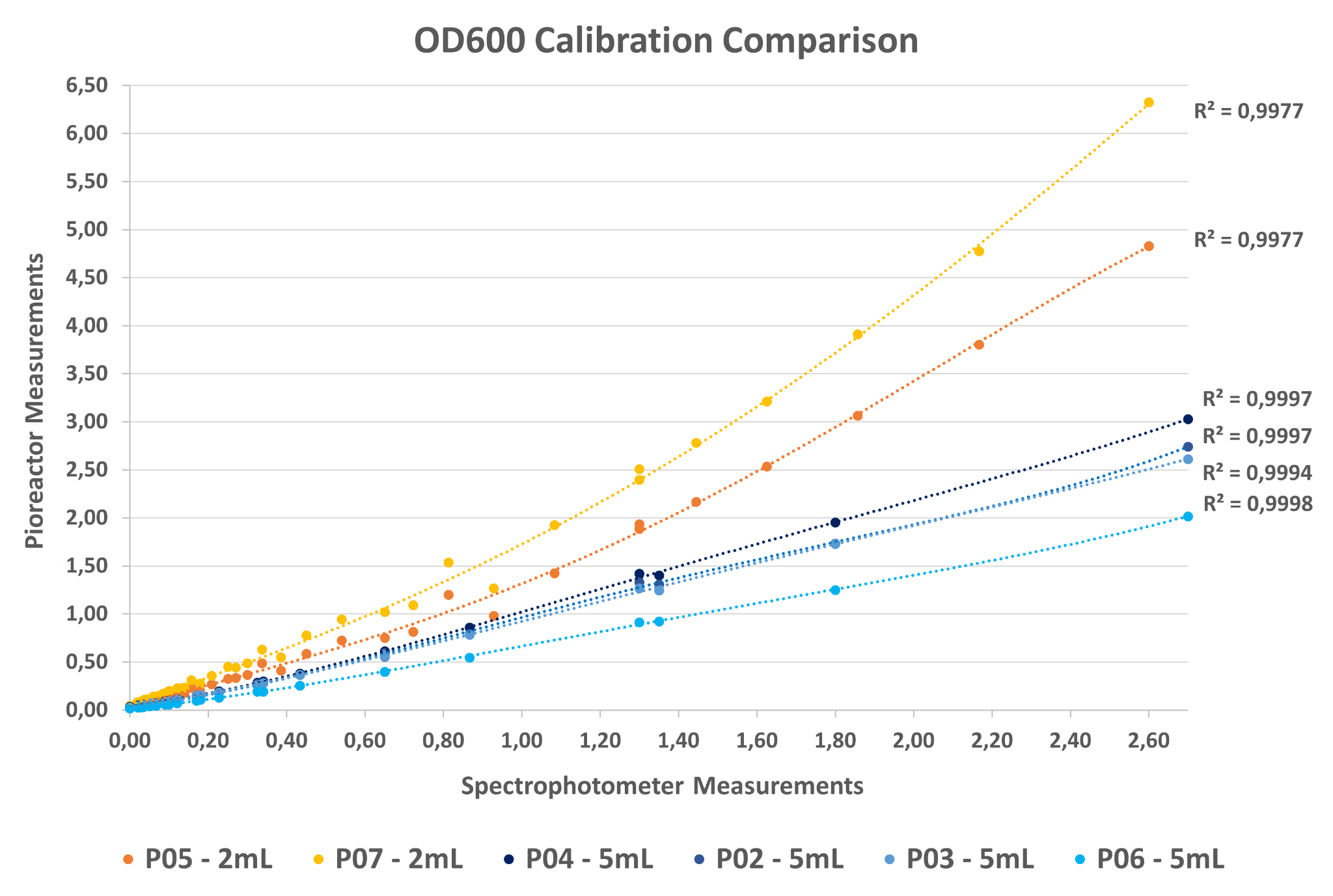
OD
Experiment 1: Dye concentration series
Purpose. Assess OD sensor range, min/max readable density, and collection time needed for stable readings using dye standards.
Experiment 2: OD vs temperature
Purpose. Check OD accuracy across the temperature sweep the bioreactor will run.
Experiment 3: OD vs stir-bar speed
Purpose. Find stir speeds / sensor heights that minimize stir-bar interference and measure any collection-time delay.
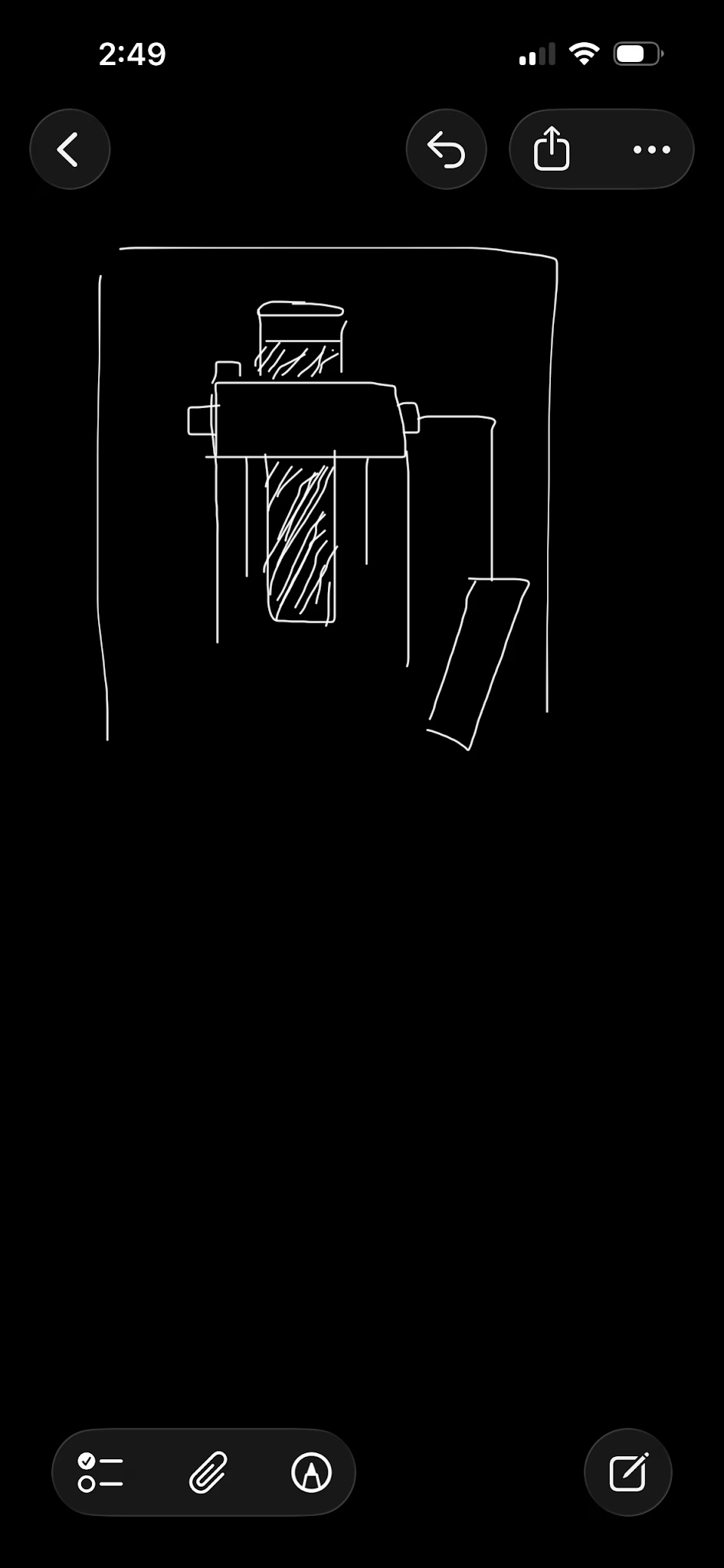
Source Code
Firmware and software files for the bioreactor, organized by subsystem. Expand a file to inspect its source code and use Copy to copy it.
Integration
Shared firmware and integration tests for the AS7343 optical-density sensors and bioreactor hardware.
AS7343Soft.hhAS7343 sensor / SoftWire header
/*
1. Start SoftWire and set its buffers.
2. Select bank 1.
3. Read register 0x5A; it must equal 0x81 (AS7343 chip ID).
4. Select bank 0.
5. Set ENABLE bit 0 (PON) to power the sensor.
6. Set gain, ATIME, and ASTEP.
7. Select the channel/auto-SMUX mode.

sending sensor2.startMeasurement(), dataReady(), readChannel() into I2C messages

*/

#include <SoftWire.h>

//Softwire other than TwoWire

class AS7343Soft {

private:
  SoftWire &wire;

  static const uint8_t AS7343_ADDRESS = 0x39;

  // Write one byte into one AS7343 register
  bool write8(uint8_t reg, uint8_t value) {
    wire.beginTransmission(AS7343_ADDRESS);
    wire.write(reg);     // Which register?
    wire.write(value);   // What value goes into it?

    // 0 means the sensor acknowledged the message
    return wire.endTransmission(true) == 0;
  }

  // Read one byte from one AS7343 register
  bool read8(uint8_t reg, uint8_t &value) {
    wire.beginTransmission(AS7343_ADDRESS);
    wire.write(reg);  // Tell the sensor which register we want

    // false = keep the connection open for the read
    if (wire.endTransmission(false) != 0) {
      return false;
    }

    // Ask for one byte, then end the connection
    if (wire.requestFrom(AS7343_ADDRESS, (uint8_t)1, (uint8_t)true) != 1) {
      return false;
    }

    value = wire.read();  // Put the received byte into value
    return true;
  }

  // Read a two-byte light reading
  bool read16(uint8_t reg, uint16_t &value) {
    wire.beginTransmission(AS7343_ADDRESS);
    wire.write(reg);

    if (wire.endTransmission(false) != 0) {
      return false;
    }

    if (wire.requestFrom(AS7343_ADDRESS, (uint8_t)2, (uint8_t)true) != 2) {
      return false;
    }

    uint8_t lowByte = wire.read();
    uint8_t highByte = wire.read();

    // Join two 8-bit bytes into one 16-bit number
    value = (uint16_t)lowByte | ((uint16_t)highByte << 8);
    return true;
  }

  // Change one on/off bit while preserving the other bits
  bool setBit(uint8_t reg, uint8_t bit, bool enabled) {
    uint8_t value;

    if (!read8(reg, value)) {
      return false;
    }

    if (enabled) {
      value |= (1 << bit);   // Turn this bit on
    } else {
      value &= ~(1 << bit);  // Turn this bit off
    }

    return write8(reg, value);
  }

  // Select AS7343 register bank 0 or bank 1
  bool setBank(bool bank1) {
    return setBit(0xBF, 4, bank1);
  }

public:
  //varaible bus of type SoftWire initilized as wire
  AS7343Soft(SoftWire &bus) : wire(bus) {}


  bool begin() {
    //verify chip ID, if its not AS7343 then you shouldn't do AS7343 functions
    uint8_t chipID;

    //switch to bank1 for chip-ID register, read the value, and check if it matches AS7343 address
    if(!setBank(true) || !read8(0x5A, chipID) || chipID != 0x81) return false;

    //AS7343_ID = 0x5A (register)
    //AS7343_CHIP_ID = 0x81
    //I2C address = 0x39

    //switch to measurement mode
    if (!setBank(false)) return false;

    // Turn sensor power on: ENABLE register, bit 0
    if (!setBit(0x80, 0, true)) return false;

    // Set 64x gain
    if (!write8(0xC6, 0x07)) return false;

    // Set integration time
    if (!write8(0x81, 29)) return false;       // ATIME
    if (!write8(0xD4, 599 & 0xFF)) return false; // ASTEP low byte
    if (!write8(0xD5, 599 >> 8)) return false;   // ASTEP high byte

    // Use 18-channel Auto-SMUX mode
    uint8_t cfg20;
    if (!read8(0xD6, cfg20)) return false;
    cfg20 = (cfg20 & ~0x60) | 0x60;
    if (!write8(0xD6, cfg20)) return false;

    return true; //means everything worked

  }

  //clear any old measurement
  void stopMeasurement() {
    setBit(0x80, 1, false);
  }

  bool startMeasurement() {
    stopMeasurement();
    return setBit(0x80, 1, true);  //SP_EN
  }


  bool dataReady() {
    uint8_t status2;
    return read8(0x90, status2) && (status2 & 0x40);
  }

  bool readLightFXL(uint16_t &fxlValue) {
  uint8_t astatus;

  // Latch the completed measurement into the data registers
  if (!read8(0x94, astatus)) {
    return false;
  }
  //reading ASTATUS makes finished measurement available for reading

  // Fxl register 0x95
  return read16(0x95, fxlValue);
  //CHANGE VALUE HERE HERE HERE HERE HERE HERE HERE
}
  };
Integration_Aug11.inoinoIntegration firmware, August 11
#include <PID_v1.h>
#include <DS18B20.h>
#include <Adafruit_AS7343.h>
#include <SoftWire.h>
#include <Wire.h>
#include "AS7343Soft.h"
//self written ^
//Pin assignments
const int FAN_TACH = 2;
const int FAN_PWM = 9;
const int PUMP = 3;
const int TEMP_SENSOR = 12;
const int HEATER = 5;
const int OD_SDA = 17;
const int OD_SCL = 15;
uint8_t rxBuffer[32];
uint8_t txBuffer[32];
unsigned long printCycleStart;
unsigned long runStart;
SoftWire REF(17, 15);
AS7343Soft sensor2(REF); //sensor2 is reference sensor
class Fan {
private:
static Fan *instance;
int tach_pin;
int pwm_pin;
unsigned long lastCalcTime;
int prevSpeedPercent = 0;
static void tachISR() {
if (instance) instance->pulseCount++;
}
public:
unsigned long currentRPM = 0;
volatile unsigned long pulseCount = 0;
int speedPercent = 0;
Fan(int tach, int pwm) : tach_pin(tach), pwm_pin(pwm) {
pinMode(tach_pin, INPUT_PULLUP);
pinMode(pwm_pin, OUTPUT);
instance = this;
attachInterrupt(digitalPinToInterrupt(tach_pin), tachISR, FALLING);
lastCalcTime = millis();
}
void setSpeed(int percent) {
percent = constrain(percent, 0, 100);
speedPercent = percent;
int pwmValue = map(percent, 0, 100, 0, 255);
analogWrite(pwm_pin, pwmValue);
}
void update() {
//Serial.println(this->pulseCount);
unsigned long currentTime = millis();
if (currentTime - lastCalcTime >= 1000) {
noInterrupts();
unsigned long pulses = pulseCount;
pulseCount = 0;
interrupts();
currentRPM = 60000 * pulses / 2 / (currentTime - lastCalcTime);
lastCalcTime = currentTime;
}
if (speedPercent != prevSpeedPercent) {
setSpeed(speedPercent);
prevSpeedPercent = speedPercent;
}
}
};
Fan* Fan::instance = nullptr;
// Pump stuff
class Pump {
private:
int pin;
unsigned long moveStart;
public:
bool active = false;
unsigned long moveDuration = 0;
int speedPercent = 0;
Pump(int p) : pin(p) { pinMode(pin, OUTPUT); }
void setSpeed(int pwmValue) { analogWrite(pin, constrain(pwmValue, 0, 255)); }
void setSpeedPercent(int percent) { setSpeed(map(constrain(percent, 0, 100), 0, 100, 0, 255)); }
void stop() { analogWrite(pin, 0); }
void update() {
if (!active && moveDuration) {
active = true;
moveStart = millis();
setSpeedPercent(speedPercent);
}
if (active && millis() - moveStart > moveDuration) {
setSpeedPercent(0);
moveDuration = 0;
active = false;
stop();
}
}
};
class Temperature {
private:
int probe_pin, heater_pin;
float Kp = 5000;
float Ki = 1000;
float Kd = 0;
int windowSize = 5000;
unsigned long windowStartTime;
DS18B20 ds;
PID tempPID;
public:
double currentTemp, targetTemp;
bool on = false;
double heaterCommand = 0;
Temperature(int probe, int heater) : heater_pin(heater), ds(probe), tempPID(¤tTemp, &heaterCommand, &targetTemp, Kp, Ki, Kd, DIRECT) {
pinMode(heater_pin, OUTPUT);
windowStartTime = millis();
tempPID.SetOutputLimits(0, windowSize);
tempPID.SetMode(AUTOMATIC);
}
void update() {
currentTemp = (double)ds.getTempC();
tempPID.Compute();
if (heaterCommand < 200) heaterCommand = 0;
unsigned long now = millis();
if (now - windowStartTime > windowSize) {
windowStartTime = millis();
}
if (heaterCommand > now - windowStartTime) {
digitalWrite(heater_pin, HIGH);
on = true;
} else {
digitalWrite(heater_pin, LOW);
on = false;
}
}
};
class OD {
private:
Adafruit_AS7343 sensor1; //sensor1 is collecting
uint8_t rxBuffer[32];
uint8_t txBuffer[32];
double blankOD;
double referenceOD;
uint16_t darkValue1; // LED off
uint16_t darkValue2; // LED off
uint16_t run_sensor1() {
//Manually command fresh reading cycle
sensor1.startMeasurement();
while (!sensor1.dataReady()) {
delay(1);
}
//for violet light, 405nm
int FXL_value = sensor1.readChannel(AS7343_CHANNEL_FXL);
return FXL_value;
}
uint16_t run_sensor2() {
//!!!!!!THIS IS A SAFETY MEASURE
if (!sensor2.startMeasurement()) {
Serial.println("startMeasurement failed");
delay(100000);
}
while (!sensor2.dataReady()) {
delay(1);
}
uint16_t fxlValue;
//!!!!!!!if else is safety measure
if (sensor2.readLightFXL(fxlValue)) return fxlValue;
else Serial.println("Could not read FXL");
}
public:
double nOD;
OD() {//!!!!!!!I assume we configure when calling the object
//give memory to softwire, sensor2 configure
}
void init() {
REF.setRxBuffer(rxBuffer, 32);
REF.setTxBuffer(txBuffer, 32);
REF.setClock(50000); //slower = more stable, I2C standard is 100kHz
REF.setTimeout_ms(100); //if SoftWire is slower than I2C for more than 100mili, give up instead of freezing forever
REF.begin();
//!!!!!!!!!!THIS IS A SAFETY CAUTION
if (!sensor2.begin()) {
Serial.println("Could not find AS7343 sensor2!");
Serial.flush();
while(1);
exit(0);
}
if (!sensor1.begin()) {
Serial.println("Could not find AS7343 sensor1!");
Serial.flush();
while(1);
exit(0);
}
//sensor1 configure
sensor1.setGain(AS7343_GAIN_64X);
sensor1.setATIME(29); // Integration cycles
sensor1.setASTEP(599); // Step size
//!!!!!!!!!!THIS IS A SAFETY CAUTION
uint16_t readings[18];
//need to read all channels to first trigger the global reading, pulls data from memory bank after read starts
if(!sensor1.readAllChannels(readings)) {
Serial.println("Read failed!");
delay(500);
exit(0);
}
}
void dark() {
Serial.println("Now running value for dark");
darkValue1 = run_sensor1();
darkValue2 = run_sensor2();
}
void blank() {
Serial.println("Now running for blank vial values");
blankOD = ((double)run_sensor1() - darkValue1) / ((double)run_sensor2() - darkValue2);
}
void reference() {
Serial.println("Now running for initial values");
uint16_t total_sensor1 = 0;
uint16_t total_sensor2 = 0;
//take the mean of 10 values at the start
for(uint8_t i = 0; i < 10; i++) {
total_sensor1 += run_sensor1();
total_sensor2 += run_sensor2();
}
referenceOD = ((total_sensor1/10.0) - darkValue1) / ((total_sensor2/10.0) - darkValue2);
}
void read() {
nOD = (((double)run_sensor1() - darkValue1) / (run_sensor2() - darkValue2) - blankOD) / (referenceOD - blankOD);
}
};
Fan myFan(FAN_TACH, FAN_PWM);
Pump myPump(PUMP);
Temperature myTemp(TEMP_SENSOR, HEATER);
OD myOD;
void setup() {
Serial.begin(9600);
delay(1000);
printCycleStart = millis();
Serial.println("Run starts");
runStart = millis();
myOD.init();
myOD.dark();
myOD.blank();
myOD.reference(); //will need buttons to run this, or delays idk
}
void loop() {
HandleSerial();
myFan.update();
myPump.update();
myOD.read();
myTemp.update();
unsigned long now = millis();
if (millis() - printCycleStart > 1000) {
int minutes = (now - runStart) / 60000;
int seconds = ((now - runStart) % 60000) / 1000;
Serial.print(minutes);
Serial.print(':');
Serial.println(seconds);
PrintStats();
printCycleStart = millis();
}
}
void HandleSerial() {
if (!Serial.available()) {
return;
}
String cmd = Serial.readStringUntil('\n');
cmd.trim();
if (cmd.startsWith("F ") || cmd.startsWith("f ")) {
myFan.speedPercent = cmd.substring(2).toInt();
}
if (cmd.startsWith("P ") || cmd.startsWith("p ")) {
int spaceIndex = cmd.indexOf(' ', 2);
if (spaceIndex != -1 && !myPump.active) {
myPump.moveDuration = cmd.substring(2, spaceIndex).toInt() * 1000;
myPump.speedPercent = cmd.substring(spaceIndex + 1).toInt();
}
}
if (cmd.startsWith("T ") || cmd.startsWith("t ")) {
myTemp.targetTemp = cmd.substring(2).toDouble();
}
}
void PrintStats() {
Serial.print("{\"Fan PWM\":");
Serial.print(myFan.speedPercent);
Serial.print(",\"Fan RPM\":");
Serial.print(myFan.currentRPM);
Serial.print(",\"Pump Active\":");
Serial.print(myPump.active ? "true" : "false");
Serial.print(",\"Pump Speed\":");
Serial.print(myPump.speedPercent);
Serial.print(",\"Pump Duration\":");
Serial.print(myPump.moveDuration / 1000);
Serial.print(",\"Temperature\":");
Serial.print(myTemp.currentTemp, 2);
Serial.print(",\"Temperature Target\":");
Serial.print(myTemp.targetTemp, 2);
Serial.print(",\"OD\":");
Serial.print(myOD.nOD, 4);
Serial.println("}");
}
Integration_Oct 5 (not tested).inoinoIntegration firmware, October 5; untested
#include <PID_v1.h>
#include <DS18B20.h>
#include <Adafruit_AS7343.h>
#include <SoftWire.h>
#include <Wire.h>
#include "AS7343Soft.h"
//self written ^

//Pin assignments
const int FAN_TACH = 2;
const int FAN_PWM = 4;
const int PUMP = 3;
const int TEMP_SENSOR = 6;
const int HEATER = 8;
const int OD_SDA = 17;
const int OD_SCL = 15;

uint8_t rxBuffer[32];
uint8_t txBuffer[32];
unsigned long printCycleStart;
unsigned long runStart;
  SoftWire REF(16, 17);
  AS7343Soft sensor2(REF); //sensor2 is reference sensor

class Fan {
  private:
    static Fan *instance;
    int tach_pin;
    int pwm_pin;
    unsigned long lastCalcTime;
    int prevSpeedPercent = 0;
    static void tachISR() {
      if (instance) instance->pulseCount++;
    }
  public:
    unsigned long currentRPM = 0;
    volatile unsigned long pulseCount = 0;
    int speedPercent = 0;
    Fan(int tach, int pwm) : tach_pin(tach), pwm_pin(pwm) {
      pinMode(tach_pin, INPUT_PULLUP);
      pinMode(pwm_pin, OUTPUT);
      instance = this;
      attachInterrupt(digitalPinToInterrupt(tach_pin), tachISR, FALLING);
      lastCalcTime = millis();
    }
    void setSpeed(int percent) {
      percent = constrain(percent, 0, 100);
      speedPercent = percent;
      int pwmValue = map(percent, 0, 100, 0, 255);
      analogWrite(pwm_pin, pwmValue);
    }
    void update() {
      //Serial.println(this->pulseCount);
      unsigned long currentTime = millis();
      if (currentTime - lastCalcTime >= 1000) {
        noInterrupts();
        unsigned long pulses = pulseCount;
        pulseCount = 0;
        interrupts();
        currentRPM = 60000 * pulses / 2 / (currentTime - lastCalcTime);
        lastCalcTime = currentTime;
      }
      if (speedPercent != prevSpeedPercent) {
        setSpeed(speedPercent);
        prevSpeedPercent = speedPercent;
      }
    }
};
Fan* Fan::instance = nullptr;

// Pump stuff
class Pump {
  private:
    int pin;
    unsigned long moveStart;
  public:
    bool active = false;
    unsigned long moveDuration = 0;
    int speedPercent = 0;
    Pump(int p) : pin(p) { pinMode(pin, OUTPUT); }
    void setSpeed(int pwmValue) { analogWrite(pin, constrain(pwmValue, 0, 255)); }
    void setSpeedPercent(int percent) { setSpeed(map(constrain(percent, 0, 100), 0, 100, 0, 255)); }
    void stop() { analogWrite(pin, 0); }
    void update() {
      if (!active && moveDuration) {
        active = true;
        moveStart = millis();
        setSpeedPercent(speedPercent);
      }
      if (active && millis() - moveStart > moveDuration) {
        setSpeedPercent(0);
        moveDuration = 0;
        active = false;
        stop();
      }
    }
};

class Temperature {
  private:
    int probe_pin, heater_pin;
    double prevTemp;
    double prevTarget = 3;
    bool tempIncreasing = false;
    bool tempDecreasing = false;
    bool targetReached = false;
    float Kp = 800;
    float Ki = 50;
    float integral = 0;
    float minOutput = 3500;
    unsigned long prevPIDCalc, windowStartTime;
    int windowSize = 5000;
    bool KiMultiplied = false;
    bool recovered = false;
    DS18B20 ds;
  public:
    double currentTemp;
    double targetTemp = 20;
    bool on = false;
    double heaterCommand = 0;
    Temperature(int probe, int heater) : heater_pin(heater), ds(probe) {
      pinMode(heater_pin, OUTPUT);
    }
    void init() {
      currentTemp = (double)ds.getTempC();
      prevTemp = currentTemp;
      windowStartTime = millis();
      prevPIDCalc = millis();
    }
    void update() {
      if (prevTarget != targetTemp) {
        targetReached = false;
        prevTarget = targetTemp;
        Kp = 0.00131173 * exp(targetTemp * 0.332841) + 800;
      }
      currentTemp = (double)ds.getTempC();
      tempIncreasing = currentTemp > prevTemp;
      tempDecreasing = currentTemp < prevTemp;
      heaterCommand = ComputePID();
      prevTemp = currentTemp;
      if (heaterCommand < 200) heaterCommand = 0;
      unsigned long now = millis();
      if (now - windowStartTime > windowSize) {
        windowStartTime = millis();
      }
      if (heaterCommand > now - windowStartTime) digitalWrite(heater_pin, HIGH);
      else digitalWrite(heater_pin, LOW);
    }
    float ComputePID() {
      float output = 0;
      double error = targetTemp - currentTemp;
      if (error <= 0) {
        targetReached = true;
        recovered = false;
        integral = 0;
      }
      output += Kp * error;
      if (error > 0 && targetReached) {
        if (tempIncreasing) {
          recovered = true;
        }
        if (tempDecreasing) {
          recovered = false;
        }
        if (!recovered) {
          output += minOutput;
        }
      }
      if (error > 0) {
        if (prevTemp >= currentTemp) {
          if (prevTemp > currentTemp && !KiMultiplied) {
            Ki *= 10;
            KiMultiplied = true;
          }
          integral += (millis() - prevPIDCalc) * Ki / 1000;
        } else {
          if (KiMultiplied) {
            Ki /= 10;
            KiMultiplied = false;
          }
          integral = 0;
        }
        if (integral > 5000) integral = 5000;
      } else if (KiMultiplied) {
        Ki /= 10;
        KiMultiplied = false;
      }
      output += integral;
      if (KiMultiplied && !targetReached) {
        output += minOutput;
      }
      if (output <= 0) output = 0;
      if (output > windowSize) output = windowSize;
      if (windowSize - output < 200 && output != windowSize) output = windowSize - 200;
      if (output < 200) output = 0;
      prevPIDCalc = millis();
      return output;
    }
};

class OD {
  private:
    Adafruit_AS7343 sensor1; //sensor1 is collecting
    uint8_t rxBuffer[32];
    uint8_t txBuffer[32];

    double blankOD;
    double referenceOD;
    uint16_t darkValue1; // LED off
    uint16_t darkValue2; // LED off

    uint16_t run_sensor1() {
    //Manually command fresh reading cycle
      sensor1.startMeasurement();
      while (!sensor1.dataReady()) {
        delay(1);
      }
      //for violet light, 405nm
      int FXL_value = sensor1.readChannel(AS7343_CHANNEL_FXL);
      return FXL_value;
    }


    uint16_t run_sensor2() {
      //!!!!!!THIS IS A SAFETY MEASURE
      if (!sensor2.startMeasurement()) {
        Serial.println("startMeasurement failed");
        delay(100000);
      }
      while (!sensor2.dataReady()) {
        delay(1);
      }

    uint16_t fxlValue;
    //!!!!!!!if else is safety measure
      if (sensor2.readLightFXL(fxlValue))  return fxlValue;
      else  Serial.println("Could not read FXL");
    }

  public:
    double nOD;
  OD()  {//!!!!!!!I assume we configure when calling the object
    //give memory to softwire, sensor2 configure

  }

  void init() {
    REF.setRxBuffer(rxBuffer, 32);
    REF.setTxBuffer(txBuffer, 32);
    REF.setClock(50000);        //slower = more stable, I2C standard is 100kHz
    REF.setTimeout_ms(100);     //if SoftWire is slower than I2C for more than 100mili, give up instead of freezing forever
    REF.begin();

    //!!!!!!!!!!THIS IS A SAFETY CAUTION
    if (!sensor2.begin()) {
      Serial.println("Could not find AS7343 sensor2!");
      Serial.flush();
      while(1);
      exit(0);
    }

    if (!sensor1.begin()) {
      Serial.println("Could not find AS7343 sensor1!");
      Serial.flush();
      while(1);
      exit(0);
    }
    //sensor1 configure
    sensor1.setGain(AS7343_GAIN_64X);
    sensor1.setATIME(29);  // Integration cycles
    sensor1.setASTEP(599); // Step size

    //!!!!!!!!!!THIS IS A SAFETY CAUTION
    uint16_t readings[18];
    //need to read all channels to first trigger the global reading, pulls data from memory bank after read starts
    if(!sensor1.readAllChannels(readings)) {
      Serial.println("Read failed!");
      delay(500);
      exit(0);
    }
  }

  void dark() {
    Serial.println("Now running value for dark");
    darkValue1 = run_sensor1();
    darkValue2 = run_sensor2();
  }

  void blank() {
    Serial.println("Now running for blank vial values");
    blankOD = ((double)run_sensor1() - darkValue1) / ((double)run_sensor2() - darkValue2);
  }

  void reference() {
    Serial.println("Now running for initial values");
    uint16_t total_sensor1 = 0;
    uint16_t total_sensor2 = 0;

    //take the mean of 10 values at the start
    for(uint8_t i = 0; i < 10; i++) {
      total_sensor1 += run_sensor1();
      total_sensor2 += run_sensor2();
    }

    referenceOD = ((total_sensor1/10.0) - darkValue1) / ((total_sensor2/10.0) - darkValue2);
  }

  void read() {
    nOD = (((double)run_sensor1() - darkValue1) / (run_sensor2() - darkValue2) - blankOD) / (referenceOD - blankOD);
  }
};

Fan myFan(FAN_TACH, FAN_PWM);
Pump myPump(PUMP);
Temperature myTemp(TEMP_SENSOR, HEATER);
OD myOD;

void setup() {
  Serial.begin(9600);
  delay(1000);
  printCycleStart = millis();
  Serial.println("Run starts");
  runStart = millis();
  myOD.init();
  myOD.dark();
  myOD.blank();
  myOD.reference(); //will need buttons to run this, or delays idk
  myTemp.init();
}

void loop() {
  HandleSerial();
  myFan.update();
  myPump.update();
  myOD.read();
  myTemp.update();
  unsigned long now = millis();
  if (millis() - printCycleStart > 1000) {
    int minutes = (now - runStart) / 60000;
    int seconds = ((now - runStart) % 60000) / 1000;
    Serial.print(minutes);
    Serial.print(':');
    Serial.println(seconds);
    PrintStats();
    printCycleStart = millis();
  }
}

void HandleSerial() {
  if (!Serial.available()) {
    return;
  }
  String cmd = Serial.readStringUntil('\n');
  cmd.trim();
  if (cmd.startsWith("F ") || cmd.startsWith("f ")) {
    myFan.speedPercent = cmd.substring(2).toInt();
  }
  if (cmd.startsWith("P ") || cmd.startsWith("p ")) {
    int spaceIndex = cmd.indexOf(' ', 2);
    if (spaceIndex != -1 && !myPump.active) {
      myPump.moveDuration = cmd.substring(2, spaceIndex).toInt() * 1000;
      myPump.speedPercent = cmd.substring(spaceIndex + 1).toInt();
    }
  }
  if (cmd.startsWith("T ") || cmd.startsWith("t ")) {
    myTemp.targetTemp = cmd.substring(2).toDouble();
  }
}

void PrintStats() {
  Serial.print("{\"Fan PWM\":");
  Serial.print(myFan.speedPercent);
  Serial.print(",\"Fan RPM\":");
  Serial.print(myFan.currentRPM);
  Serial.print(",\"Pump Active\":");
  Serial.print(myPump.active ? "true" : "false");
  Serial.print(",\"Pump Speed\":");
  Serial.print(myPump.speedPercent);
  Serial.print(",\"Pump Duration\":");
  Serial.print(myPump.moveDuration / 1000);
  Serial.print(",\"Temperature\":");
  Serial.print(myTemp.currentTemp, 2);
  Serial.print(",\"Temperature Target\":");
  Serial.print(myTemp.targetTemp, 2);
  Serial.print(",\"OD\":");
  Serial.print(myOD.nOD, 4);
  Serial.println("}");
}
Optical density (OD)
OD sensing firmware and software-I²C implementations.
Pumps
Peristaltic pump control firmware.
pump_code.inoinoPump code
class Pump {
  private:
    int pin;
  public:
    Pump(int p) : pin(p) { pinMode(pin, OUTPUT); }
    void setSpeed(int pwmValue) { analogWrite(pin, constrain(pwmValue, 0, 255)); }
    void setSpeedPercent(int percent) { setSpeed(map(constrain(percent, 0, 100), 0, 100, 0, 255)); }
    void stop() { analogWrite(pin, 0); }
};

Pump myPump(3);


void setup() {
  myPump.setSpeedPercent(100);  // run pump at _% speed
  delay(90000);                  // run for _ seconds

  myPump.stop();                // turn pump off
}

void loop() {

}
Temperature control
Temperature sensor reading, heater control, and PID experiments.
Read_DS18B20.inoinoDS18B20 temperature sensor
#include <DS18B20.h>

DS18B20 ds(2);
unsigned long cycleStart;
int minutes = 0;

void setup() {
  Serial.begin(9600);
  cycleStart = millis();
  Serial.println("Start");
}

void loop() {
  if (millis() - cycleStart >= 600) {
    while (ds.selectNext()) {
      minutes++;
      Serial.print(minutes);
      Serial.print(": ");
      Serial.println(ds.getTempC());
      cycleStart = millis();
    }
  }
}
Temperature.inoinoTemperature monitoring
#include <PID_v1.h>
#include <DS18B20.h>
void TemperatureSetup();
void TemperatureUpdate();
#define TMP 10
#define HEATER 11
DS18B20 ds(TMP);
double currentTemp, heaterCommand;
double targetTemp = 45;
float Kp = 10;
float Ki = 0;
float Kd = 0;
PID tempPID(¤tTemp, &heaterCommand, &targetTemp, Kp, Ki, Kd, DIRECT);
int windowSize = 5000;
unsigned long windowStartTime;
void setup() {
TemperatureSetup();
}
void loop() {
TemperatureUpdate();
}
void TemperatureSetup() {
pinMode(HEATER, OUTPUT);
windowStartTime = millis();
tempPID.SetOutputLimits(0, windowSize);
tempPID.SetMode(AUTOMATIC);
}
float readTemperature() {
return ds.getTempC();
}
void TemperatureUpdate() {
currentTemp = (double)ds.getTempC();
tempPID.Compute();
unsigned long now = millis();
if (now - windowStartTime > windowSize) {
windowStartTime = millis();
}
if (heaterCommand > now - windowStartTime) digitalWrite(HEATER, HIGH);
else digitalWrite(HEATER, LOW);
}
Custom_PID.inoinoCustom PID controller
#include <PID_v1.h>
#include <DS18B20.h>
#include <stdlib.h>
void TemperatureSetup();
void TemperatureUpdate();
unsigned long start;
#define TMP 6
#define HEATER 8
DS18B20 ds(TMP);
double currentTemp, heaterCommand;
double prevTemp;
double targetTemp = 50;
bool tempIncreasing = false;
bool tempDecreasing = false;
bool targetReached = false;
double prevTarget = 3;
float Kp = 800;
float minOutput = 3500;
float Ki = 50;
float integral = 0;
unsigned long prevPIDCalc = 0;
// PID tempPID(¤tTemp, &heaterCommand, &targetTemp, Kp, Ki, Kd, DIRECT);
int windowSize = 5000;
unsigned long windowStartTime;
bool KiMultiplied = false;
// unsigned long time = 0;
// bool timeSet = false;
bool recovered = false;
void setup() {
TemperatureSetup();
Serial.begin(115200);
delay(500);
Serial.println("Ready");
start = millis();
prevPIDCalc = millis();
prevTemp = (double)ds.getTempC();
}
void loop() {
TemperatureUpdate();
}
void TemperatureSetup() {
pinMode(HEATER, OUTPUT);
windowStartTime = millis();
// tempPID.SetOutputLimits(0, windowSize);
// tempPID.SetMode(AUTOMATIC);
}
float readTemperature() {
return ds.getTempC();
}
float ComputePID() {
float output = 0;
double error = targetTemp - currentTemp;
if (error <= 0) {
targetReached = true;
recovered = false;
// if (!timeSet) {
// time = millis() / 1000;
// timeSet = true;
// }
integral = 0;
}
output += Kp * error;
if (error > 0 && targetReached) {
if (tempIncreasing) {
recovered = true;
}
if (tempDecreasing) {
recovered = false;
}
if (!recovered) {
output += minOutput;
}
}
if (error > 0) {
if (prevTemp >= currentTemp) {
if (prevTemp > currentTemp && !KiMultiplied) {
Ki *= 10;
KiMultiplied = true;
}
integral += (millis() - prevPIDCalc) * Ki / 1000;
} else {
if (KiMultiplied) {
Ki /= 10;
KiMultiplied = false;
}
integral = 0;
}
if (integral > 5000) integral = 5000;
} else if (KiMultiplied) {
Ki /= 10;
KiMultiplied = false;
}
output += integral;
if (KiMultiplied && !targetReached) {
output += minOutput;
}
if (output <= 0) output = 0;
if (output > windowSize) output = windowSize;
if (windowSize - output < 200 && output != windowSize) output = windowSize - 200;
if (output < 200) output = 0;
prevPIDCalc = millis();
return output;
}
void TemperatureUpdate() {
if (prevTarget != targetTemp) {
targetReached = false;
prevTarget = targetTemp;
Kp = 0.00131173 * exp(targetTemp * 0.332841) + 800;
}
currentTemp = (double)ds.getTempC();
tempIncreasing = currentTemp > prevTemp;
tempDecreasing = currentTemp < prevTemp;
// tempPID.Compute();
heaterCommand = ComputePID();
prevTemp = currentTemp;
if (heaterCommand < 200) heaterCommand = 0;
Serial.print(round((millis() - start) / 1000));
Serial.print(": T ");
Serial.print(currentTemp);
Serial.print(" C ");
Serial.print(heaterCommand);
Serial.print(" I ");
Serial.print(integral);
// Serial.print(" Time ");
// Serial.print(time);
Serial.println("");
unsigned long now = millis();
if (now - windowStartTime > windowSize) {
windowStartTime = millis();
}
if (heaterCommand > now - windowStartTime) digitalWrite(HEATER, HIGH);
else digitalWrite(HEATER, LOW);
}
// if (!targetReached && tempDecreasing) {
// if (integralPending) {
// if (currentTemp >= baselineTemp) {
// pendingCount = 0;
// integralPending = false;
// integralActive = false;
// } else {
// pendingCount++;
// Serial.print("Pending: ");
// Serial.println(pendingCount);
// if (pendingCount >= 5) {
// Serial.println("Integral active");
// integralActive = true;
// pendingCount = 0;
// integralPending = false;
// }
// }
// }
// if (!integralPending) {
// integralPending = true;
// baselineTemp = prevTemp;
// Serial.println("Pending active");
// }
// }
// if (integralActive && output < windowSize) {
// float currentStep = 0;
// currentStep += (millis() - prevPIDCalc) * Ki;
// if (currentStep < 0) currentStep = 0;
// integral += currentStep;
// if (integral > 750) integral = 1000;
// output += integral;
// } else {
// integral = 0;
// }
Temperature_PID.txttxtTemperature PID notes
#include <PID_v1.h>
#include <DS18B20.h>
void TemperatureSetup();
void TemperatureUpdate();
unsigned long start;
#define TMP 2
#define HEATER 3
DS18B20 ds(TMP);
double currentTemp, heaterCommand;
double targetTemp = 36;
float Kp = 5000;
float Ki = 1000;
float Kd = 0;
PID tempPID(¤tTemp, &heaterCommand, &targetTemp, Kp, Ki, Kd, DIRECT);
int windowSize = 5000;
unsigned long windowStartTime;
void setup() {
TemperatureSetup();
Serial.begin(115200);
delay(500);
Serial.println("Ready");
start = millis();
}
void loop() {
TemperatureUpdate();
}
void TemperatureSetup() {
pinMode(HEATER, OUTPUT);
windowStartTime = millis();
tempPID.SetOutputLimits(0, windowSize);
tempPID.SetMode(AUTOMATIC);
}
float readTemperature() {
return ds.getTempC();
}
void TemperatureUpdate() {
currentTemp = (double)ds.getTempC();
tempPID.Compute();
if (heaterCommand < 200) heaterCommand = 0;
Serial.print(round((millis() - start) / 1000));
Serial.print(": T ");
Serial.print(currentTemp);
Serial.print(" C ");
Serial.println(heaterCommand);
unsigned long now = millis();
if (now - windowStartTime > windowSize) {
windowStartTime = millis();
}
if (heaterCommand > now - windowStartTime) digitalWrite(HEATER, HIGH);
else digitalWrite(HEATER, LOW);
}
Python UI and simulation
Python-based interface, simulation, and data files for the bioreactor.
main.pypyApplication entry point
# py -m pip install pyserial
# imports
import time
import serial
import json
import threading
import tkinter as tk
from tkinter import ttk, simpledialog
import tkinter.messagebox
# constants
PORTS = [
"COM3",
"COM4",
"COM5",
"COM6",
"COM7",
"COM8",
"COM9",
"COM10"
]
BAUDRATE = 115200
connections = []
reactors = []
# bioreactor class
class Bioreactor:
def __init__(self, reactor_id):
self.id = reactor_id
self.time = 0
self.temp = 0
self.temp_target = 0
self.od = 0
self.pump_active = False
self.pump_speed = 0
self.fan_pwm = 0
self.fan_rpm = 0
self.history = []
self.error_count = 0
self.last_error = None
self.last_valid_data_time = None
self.connected = True
self.targets = {
"Temperature": 37.0,
"Input Pump 1": 50,
"Input Pump 2": 50,
"Output Pump 1": 50
}
# connecting to COM ports
def connect_serial():
for i, port in enumerate(PORTS):
try:
ser = serial.Serial(
port,
BAUDRATE,
timeout=1
)
connections.append(ser)
reactors.append(Bioreactor(i + 1))
print(f"Connected to {port}")
except serial.SerialException:
print(f"Could not connect to {port}")
# check for messages from Arduino
def serial_thread():
while True:
for i, ser in enumerate(connections):
if ser.in_waiting > 0:
try:
raw_line = ser.readline()
line = raw_line.decode("utf-8").strip()
parse_data(i, line)
except UnicodeDecodeError:
reactors[i].error_count += 1
reactors[i].last_error = "Invalid UTF-8 data"
except serial.SerialException as e:
reactors[i].connected = False
reactors[i].error_count += 1
reactors[i].last_error = str(e)
except Exception as e:
reactors[i].error_count += 1
reactors[i].last_error = str(e)
time.sleep(0.05)
# parse data from Arduino
def parse_data(reactor_number, line):
if reactor_number < 0 or reactor_number >= len(reactors):
print(f"Invalid reactor number: {reactor_number}")
return
reactor = reactors[reactor_number]
try:
if not line:
raise ValueError("Empty serial message")
data = json.loads(line)
if not isinstance(data, dict):
raise ValueError("JSON data is not a dictionary")
if "Fan PWM" in data:
reactor.fan_pwm = data["Fan PWM"]
if "Fan RPM" in data:
reactor.fan_rpm = data["Fan RPM"]
if "Pump Active" in data:
reactor.pump_active = data["Pump Active"]
if "Pump Speed" in data:
reactor.pump_speed = data["Pump Speed"]
if "Temperature" in data:
reactor.temp = float(data["Temperature"])
if "Temperature Target" in data:
reactor.temp_target = float(data["Temperature Target"])
if "OD" in data:
reactor.od = float(data["OD"])
reactor.time = time.time()
reactor.last_valid_data_time = reactor.time
reactor.connected = True
reactor.last_error = None
reactor.history.append({
"time": reactor.time,
"temp": reactor.temp,
"od": reactor.od
})
except json.JSONDecodeError:
reactor.error_count += 1
reactor.last_error = "Invalid JSON"
print(
f"[ERROR] Reactor {reactor.id}: "
f"Invalid JSON: {line}"
)
except (ValueError, TypeError) as e:
reactor.error_count += 1
reactor.last_error = str(e)
print(
f"[ERROR] Reactor {reactor.id}: "
f"Invalid data: {e}"
)
# send commands to Arduino
def send_command(
reactor_number,
temperature=None,
input_pump1=None,
input_pump2=None,
output_pump1=None,
stirring_fan=None
):
if reactor_number >= len(connections):
print("Invalid reactor number.")
return
command = {}
if temperature is not None:
command["Temperature"] = temperature
if input_pump1 is not None:
command["Input Pump 1"] = input_pump1
if input_pump2 is not None:
command["Input Pump 2"] = input_pump2
if output_pump1 is not None:
command["Output Pump 1"] = output_pump1
if stirring_fan is not None:
command["Stirring Fan"] = stirring_fan
try:
msg = json.dumps(command) + "\n"
connections[reactor_number].write(
msg.encode("utf-8")
)
except Exception as e:
print(f"Failed to send command: {e}")
# create dashboard
def create_dashboard(root):
dashboard_frame = tk.Frame(
root
)
dashboard_frame.pack(
fill="both",
expand=True,
padx=20,
pady=20
)
dashboard_frame.grid_columnconfigure(0, weight=1)
dashboard_frame.grid_columnconfigure(1, weight=1)
dashboard_frame.grid_columnconfigure(2, weight=2)
dashboard_frame.grid_rowconfigure(0, weight=1)
dashboard_frame.grid_rowconfigure(1, weight=1)
colors = {
"background": "#F4F6F8",
"card": "#FFFFFF",
"navy": "#17324D",
"blue": "#2F80ED",
"green": "#27AE60",
"orange": "#F2994A",
"red": "#EB5757",
"grey": "#D9DEE5",
"dark_grey": "#5B6573"
}
root.configure(bg=colors["background"])
style = ttk.Style()
style.configure("TFrame", background=colors["background"])
style.configure("Card.TFrame", background=colors["card"])
style.configure(
"TLabel",
background=colors["background"],
foreground=colors["navy"],
font=("Arial", 10)
)
style.configure(
"Card.TLabel",
background=colors["card"],
foreground=colors["navy"],
font=("Arial", 10)
)
style.configure(
"Title.TLabel",
background=colors["navy"],
foreground="white",
font=("Arial", 22, "bold")
)
style.configure(
"Subtitle.TLabel",
background=colors["navy"],
foreground="#DCE6F0",
font=("Arial", 10)
)
style.configure(
"Header.TLabel",
background=colors["card"],
foreground=colors["navy"],
font=("Arial", 14, "bold")
)
style.configure(
"Value.TLabel",
background=colors["card"],
foreground=colors["navy"],
font=("Arial", 24, "bold")
)
style.configure(
"Status.TLabel",
background=colors["card"],
foreground=colors["green"],
font=("Arial", 10, "bold")
)
style.configure(
"TNotebook",
background=colors["background"],
borderwidth=0
)
style.configure(
"TNotebook.Tab",
padding=(20, 10),
font=("Arial", 10, "bold")
)
style.configure(
"Accent.TButton",
background=colors["blue"],
foreground="white",
font=("Arial", 10, "bold"),
padding=8
)
style.map(
"Accent.TButton",
background=[("active", "#2469BE")]
)
style.configure(
"Danger.TButton",
background=colors["red"],
foreground="white",
font=("Arial", 10, "bold"),
padding=8
)
style.configure(
"TButton",
padding=7
)
notebook = ttk.Notebook(root)
notebook.pack(fill="both", expand=True, padx=15, pady=15)
dashboard_tab = ttk.Frame(notebook, padding=15)
setup_tab = ttk.Frame(notebook, padding=15)
spectrophotometer_tab = ttk.Frame(notebook, padding=15)
notebook.add(dashboard_tab, text="Dashboard")
notebook.add(setup_tab, text="OD Calibration")
notebook.add(spectrophotometer_tab, text="Spectrophotometer")
calibration_steps = {
"blank": False,
"vial": False,
"reference": False
}
temperature_commands = {}
def calibration_complete():
return all(calibration_steps.values())
def update_calibration_status():
completed = sum(calibration_steps.values())
if completed == 3:
calibration_status.config(
text="✓ OD CALIBRATION COMPLETE",
foreground=colors["green"]
)
else:
calibration_status.config(
text=f"OD Calibration: {completed}/3 complete",
foreground=colors["orange"]
)
def require_calibration():
if calibration_complete():
return True
result = calibration_warning(root)
if result == "calibrate":
notebook.select(setup_tab)
return False
def collect_blank_od():
print("Collecting OD of blank vial holder")
calibration_steps["blank"] = True
blank_od_button.config(
state="disabled",
text="✓ Blank OD collected"
)
update_calibration_status()
def collect_vial_od():
print("Collecting OD with empty vial")
calibration_steps["vial"] = True
vial_od_button.config(
state="disabled",
text="✓ Vial OD collected"
)
update_calibration_status()
def reference_collection():
print("Starting reference collection")
calibration_steps["reference"] = True
reference_button.config(
state="disabled",
text="✓ Reference collected"
)
update_calibration_status()
header = tk.Frame(
dashboard_tab,
bg=colors["navy"],
height=95
)
header.pack(fill="x", pady=(0, 15))
header.pack_propagate(False)
header_text = tk.Frame(header, bg=colors["navy"])
header_text.pack(side="left", padx=25, pady=15)
ttk.Label(
header_text,
text="BIOREACTOR DASHBOARD",
style="Title.TLabel"
).pack(anchor="w")
ttk.Label(
header_text,
# text="Monitor and control your connected bioreactors",
style="Subtitle.TLabel"
).pack(anchor="w", pady=(3, 0))
spectro_button = ttk.Button(
header,
text="SPECTROPHOTOMETER",
style="TButton",
command=lambda: notebook.select(spectrophotometer_tab)
)
spectro_button.pack(side="right", padx=25, pady=25)
reactor_bar = tk.Frame(
dashboard_tab,
bg=colors["card"],
padx=15,
pady=10
)
reactor_bar.pack(fill="x", pady=(0, 15))
tk.Label(
reactor_bar,
text="Current Reactor",
bg=colors["card"],
fg=colors["navy"],
font=("Arial", 10, "bold")
).pack(side="left")
reactor_choice = tk.StringVar(value="Reactor 1")
reactor_menu = ttk.Combobox(
reactor_bar,
textvariable=reactor_choice,
values=[f"Reactor {i + 1}" for i in range(len(PORTS))],
state="readonly",
width=15
)
reactor_menu.pack(side="left", padx=10)
connection_status = tk.Label(
reactor_bar,
text="● NOT CONNECTED",
bg=colors["card"],
fg=colors["orange"],
font=("Arial", 10, "bold")
)
connection_status.pack(side="left", padx=10)
main_cards = tk.Frame(
dashboard_tab,
bg=colors["background"]
)
main_cards.pack(fill="x")
readings_frame = tk.Frame(
main_cards,
bg=colors["card"],
padx=20,
pady=15
)
readings_frame.pack(
side="left",
fill="both",
expand=True,
padx=(0, 8)
)
ttk.Label(
readings_frame,
text="LIVE READINGS",
style="Header.TLabel"
).pack(anchor="w")
current_temp_label = ttk.Label(
readings_frame,
text="--.- °C",
style="Value.TLabel"
)
current_temp_label.pack(anchor="w", pady=(15, 0))
ttk.Label(
readings_frame,
text="Current Temperature",
style="Card.TLabel"
).pack(anchor="w")
current_od_label = ttk.Label(
readings_frame,
text="--",
style="Value.TLabel"
)
current_od_label.pack(anchor="w", pady=(15, 0))
ttk.Label(
readings_frame,
text="Optical Density",
style="Card.TLabel"
).pack(anchor="w")
pump_live_status = ttk.Label(
readings_frame,
text="Pumps: STOPPED",
style="Status.TLabel"
)
pump_live_status.pack(anchor="w", pady=(15, 0))
controls_frame = tk.Frame(
main_cards,
bg=colors["card"],
padx=20,
pady=15
)
controls_frame.pack(
side="right",
fill="both",
expand=True,
padx=(8, 0)
)
ttk.Label(
controls_frame,
text="CONTROLS",
style="Header.TLabel"
).pack(anchor="w")
# OD normalization setting
od_normalized = tk.BooleanVar(value=False)
od_checkbox = ttk.Checkbutton(
controls_frame,
text="OD is normalized",
variable=od_normalized
)
od_checkbox.pack(anchor="w", pady=(10, 5))
target_temperature = tk.DoubleVar(value=37.0)
slider_warning = {"shown": False}
def show_slider_warning():
if slider_warning["shown"]:
return False
slider_warning["shown"] = True
result = calibration_warning(root)
if result == "calibrate":
notebook.select(setup_tab)
root.after(300, lambda: slider_warning.update({"shown": False}))
return True
def pump_power_changed(value):
power = int(float(value))
pump_power_label.config(
text=f"Pump Power: {power}%"
)
def temperature_changed(value):
temperature = float(value)
temperature_label.config(
text=f"Target Temperature: {temperature:.1f} °C"
)
def stop_pumps():
print("STOP PUMPS")
for reactor_index in range(len(connections)):
send_command(
reactor_index,
input_pump1=0,
input_pump2=0,
output_pump1=0
)
pump_live_status.config(
text="Pumps: STOPPED",
foreground=colors["red"]
)
def start_pumps():
power = pump_power.get()
reactor_index = reactor_choice.get().split()[-1]
if not reactor_index.isdigit():
return
reactor_index = int(reactor_index) - 1
send_command(
reactor_index,
input_pump1=power,
input_pump2=power,
output_pump1=power
)
pump_live_status.config(
text="Pumps: RUNNING",
foreground=colors["green"]
)
def set_temperature():
temperature = simpledialog.askfloat(
"Set Temperature",
"Enter target temperature (°C):",
parent=root,
minvalue=20,
maxvalue=45
)
if temperature is None:
return
reactor_index = get_selected_reactor_index()
if reactor_index is None:
tkinter.messagebox.showwarning(
"No Reactor Selected",
"Please select a reactor first."
)
return
target_temperature.set(temperature)
temperature_label.config(
text=f"Target Temperature: {temperature:.1f} °C"
)
reactors[reactor_index].targets["Temperature"] = temperature
send_command(
reactor_index,
temperature=temperature
)
temperature_commands.setdefault(
reactor_index,
[]
).append({
"time": time.time(),
"temperature": temperature
})
update_temperature_graph()
pump_power = tk.IntVar(value=50)
pump_power_label = ttk.Label(
controls_frame,
text="Pump Power: 50%",
style="Card.TLabel"
)
pump_power_label.pack(anchor="w", pady=(15, 0))
pump_slider = tk.Scale(
controls_frame,
from_=50,
to=100,
orient="horizontal",
resolution=1,
variable=pump_power,
command=pump_power_changed,
bg=colors["card"],
fg=colors["navy"],
highlightthickness=0
)
pump_slider.pack(
fill="x",
padx=5,
pady=5
)
temperature_label = ttk.Label(
controls_frame,
text="Target Temperature",
style="Card.TLabel"
)
temperature_label.pack(anchor="w", pady=(8, 0))
temperature_slider = tk.Scale(
controls_frame,
from_=20,
to=45,
orient="horizontal",
resolution=0.5,
variable=target_temperature,
command=temperature_changed,
bg=colors["card"],
fg=colors["navy"],
highlightthickness=0
)
temperature_slider.pack(
fill="x",
padx=5,
pady=5
)
temperature_button = ttk.Button(
controls_frame,
text="SET TEMPERATURE",
style="TButton",
command=set_temperature
)
temperature_button.pack(fill="x", pady=(5, 8))
pump_button_frame = ttk.Frame(controls_frame)
pump_button_frame.pack(fill="x")
start_button = ttk.Button(
pump_button_frame,
text="START PUMPS",
command=start_pumps,
style="TButton"
)
start_button.pack(side="left", fill="x", expand=True, padx=(0, 5))
stop_button = ttk.Button(
pump_button_frame,
text="STOP PUMPS",
style="TButton",
command=stop_pumps
)
stop_button.pack(side="right", fill="x", expand=True, padx=(5, 0))
graph_frame = tk.Frame(
dashboard_tab,
bg=colors["card"],
padx=15,
pady=10
)
graph_frame.pack(
fill="both",
expand=True,
pady=(15, 0)
)
ttk.Label(
graph_frame,
text="TEMPERATURE",
style="Header.TLabel"
).pack(anchor="w")
try:
from matplotlib.figure import Figure
from matplotlib.backends.backend_tkagg import FigureCanvasTkAgg
temperature_figure = Figure(
figsize=(8, 3.2),
dpi=100
)
temperature_axis = temperature_figure.add_subplot(111)
temperature_axis.set_xlabel("Time (s)")
temperature_axis.set_ylabel("Temperature (°C)")
temperature_axis.grid(True, alpha=0.25)
temperature_canvas = FigureCanvasTkAgg(
temperature_figure,
master=graph_frame
)
temperature_canvas.get_tk_widget().pack(
fill="both",
expand=True
)
except ImportError:
temperature_figure = None
temperature_axis = None
temperature_canvas = None
ttk.Label(
graph_frame,
text="Install matplotlib with: py -m pip install matplotlib",
style="Card.TLabel"
).pack(expand=True)
def get_selected_reactor_index():
value = reactor_choice.get().split()[-1]
if value.isdigit():
index = int(value) - 1
if 0 <= index < len(reactors):
return index
return None
def update_temperature_graph():
if temperature_axis is None:
return
temperature_axis.clear()
temperature_axis.set_xlabel("Time (s)")
temperature_axis.set_ylabel("Temperature (°C)")
temperature_axis.grid(True, alpha=0.25)
reactor_index = get_selected_reactor_index()
if reactor_index is None:
temperature_canvas.draw_idle()
return
reactor = reactors[reactor_index]
if reactor.history:
start_time = reactor.history[0]["time"]
x_values = [
item["time"] - start_time
for item in reactor.history
]
y_values = [
item["temp"]
for item in reactor.history
]
temperature_axis.plot(
x_values,
y_values,
linewidth=2,
label=f"Reactor {reactor_index + 1}"
)
temperature_axis.legend(loc="upper left")
for command in temperature_commands.get(reactor_index, []):
command_x = command["time"] - start_time
if x_values and command_x >= x_values[0]:
temperature_axis.axvline(
command_x,
linestyle="--",
alpha=0.7
)
temperature_axis.text(
command_x,
temperature_axis.get_ylim()[1],
f" {command['temperature']:.1f}°C",
rotation=90,
verticalalignment="top"
)
temperature_figure.tight_layout()
temperature_canvas.draw_idle()
def update_dashboard():
reactor_index = get_selected_reactor_index()
if reactor_index is not None:
reactor = reactors[reactor_index]
current_temp_label.config(
text=f"{reactor.temp:.1f} °C"
)
current_od_label.config(
text=f"{reactor.od:.3f}"
)
if reactor.connected:
connection_status.config(
text="● CONNECTED",
fg=colors["green"]
)
else:
connection_status.config(
text="● DISCONNECTED",
fg=colors["red"]
)
if reactor.pump_active:
pump_live_status.config(
text="Pumps: RUNNING",
foreground=colors["green"]
)
else:
pump_live_status.config(
text="Pumps: STOPPED",
foreground=colors["red"]
)
update_temperature_graph()
root.after(500, update_dashboard)
def reactor_changed(event=None):
reactor_index = get_selected_reactor_index()
if reactor_index is not None and reactor_index < len(reactors):
target_temperature.set(
reactors[reactor_index].targets["Temperature"]
)
reactor_menu.bind("<<ComboboxSelected>>", reactor_changed)
# initial od setup
calibration_header = tk.Frame(
setup_tab,
bg=colors["navy"],
padx=20,
pady=15
)
calibration_header.pack(fill="x", pady=(0, 15))
tk.Label(
calibration_header,
text="OD CALIBRATION",
bg=colors["navy"],
fg="white",
font=("Arial", 18, "bold")
).pack(anchor="w")
tk.Label(
calibration_header,
# text="Complete all three steps before using the reactor controls.",
bg=colors["navy"],
fg="#DCE6F0",
font=("Arial", 10)
).pack(anchor="w", pady=(3, 0))
initial_setup_frame = tk.Frame(
setup_tab,
bg=colors["card"],
padx=20,
pady=20
)
initial_setup_frame.pack(fill="both", expand=True)
# collect blank OD
def collect_blank_od_setup():
collect_blank_od()
blank_od_button = ttk.Button(
initial_setup_frame,
text="Collect OD of blank vial with no vial (nothing in the vial holder)",
command=collect_blank_od_setup
)
blank_od_button.pack(
fill="x",
pady=8
)
# collect OD with vial
def collect_vial_od_setup():
collect_vial_od()
vial_od_button = ttk.Button(
initial_setup_frame,
text="Collect OD with vial inside bioreactor with nothing in the vial",
command=collect_vial_od_setup
)
vial_od_button.pack(
fill="x",
pady=8
)
# reference collection
def reference_collection_setup():
reference_collection()
reference_button = ttk.Button(
initial_setup_frame,
text="Reference Collection",
command=reference_collection_setup
)
reference_button.pack(
fill="x",
pady=8
)
calibration_status = tk.Label(
initial_setup_frame,
text="OD Calibration: 0/3 complete",
bg=colors["card"],
fg=colors["orange"],
font=("Arial", 12, "bold")
)
calibration_status.pack(
pady=20
)
ttk.Button(
initial_setup_frame,
text="BACK TO DASHBOARD",
command=lambda: notebook.select(dashboard_tab)
).pack(pady=10)
spectro_header = tk.Frame(
spectrophotometer_tab,
bg=colors["navy"],
padx=20,
pady=20
)
spectro_header.pack(fill="x", pady=(0, 15))
tk.Label(
spectro_header,
text="SPECTROPHOTOMETER",
bg=colors["navy"],
fg="white",
font=("Arial", 20, "bold")
).pack(anchor="w")
tk.Label(
spectro_header,
# text="Collect and view spectrophotometer measurements",
bg=colors["navy"],
fg="#DCE6F0",
font=("Arial", 10)
).pack(anchor="w", pady=(3, 0))
spectro_content = tk.Frame(
spectrophotometer_tab,
bg=colors["card"],
padx=30,
pady=30
)
spectro_content.pack(fill="both", expand=True)
spectro_reading_label = tk.Label(
spectro_content,
text="--",
bg=colors["card"],
fg=colors["navy"],
font=("Arial", 32, "bold")
)
spectro_reading_label.pack(pady=(20, 5))
tk.Label(
spectro_content,
text="Spectrophotometer Reading",
bg=colors["card"],
fg=colors["dark_grey"],
font=("Arial", 11)
).pack()
def collect_spectrophotometer_od():
print("Collecting spectrophotometer OD")
spectro_reading_label.config(text="Waiting... (insert spectrophotometer od collection code here)")
ttk.Button(
spectro_content,
text="COLLECT OD",
style="TButton",
command=collect_spectrophotometer_od
).pack(fill="x", pady=25)
ttk.Button(
spectro_content,
text="BACK TO DASHBOARD",
command=lambda: notebook.select(dashboard_tab)
).pack()
update_calibration_status()
update_dashboard()
# main
if __name__ == "__main__":
root = tk.Tk()
root.title("Bioreactor Dashboard")
root.geometry("1100x800")
root.minsize(900, 700)
connect_serial()
if connections:
threading.Thread(
target=serial_thread,
daemon=True
).start()
create_dashboard(root)
root.mainloop()
demo_with_bioreactor.pypyBioreactor UI demonstration
# py -m pip install pyserial
# imports
import time
from matplotlib.figure import Figure
from matplotlib.backends.backend_tkagg import FigureCanvasTkAgg
import serial
import json
import threading
import tkinter as tk
from tkinter import ttk, simpledialog
import tkinter.messagebox
import math
import random
# constants
SIMULATION_MODE = False
PORTS = [
"COM8"
]
BAUDRATE = 115200
TEMPERATURE_WARNING_OFFSET = 2.0
connections = []
reactors = []
# bioreactor class
class Bioreactor:
def __init__(self, reactor_id, port=None):
self.id = reactor_id
self.port = port
self.time = 0
self.temp = 0
self.temp_target = 0
self.od = 0
self.ph = 0
# self.ph_control = {
# "initial_volume_ml": 0.0,
# "current_volume_ml": 0.0,
# "acid_moles": 0.0,
# "base_moles": 0.0,
# "acid_additions_ml": 0.0,
# "base_additions_ml": 0.0,
# "target_ph": 7.0,
# "acid_type": None,
# "base_type": None
# }
self.ph_control = {
"initial_volume_ml": 0.0,
"current_volume_ml": 0.0,
"initial_hydrogen_moles": 0.0,
"acid_moles": 0.0,
"base_moles": 0.0,
"acid_additions_ml": 0.0,
"base_additions_ml": 0.0,
"target_ph": 7.0,
"acid_type": None,
"base_type": None
}
self.pump_active = False
self.pump_speed = 0
self.fan_pwm = 0
self.fan_rpm = 0
self.history = []
self.error_count = 0
self.last_error = None
self.last_valid_data_time = None
self.connected = False
self.temperature_warning = False
self.targets = {
"Temperature": 37.0,
"Input Pump 1": 50,
"Input Pump 2": 50,
"Output Pump 1": 50
}
# connecting to COM ports
def connect_serial():
for i, port in enumerate(PORTS):
try:
ser = serial.Serial(
port,
BAUDRATE,
timeout=1
)
connections.append(ser)
reactors.append(Bioreactor(i + 1, port=port))
print(f"Connected to {port}")
except serial.SerialException:
print(f"Could not connect to {port}")
# check for messages from Arduino
def serial_thread():
while True:
for i, ser in enumerate(connections):
if ser.in_waiting > 0:
try:
raw_line = ser.readline()
line = raw_line.decode("utf-8").strip()
parse_data(i, line)
except UnicodeDecodeError:
reactors[i].error_count += 1
reactors[i].last_error = "Invalid UTF-8 data"
except serial.SerialException as e:
reactors[i].connected = False
reactors[i].error_count += 1
reactors[i].last_error = str(e)
except Exception as e:
reactors[i].error_count += 1
reactors[i].last_error = str(e)
time.sleep(0.05)
# parse data from Arduino
def parse_data(reactor_number, line):
if reactor_number < 0 or reactor_number >= len(reactors):
print(f"Invalid reactor number: {reactor_number}")
return
reactor = reactors[reactor_number]
try:
if not line:
raise ValueError("Empty serial message")
data = json.loads(line)
print("Received JSON:", data)
if not isinstance(data, dict):
raise ValueError("JSON data is not a dictionary")
if "time" in data:
reactor.time = data["time"]
if "Fan PWM" in data:
reactor.fan_pwm = data["Fan PWM"]
if "Fan RPM" in data:
reactor.fan_rpm = data["Fan RPM"]
if "Pump Active" in data:
reactor.pump_active = data["Pump Active"]
if "Pump Speed" in data:
reactor.pump_speed = data["Pump Speed"]
if "Temperature" in data:
reactor.temp = float(data["Temperature"])
if "Temperature Target" in data:
reactor.temp_target = float(data["Temperature Target"])
if "OD" in data:
reactor.od = float(data["OD"])
if "pH" in data:
reactor.ph = float(data["pH"])
if "time" in data:
reactor.time = float(data["time"])
else:
reactor.time = time.time()
reactor.last_valid_data_time = reactor.time
reactor.connected = True
reactor.last_error = None
reactor.history.append({
"time": reactor.time,
"temp": reactor.temp,
"od": reactor.od
})
except json.JSONDecodeError:
reactor.error_count += 1
reactor.last_error = "Invalid JSON"
print(
f"[ERROR] Reactor {reactor.id}: "
f"Invalid JSON: {line}"
)
except (ValueError, TypeError) as e:
reactor.error_count += 1
reactor.last_error = str(e)
print(
f"[ERROR] Reactor {reactor.id}: "
f"Invalid data: {e}"
)
# setting up for sim
def setup_simulation():
reactors.clear()
connections.clear()
for i in range(4):
reactor = Bioreactor(
reactor_id=i + 1,
port=f"SIM{i + 1}"
)
reactor.connected = True
reactor.temp = 25.0
reactor.temp_target = 37.0
reactor.od = 0.12
reactor.ph = 7.0
reactors.append(reactor)
print(
f"Created Reactor {reactor.id} "
f"on simulated port {reactor.port}"
)
print("Simulation mode enabled")
print(f"Created {len(reactors)} simulated reactors")
def simulation_thread():
with open("python-ui/simulation.jsonl", "r", encoding="utf-8") as file:
for line in file:
line = line.strip()
if not line:
continue
try:
data = json.loads(line)
reactor_number = int(data["reactor"]) - 1
port = data["port"]
if reactor_number < 0 or reactor_number >= len(reactors):
print(f"Invalid reactor: {data['reactor']}")
continue
reactor = reactors[reactor_number]
# verify the simulated port
if reactor.port != port:
print(
f"Port mismatch: Reactor {reactor_number + 1} "
f"expected {reactor.port}, got {port}"
)
continue
# feed the data through the same parser
parse_data(
reactor_number,
json.dumps(data)
)
print(
f"[SIM] Reactor {reactor_number + 1} "
f"({port}) updated"
)
time.sleep(1)
except json.JSONDecodeError as e:
print(f"Invalid JSONL line: {e}")
except KeyError as e:
print(f"Missing field in simulation data: {e}")
# send commands to Arduino
def send_command(
reactor_number,
temperature=None,
input_pump1=None,
input_pump2=None,
output_pump1=None,
stirring_fan=None
):
if SIMULATION_MODE:
if reactor_number < 0 or reactor_number >= len(reactors):
print("Invalid simulated reactor.")
return
reactor = reactors[reactor_number]
if temperature is not None:
reactor.targets["Temperature"] = temperature
reactor.temp_target = temperature
if input_pump1 is not None:
reactor.pump_speed = input_pump1
if input_pump1 is not None:
reactor.pump_active = input_pump1 > 0
print(
f"[SIM] Reactor {reactor_number + 1}: "
f"temperature={temperature}, "
f"pump={reactor.pump_active}, "
f"speed={reactor.pump_speed}"
)
return
# real Arduino mode
if reactor_number >= len(connections):
print("Invalid reactor number.")
return
command = {}
if temperature is not None:
command["Temperature"] = temperature
if input_pump1 is not None:
command["Input Pump 1"] = input_pump1
if input_pump2 is not None:
command["Input Pump 2"] = input_pump2
if output_pump1 is not None:
command["Output Pump 1"] = output_pump1
if stirring_fan is not None:
command["Stirring Fan"] = stirring_fan
try:
msg = json.dumps(command) + "\n"
connections[reactor_number].write(
msg.encode("utf-8")
)
except Exception as e:
print(f"Failed to send command: {e}")
# create dashboard
def create_dashboard(root):
dashboard_frame = tk.Frame(
root
)
dashboard_frame.pack(
fill="both",
expand=True,
padx=20,
pady=20
)
# dashboard_frame.grid_columnconfigure(0, weight=1)
# dashboard_frame.grid_columnconfigure(1, weight=1)
# dashboard_frame.grid_columnconfigure(2, weight=2)
# dashboard_frame.grid_rowconfigure(0, weight=1)
# dashboard_frame.grid_rowconfigure(1, weight=1)
colors = {
"background": "#F4F6F8",
"card": "#FFFFFF",
"navy": "#17324D",
"blue": "#2F80ED",
"green": "#27AE60",
"orange": "#F2994A",
"red": "#EB5757",
"grey": "#D9DEE5",
"dark_grey": "#5B6573"
}
root.configure(bg=colors["background"])
style = ttk.Style()
style.configure("TFrame", background=colors["background"])
style.configure("Card.TFrame", background=colors["card"])
style.configure(
"TLabel",
background=colors["background"],
foreground=colors["navy"],
font=("Arial", 10)
)
style.configure(
"Card.TLabel",
background=colors["card"],
foreground=colors["navy"],
font=("Arial", 10)
)
style.configure(
"Title.TLabel",
background=colors["navy"],
foreground="white",
font=("Arial", 22, "bold")
)
style.configure(
"Subtitle.TLabel",
background=colors["navy"],
foreground="#DCE6F0",
font=("Arial", 10)
)
style.configure(
"Header.TLabel",
background=colors["card"],
foreground=colors["navy"],
font=("Arial", 14, "bold")
)
style.configure(
"Value.TLabel",
background=colors["card"],
foreground=colors["navy"],
font=("Arial", 24, "bold")
)
style.configure(
"Status.TLabel",
background=colors["card"],
foreground=colors["green"],
font=("Arial", 10, "bold")
)
style.configure(
"TNotebook",
background=colors["background"],
borderwidth=0
)
style.configure(
"TNotebook.Tab",
padding=(20, 10),
font=("Arial", 10, "bold")
)
style.configure(
"Accent.TButton",
background=colors["blue"],
foreground="white",
font=("Arial", 10, "bold"),
padding=8
)
style.map(
"Accent.TButton",
background=[("active", "#2469BE")]
)
style.configure(
"Danger.TButton",
background=colors["red"],
foreground="navy",
font=("Arial", 10, "bold"),
padding=8
)
style.configure(
"TButton",
padding=7
)
notebook = ttk.Notebook(root)
notebook.pack(fill="both", expand=True, padx=15, pady=15)
dashboard_tab = ttk.Frame(notebook, padding=15)
setup_tab = ttk.Frame(notebook, padding=15)
temperature_tab = ttk.Frame(notebook, padding=15)
spectrophotometer_tab = ttk.Frame(notebook, padding=15)
notebook.add(dashboard_tab, text="Dashboard")
notebook.add(setup_tab, text="OD Calibration")
notebook.add(temperature_tab, text="Temperature Graph")
notebook.add(spectrophotometer_tab, text="Spectrophotometer")
calibration_steps = {
"blank": False,
"vial": False,
"reference": False
}
temperature_commands = {}
def calibration_complete():
return all(calibration_steps.values())
def update_calibration_status():
completed = sum(calibration_steps.values())
if completed == 3:
calibration_status.config(
text="✓ OD CALIBRATION COMPLETE",
foreground=colors["green"]
)
else:
calibration_status.config(
text=f"OD Calibration: {completed}/3 complete",
foreground=colors["orange"]
)
def require_calibration():
if calibration_complete():
return True
result = calibration_warning(root)
if result == "calibrate":
notebook.select(setup_tab)
return False
def collect_blank_od():
print("Collecting OD of blank vial holder")
calibration_steps["blank"] = True
blank_od_button.config(
state="disabled",
text="✓ Blank OD collected"
)
update_calibration_status()
def collect_vial_od():
print("Collecting OD with empty vial")
calibration_steps["vial"] = True
vial_od_button.config(
state="disabled",
text="✓ Vial OD collected"
)
update_calibration_status()
def reference_collection():
print("Starting reference collection")
calibration_steps["reference"] = True
reference_button.config(
state="disabled",
text="✓ Reference collected"
)
update_calibration_status()
header = tk.Frame(
dashboard_tab,
bg=colors["navy"],
height=95
)
header.pack(fill="x", pady=(0, 15))
header.pack_propagate(False)
header_text = tk.Frame(header, bg=colors["navy"])
header_text.pack(side="left", padx=25, pady=15)
ttk.Label(
header_text,
text="BIOREACTOR DASHBOARD",
style="Title.TLabel"
).pack(anchor="w")
# ttk.Label(
# header_text,
# style="Subtitle.TLabel"#,
# # text="Real-time monitoring and control of your bioreactors"
# ).pack(anchor="w", pady=(3, 0))
temperature_button = ttk.Button(
header,
text="TEMPERATURE GRAPH",
style="TButton",
command=lambda: notebook.select(temperature_tab)
)
temperature_button.pack(
side="right",
padx=(5, 10),
pady=25
)
spectro_button = ttk.Button(
header,
text="SPECTROPHOTOMETER",
style="TButton",
command=lambda: notebook.select(spectrophotometer_tab)
)
spectro_button.pack(
side="right",
padx=5,
pady=25
)
reactor_bar = tk.Frame(
dashboard_tab,
bg=colors["card"],
padx=15,
pady=10
)
reactor_bar.pack(fill="x", pady=(0, 15))
tk.Label(
reactor_bar,
text="Current Reactor",
bg=colors["card"],
fg=colors["navy"],
font=("Arial", 10, "bold")
).pack(side="left")
reactor_choice = tk.StringVar(value="Reactor 1")
reactor_menu = ttk.Combobox(
reactor_bar,
textvariable=reactor_choice,
values=[f"Reactor {i + 1}" for i in range(len(PORTS))],
state="readonly",
width=15
)
reactor_menu.pack(side="left", padx=10)
connection_status = tk.Label(
reactor_bar,
text="● NOT CONNECTED",
bg=colors["card"],
fg=colors["orange"],
font=("Arial", 10, "bold")
)
connection_status.pack(side="left", padx=10)
main_cards = tk.Frame(
dashboard_tab,
bg=colors["background"]
)
main_cards.pack(
fill="x",
expand=False,
pady=(0, 10)
)
# readings_frame = tk.Frame(
# dashboard_tab,
# bg=colors["card"],
# padx=20,
# pady=15
# )
# readings_frame.pack(
# fill="x",
# pady=(0, 15)
# )
# ttk.Label(
# readings_frame,
# text="LIVE READINGS",
# style="Header.TLabel"
# ).pack(anchor="w")
# readings_row = tk.Frame(
# readings_frame,
# bg=colors["card"]
# )
# readings_row.pack(
# fill="x",
# pady=(10, 0)
# )
# temperature_reading_frame = tk.Frame(
# readings_row,
# bg=colors["card"]
# )
# temperature_reading_frame.pack(
# side="left",
# fill="x",
# expand=True
# )
# current_temp_label = ttk.Label(
# temperature_reading_frame,
# text="--.- °C",
# style="Value.TLabel"
# )
# current_temp_label.pack(anchor="w")
# ttk.Label(
# temperature_reading_frame,
# text="Current Temperature",
# style="Card.TLabel"
# ).pack(anchor="w")
# od_reading_frame = tk.Frame(
# readings_row,
# bg=colors["card"]
# )
# od_reading_frame.pack(
# side="left",
# fill="x",
# expand=True
# )
# current_od_label = ttk.Label(
# od_reading_frame,
# text="--",
# style="Value.TLabel"
# )
# current_od_label.pack(anchor="w")
# ttk.Label(
# od_reading_frame,
# text="Optical Density",
# style="Card.TLabel"
# ).pack(anchor="w")
# ph_reading_frame = tk.Frame(
# readings_row,
# bg=colors["card"]
# )
# ph_reading_frame.pack(
# side="left",
# fill="x",
# expand=True
# )
# current_ph_label = ttk.Label(
# ph_reading_frame,
# text="--.--",
# style="Value.TLabel"
# )
# current_ph_label.pack(anchor="w")
# ttk.Label(
# ph_reading_frame,
# text="Current pH",
# style="Card.TLabel"
# ).pack(anchor="w")
# pump_reading_frame = tk.Frame(
# readings_row,
# bg=colors["card"]
# )
# pump_reading_frame.pack(
# side="left",
# fill="x",
# expand=True
# )
# pump_live_status = ttk.Label(
# pump_reading_frame,
# text="Pumps: STOPPED",
# style="Status.TLabel"
# )
# pump_live_status.pack(anchor="w")
# ttk.Label(
# pump_reading_frame,
# text="Pump Status",
# style="Card.TLabel"
# ).pack(anchor="w")
controls_frame = tk.Frame(
main_cards,
bg=colors["card"],
padx=20,
pady=15
)
controls_frame.pack(
fill="x",
expand=False,
padx=0,
pady=0
)
ttk.Label(
controls_frame,
text="CONTROLS",
style="Header.TLabel"
).pack(anchor="w")
# od normalization setting
od_normalized = tk.BooleanVar(value=False)
od_checkbox = ttk.Checkbutton(
controls_frame,
text="OD is normalized",
variable=od_normalized
)
od_checkbox.pack(anchor="w", pady=(10, 5))
# pH controls
top_controls_frame = tk.Frame(
controls_frame,
bg=colors["card"]
)
top_controls_frame.pack(
fill="x",
pady=(10, 5)
)
# readings_frame = tk.Frame(
# dashboard_tab,
# bg=colors["card"],
# padx=20,
# pady=15
# )
# readings_frame.pack(
# fill="x",
# pady=(0, 15)
# )
# ttk.Label(
# readings_frame,
# text="LIVE READINGS",
# style="Header.TLabel"
# ).pack(anchor="w")
# readings_row = tk.Frame(
# readings_frame,
# bg=colors["card"]
# )
# readings_row.pack(
# fill="x"
# )
# temperature_reading_frame = tk.Frame(
# readings_row,
# bg=colors["card"]
# )
# temperature_reading_frame.pack(
# side="left",
# fill="x",
# expand=True
# )
# current_temp_label = ttk.Label(
# temperature_reading_frame,
# text="--.- °C",
# style="Value.TLabel"
# )
# current_temp_label.pack(anchor="w")
# ttk.Label(
# temperature_reading_frame,
# text="Current Temperature",
# style="Card.TLabel"
# ).pack(anchor="w")
# od_reading_frame = tk.Frame(
# readings_row,
# bg=colors["card"]
# )
# od_reading_frame.pack(
# side="left",
# fill="x",
# expand=True
# )
# current_od_label = ttk.Label(
# od_reading_frame,
# text="--",
# style="Value.TLabel"
# )
# current_od_label.pack(anchor="w")
# ttk.Label(
# od_reading_frame,
# text="Optical Density",
# style="Card.TLabel"
# ).pack(anchor="w")
# ph_reading_frame = tk.Frame(
# readings_row,
# bg=colors["card"]
# )
# ph_reading_frame.pack(
# side="left",
# fill="x",
# expand=True
# )
# current_ph_label = ttk.Label(
# ph_reading_frame,
# text="--.--",
# style="Value.TLabel"
# )
# current_ph_label.pack(anchor="w")
# ttk.Label(
# ph_reading_frame,
# text="Current pH",
# style="Card.TLabel"
# ).pack(anchor="w")
# pump_reading_frame = tk.Frame(
# readings_row,
# bg=colors["card"]
# )
# pump_reading_frame.pack(
# side="left",
# fill="x",
# expand=True
# )
# pump_live_status = ttk.Label(
# pump_reading_frame,
# text="Pumps: STOPPED",
# style="Status.TLabel"
# )
# pump_live_status.pack(anchor="w")
# ttk.Label(
# pump_reading_frame,
# text="Pump Status",
# style="Card.TLabel"
# ).pack(anchor="w")
top_controls_frame.grid_columnconfigure(0, weight=1)
top_controls_frame.grid_columnconfigure(1, weight=1)
ph_frame = tk.Frame(
top_controls_frame,
bg=colors["card"]
)
ph_frame.grid(
row=0,
column=0,
sticky="nsew",
padx=(0, 10)
)
# live readings
readings_frame = tk.Frame(
ph_frame,
bg=colors["card"],
padx=0,
pady=10
)
readings_frame.pack(
fill="x",
pady=(10, 0)
)
ttk.Label(
readings_frame,
text="LIVE READINGS",
style="Header.TLabel"
).pack(
anchor="w",
pady=(0, 8)
)
# Temperature
temperature_reading_frame = tk.Frame(
readings_frame,
bg=colors["card"]
)
temperature_reading_frame.pack(
fill="x",
pady=3
)
current_temp_label = ttk.Label(
temperature_reading_frame,
text="--.- °C",
style="Value.TLabel",
font=("Arial", 18, "bold")
)
current_temp_label.pack(
side="left"
)
ttk.Label(
temperature_reading_frame,
text=" Current Temperature",
style="Card.TLabel"
).pack(
side="left",
padx=10
)
# OD
od_reading_frame = tk.Frame(
readings_frame,
bg=colors["card"]
)
od_reading_frame.pack(
fill="x",
pady=3
)
current_od_label = ttk.Label(
od_reading_frame,
text="--",
style="Value.TLabel",
font=("Arial", 18, "bold")
)
current_od_label.pack(
side="left"
)
ttk.Label(
od_reading_frame,
text=" Optical Density",
style="Card.TLabel"
).pack(
side="left",
padx=10
)
# pH
ph_reading_frame = tk.Frame(
readings_frame,
bg=colors["card"]
)
ph_reading_frame.pack(
fill="x",
pady=3
)
current_ph_label = ttk.Label(
ph_reading_frame,
text="--.--",
style="Value.TLabel",
font=("Arial", 18, "bold")
)
current_ph_label.pack(
side="left"
)
ttk.Label(
ph_reading_frame,
text=" Current pH",
style="Card.TLabel"
).pack(
side="left",
padx=10
)
# pump status
pump_reading_frame = tk.Frame(
readings_frame,
bg=colors["card"]
)
pump_reading_frame.pack(
fill="x",
pady=3
)
pump_live_status = ttk.Label(
pump_reading_frame,
text="Pumps: STOPPED",
style="Status.TLabel"
)
pump_live_status.pack(
side="left"
)
ttk.Label(
pump_reading_frame,
text=" Pump Status",
style="Card.TLabel"
).pack(
side="left",
padx=10
)
tk.Label(
ph_frame,
text="pH CONTROLS",
bg=colors["card"],
fg=colors["navy"],
font=("Arial", 12, "bold")
).pack(
anchor="w",
pady=(0, 5)
)
# create pH input variables
inlet_pump1_ph = tk.StringVar(value="7.0")
inlet_pump2_ph = tk.StringVar(value="7.0")
initial_ph = tk.StringVar(value="7.0")
initial_volume_ml = tk.StringVar(value="1000")
acid_types = {
"HCl": {
"type": "strong_acid",
"stoichiometry": 1,
"concentration": 1.0
},
"H2SO4": {
"type": "strong_acid",
"stoichiometry": 2,
"concentration": 1.0
}
}
base_types = {
"NaOH": {
"type": "strong_base",
"stoichiometry": 1,
"concentration": 1.0
}
}
# inlet pump 1 known pH
pump1_ph_row = tk.Frame(
ph_frame,
bg=colors["card"]
)
pump1_ph_row.pack(
fill="x",
pady=2
)
tk.Label(
pump1_ph_row,
text="Known pH - Inlet Pump 1",
bg=colors["card"],
fg=colors["dark_grey"],
font=("Arial", 10)
).pack(
side="left"
)
ttk.Entry(
pump1_ph_row,
textvariable=inlet_pump1_ph,
width=10
).pack(
side="right"
)
# inlet pump 2 known pH
pump2_ph_row = tk.Frame(
ph_frame,
bg=colors["card"]
)
pump2_ph_row.pack(
fill="x",
pady=2
)
tk.Label(
pump2_ph_row,
text="Known pH - Inlet Pump 2",
bg=colors["card"],
fg=colors["dark_grey"],
font=("Arial", 10)
).pack(
side="left"
)
ttk.Entry(
pump2_ph_row,
textvariable=inlet_pump2_ph,
width=10
).pack(
side="right"
)
# initial volume
initial_volume_row = tk.Frame(
ph_frame,
bg=colors["card"]
)
initial_volume_row.pack(
fill="x",
pady=2
)
tk.Label(
initial_volume_row,
text="Initial Reactor Volume (mL)",
bg=colors["card"],
fg=colors["dark_grey"],
font=("Arial", 10)
).pack(
side="left"
)
ttk.Entry(
initial_volume_row,
textvariable=initial_volume_ml,
width=10
).pack(
side="right"
)
# approximate initial pH
initial_ph_row = tk.Frame(
ph_frame,
bg=colors["card"]
)
initial_ph_row.pack(
fill="x",
pady=2
)
tk.Label(
initial_ph_row,
text="Approximate Initial pH",
bg=colors["card"],
fg=colors["dark_grey"],
font=("Arial", 10)
).pack(
side="left"
)
ttk.Entry(
initial_ph_row,
textvariable=initial_ph,
width=10
).pack(
side="right"
)
ttk.Button(
ph_frame,
text="INITIALIZE pH CONTROL",
command=lambda: initialize_ph_control(get_selected_reactor_index())
).pack(
fill="x",
pady=(8, 5)
)
pump_controls_frame = tk.Frame(
top_controls_frame,
bg=colors["card"]
)
pump_controls_frame.grid(
row=0,
column=1,
sticky="nsew",
padx=(10, 0)
)
tk.Label(
pump_controls_frame,
text="TEMPERATURE CONTROLS",
bg=colors["card"],
fg=colors["navy"],
font=("Arial", 12, "bold")
).pack(
anchor="w",
pady=(0, 10)
)
target_temperature = tk.DoubleVar(value=37.0)
slider_warning = {"shown": False}
def show_slider_warning():
if slider_warning["shown"]:
return False
slider_warning["shown"] = True
result = calibration_warning(root)
if result == "calibrate":
notebook.select(setup_tab)
root.after(300, lambda: slider_warning.update({"shown": False}))
return True
def pump_power_changed(value):
power = int(float(value))
pump_power_label.config(
text=f"Pump Power: {power}%"
)
def temperature_changed(value):
temperature = float(value)
temperature_label.config(
text=f"Target Temperature: {temperature:.1f} °C"
)
def calculate_initial_hydrogen_moles(ph, volume_ml):
volume_l = volume_ml / 1000.0
hydrogen_concentration = 10 ** (-ph)
return hydrogen_concentration * volume_l
def initialize_ph_control(reactor_index):
reactor = reactors[reactor_index]
volume = float(initial_volume_ml.get())
ph = float(initial_ph.get())
reactor.ph_control["initial_volume_ml"] = volume
reactor.ph_control["current_volume_ml"] = volume
reactor.ph_control["initial_hydrogen_moles"] = calculate_initial_hydrogen_moles(
ph,
volume
)
def calculate_added_particles(volume_ml, concentration, stoichiometry):
volume_l = volume_ml / 1000.0
return volume_l * concentration * stoichiometry
def update_reactor_volume(reactor_index, added_volume_ml):
reactor = reactors[reactor_index]
reactor.ph_control["current_volume_ml"] += added_volume_ml
def get_net_hydrogen_moles(reactor_index):
reactor = reactors[reactor_index]
return (reactor.ph_control["initial_hydrogen_moles"] + reactor.ph_control["acid_moles"] - reactor.ph_control["base_moles"])
def calculate_current_ph(reactor_index):
reactor = reactors[reactor_index]
volume_l = reactor.ph_control["current_volume_ml"] / 1000.0
if volume_l <= 0:
return None
net_hydrogen_moles = get_net_hydrogen_moles(reactor_index)
hydrogen_concentration = net_hydrogen_moles / volume_l
if hydrogen_concentration <= 0:
return 14.0
return -math.log10(hydrogen_concentration)
def calculate_ph_adjustment(reactor_index):
reactor = reactors[reactor_index]
volume_l = (
reactor.ph_control["current_volume_ml"] / 1000.0
)
current_h_moles = get_net_hydrogen_moles(reactor_index)
target_ph = reactor.ph_control["target_ph"]
target_h_concentration = 10 ** (-target_ph)
target_h_moles = target_h_concentration * volume_l
difference = target_h_moles - current_h_moles
return difference
def calculate_acid_volume(required_h_moles, concentration, stoichiometry):
if required_h_moles <= 0:
return 0
moles_of_acid = required_h_moles / stoichiometry
volume_l = moles_of_acid / concentration
return volume_l * 1000
def calculate_base_volume(required_oh_moles, concentration, stoichiometry):
if required_oh_moles <= 0:
return 0
moles_of_base = required_oh_moles / stoichiometry
volume_l = moles_of_base / concentration
return volume_l * 1000
def stop_pumps():
print("STOP PUMPS")
for reactor_index in range(len(connections)):
send_command(
reactor_index,
input_pump1=0,
input_pump2=0,
output_pump1=0
)
pump_live_status.config(
text="Pumps: STOPPED",
foreground=colors["red"]
)
def start_pumps():
power = pump_power.get()
reactor_index = reactor_choice.get().split()[-1]
if not reactor_index.isdigit():
return
reactor_index = int(reactor_index) - 1
send_command(
reactor_index,
input_pump1=power,
input_pump2=power,
output_pump1=power
)
pump_live_status.config(
text="Pumps: RUNNING",
foreground=colors["green"]
)
def set_temperature():
temperature = simpledialog.askfloat(
"Set Temperature",
"Enter target temperature (°C):",
parent=root,
minvalue=20,
maxvalue=45
)
if temperature is None:
return
reactor_index = get_selected_reactor_index()
if reactor_index is None:
tkinter.messagebox.showwarning(
"No Reactor Selected",
"Please select a reactor first."
)
return
target_temperature.set(temperature)
temperature_label.config(
text=f"Target Temperature: {temperature:.1f} °C"
)
reactors[reactor_index].targets["Temperature"] = temperature
send_command(
reactor_index,
temperature=temperature
)
temperature_commands.setdefault(
reactor_index,
[]
).append({
"time": time.time(),
"temperature": temperature
})
# update_temperature_graph()
# temp controls
temperature_controls_frame = tk.Frame(
pump_controls_frame,
bg=colors["card"]
)
temperature_controls_frame.pack(
fill="x",
pady=(5, 10)
)
temperature_label = ttk.Label(
temperature_controls_frame,
text="Target Temperature: 37.0 °C",
style="Card.TLabel"
)
temperature_label.pack(
anchor="w",
pady=(2, 0)
)
temperature_slider = tk.Scale(
temperature_controls_frame,
from_=20,
to=45,
orient="horizontal",
resolution=0.5,
variable=target_temperature,
command=temperature_changed,
bg=colors["card"],
fg=colors["navy"],
highlightthickness=0
)
temperature_slider.pack(
fill="x",
padx=5,
pady=5
)
temperature_button = ttk.Button(
temperature_controls_frame,
text="SET TEMPERATURE",
style="TButton",
command=set_temperature
)
temperature_button.pack(
fill="x",
pady=(5, 5)
)
tk.Label(
temperature_controls_frame,
text="PUMP CONTROLS",
bg=colors["card"],
fg=colors["navy"],
font=("Arial", 12, "bold")
).pack(
anchor="w",
pady=(0, 8)
)
pump_power = tk.IntVar(value=50)
pump_power_label = ttk.Label(
pump_controls_frame,
text="Pump Power: 50%",
style="Card.TLabel"
)
pump_power_label.pack(
anchor="w",
pady=(5, 0)
)
pump_slider = tk.Scale(
pump_controls_frame,
from_=50,
to=100,
orient="horizontal",
resolution=1,
variable=pump_power,
command=pump_power_changed,
bg=colors["card"],
fg=colors["navy"],
highlightthickness=0
)
pump_slider.pack(
fill="x",
padx=5,
pady=5
)
# pump control buttons
pump_button_frame = ttk.Frame(
pump_controls_frame
)
pump_button_frame.pack(
fill="x",
pady=(15, 5)
)
start_button = ttk.Button(
pump_button_frame,
text="START PUMPS",
command=start_pumps,
style="TButton"
)
start_button.pack(
side="left",
fill="x",
expand=True,
padx=(0, 5)
)
stop_button = ttk.Button(
pump_button_frame,
text="STOP PUMPS",
style="TButton",
command=stop_pumps
)
stop_button.pack(
side="right",
fill="x",
expand=True,
padx=(5, 0)
)
# graph_frame = tk.Frame(
# main_cards,
# bg=colors["card"],
# padx=15,
# pady=10
# )
# graph_frame.pack(
# side="left",
# fill="both",
# expand=True,
# padx=(0, 8)
# )
# ttk.Label(
# graph_frame,
# text="TEMPERATURE",
# style="Header.TLabel"
# ).pack(anchor="w")
# try:
# from matplotlib.figure import Figure
# from matplotlib.backends.backend_tkagg import FigureCanvasTkAgg
# temperature_figure = Figure(
# figsize=(8, 3.2),
# dpi=100
# )
# temperature_axis = temperature_figure.add_subplot(111)
# temperature_axis.set_xlabel("Time (s)")
# temperature_axis.set_ylabel("Temperature (°C)")
# temperature_axis.grid(True, alpha=0.25)
# temperature_canvas = FigureCanvasTkAgg(
# temperature_figure,
# master=graph_frame
# )
# temperature_canvas.get_tk_widget().pack(
# fill="both",
# expand=True
# )
# except ImportError:
# temperature_figure = None
# temperature_axis = None
# temperature_canvas = None
# ttk.Label(
# graph_frame,
# text="Install matplotlib with: py -m pip install matplotlib",
# style="Card.TLabel"
# ).pack(expand=True)
def get_selected_reactor_index():
value = reactor_choice.get().split()[-1]
if value.isdigit():
index = int(value) - 1
if 0 <= index < len(reactors):
return index
return None
def update_temperature_graph():
if temperature_axis is None:
return
reactor_index = get_selected_reactor_index()
if reactor_index is None:
temperature_axis.clear()
temperature_axis.set_xlabel("Time (s)")
temperature_axis.set_ylabel("Temperature (°C)")
temperature_axis.set_title("Temperature Over Time")
temperature_axis.grid(True, alpha=0.25)
temperature_canvas.draw_idle()
return
reactor = reactors[reactor_index]
# update current temperature display
temperature_current_label.config(
text=f"{reactor.temp:.1f} °C"
)
temperature_target_display.config(
text=f"Target: {reactor.targets['Temperature']:.1f} °C"
)
# clear graph
temperature_axis.clear()
temperature_axis.set_xlabel(
"Time (s)"
)
temperature_axis.set_ylabel(
"Temperature (°C)"
)
temperature_axis.set_title(
f"Reactor {reactor_index + 1} Temperature"
)
temperature_axis.grid(
True,
alpha=0.25
)
# plot measured temperature
if reactor.history:
start_time = reactor.history[0]["time"]
x_values = [
item["time"] - start_time
for item in reactor.history
]
y_values = [
item["temp"]
for item in reactor.history
]
temperature_axis.plot(
x_values,
y_values,
linewidth=2,
label="Measured Temperature"
)
# plot target temperature
target = reactor.targets["Temperature"]
temperature_axis.axhline(
target,
linestyle="--",
linewidth=1.5,
alpha=0.8,
label=f"Target {target:.1f} °C"
)
# plot temperature command events
for command in temperature_commands.get(
reactor_index,
[]
):
command_x = (
command["time"] - start_time
)
if x_values and command_x >= x_values[0]:
temperature_axis.axvline(
command_x,
linestyle=":",
alpha=0.6
)
temperature_axis.text(
command_x,
temperature_axis.get_ylim()[1],
f" {command['temperature']:.1f}°C",
rotation=90,
verticalalignment="top"
)
temperature_axis.legend(
loc="upper left"
)
temperature_figure.tight_layout()
temperature_canvas.draw_idle()
def update_dashboard():
reactor_index = get_selected_reactor_index()
if reactor_index is not None:
reactor = reactors[reactor_index]
current_temp_label.config(
text=f"{reactor.temp:.1f} °C"
)
current_od_label.config(
text=f"{reactor.od:.3f}"
)
current_ph_label.config(
text=f"{reactor.ph:.2f}"
)
spectro_history.clear()
if reactors:
reactor = reactors[0]
for reading in reactor.history:
spectro_history.append({
"time": reading["time"],
"od": reading["od"]
})
if spectro_history:
spectro_reading_label.config(
text=f"{spectro_history[-1]['od']:.3f}"
)
update_spectrophotometer_graph()
update_temperature_graph()
root.after(500, update_dashboard)
def reactor_changed(event=None):
reactor_index = get_selected_reactor_index()
if reactor_index is not None and reactor_index < len(reactors):
target_temperature.set(
reactors[reactor_index].targets["Temperature"]
)
reactor_menu.bind("<<ComboboxSelected>>", reactor_changed)
# initial od setup
calibration_header = tk.Frame(
setup_tab,
bg=colors["navy"],
padx=20,
pady=15
)
calibration_header.pack(fill="x", pady=(0, 15))
tk.Label(
calibration_header,
text="OD CALIBRATION",
bg=colors["navy"],
fg="white",
font=("Arial", 18, "bold")
).pack(anchor="w")
tk.Label(
calibration_header,
bg=colors["navy"],
fg="#DCE6F0",
font=("Arial", 10)
).pack(anchor="w", pady=(3, 0))
initial_setup_frame = tk.Frame(
setup_tab,
bg=colors["card"],
padx=20,
pady=20
)
initial_setup_frame.pack(fill="both", expand=True)
# collect blank OD
def collect_blank_od_setup():
collect_blank_od()
blank_od_button = ttk.Button(
initial_setup_frame,
text="Collect OD of blank vial with no vial (nothing in the vial holder)",
command=collect_blank_od_setup
)
blank_od_button.pack(
fill="x",
pady=8
)
# collect OD with vial
def collect_vial_od_setup():
collect_vial_od()
vial_od_button = ttk.Button(
initial_setup_frame,
text="Collect OD with vial inside bioreactor with nothing in the vial",
command=collect_vial_od_setup
)
vial_od_button.pack(
fill="x",
pady=8
)
# reference collection
def reference_collection_setup():
reference_collection()
reference_button = ttk.Button(
initial_setup_frame,
text="Reference Collection",
command=reference_collection_setup
)
reference_button.pack(
fill="x",
pady=8
)
calibration_status = tk.Label(
initial_setup_frame,
text="OD Calibration: 0/3 complete",
bg=colors["card"],
fg=colors["orange"],
font=("Arial", 12, "bold")
)
calibration_status.pack(
pady=20
)
ttk.Button(
initial_setup_frame,
text="BACK TO DASHBOARD",
command=lambda: notebook.select(dashboard_tab)
).pack(pady=10)
# temperature tab
temperature_header = tk.Frame(
temperature_tab,
bg=colors["navy"],
padx=20,
pady=20
)
temperature_header.pack(
fill="x",
pady=(0, 15)
)
tk.Label(
temperature_header,
text="TEMPERATURE",
bg=colors["navy"],
fg="white",
font=("Arial", 20, "bold")
).pack(anchor="w")
tk.Label(
temperature_header,
text="Real-time temperature monitoring",
bg=colors["navy"],
fg="#DCE6F0",
font=("Arial", 10)
).pack(anchor="w", pady=(3, 0))
# temperature content card
temperature_content = tk.Frame(
temperature_tab,
bg=colors["card"],
padx=20,
pady=20
)
temperature_content.pack(
fill="both",
expand=True
)
# current temperature display
temperature_current_label = tk.Label(
temperature_content,
text="--.- °C",
bg=colors["card"],
fg=colors["navy"],
font=("Arial", 32, "bold")
)
temperature_current_label.pack(
pady=(5, 0)
)
tk.Label(
temperature_content,
text="Current Temperature",
bg=colors["card"],
fg=colors["dark_grey"],
font=("Arial", 11)
).pack(
pady=(0, 15)
)
# target temperature display
temperature_target_display = tk.Label(
temperature_content,
text="Target: --.- °C",
bg=colors["card"],
fg=colors["blue"],
font=("Arial", 12, "bold")
)
temperature_target_display.pack(
pady=(0, 10)
)
# matplotlib temperature graph
try:
temperature_figure = Figure(
figsize=(8, 4.5),
dpi=100
)
temperature_axis = temperature_figure.add_subplot(111)
temperature_axis.set_xlabel(
"Time (s)"
)
temperature_axis.set_ylabel(
"Temperature (°C)"
)
temperature_axis.set_title(
"Temperature Over Time"
)
temperature_axis.grid(
True,
alpha=0.25
)
temperature_canvas = FigureCanvasTkAgg(
temperature_figure,
master=temperature_content
)
temperature_canvas.get_tk_widget().pack(
fill="both",
expand=True,
pady=10
)
except ImportError:
temperature_figure = None
temperature_axis = None
temperature_canvas = None
tk.Label(
temperature_content,
text="Install matplotlib with: py -m pip install matplotlib",
bg=colors["card"],
fg=colors["dark_grey"]
).pack(expand=True)
# back button
ttk.Button(
temperature_content,
text="BACK TO DASHBOARD",
command=lambda: notebook.select(dashboard_tab)
).pack(
pady=(10, 0)
)
spectro_history = []
spectro_header = tk.Frame(
spectrophotometer_tab,
bg=colors["navy"],
padx=20,
pady=20
)
spectro_header.pack(fill="x", pady=(0, 15))
tk.Label(
spectro_header,
text="SPECTROPHOTOMETER",
bg=colors["navy"],
fg="white",
font=("Arial", 20, "bold")
).pack(anchor="w")
tk.Label(
spectro_header,
bg=colors["navy"],
fg="#DCE6F0",
font=("Arial", 10)
).pack(anchor="w", pady=(3, 0))
spectro_content = tk.Frame(
spectrophotometer_tab,
bg=colors["card"],
padx=30,
pady=30
)
spectro_content.pack(fill="both", expand=True)
spectro_reading_label = tk.Label(
spectro_content,
text="--",
bg=colors["card"],
fg=colors["navy"],
font=("Arial", 32, "bold")
)
spectro_reading_label.pack(pady=(20, 5))
# spectrophotometer graph
try:
spectro_figure = Figure(
figsize=(8, 3.2),
dpi=100
)
spectro_axis = spectro_figure.add_subplot(111)
spectro_axis.set_xlabel("Time (s)")
spectro_axis.set_ylabel("Optical Density (OD)")
spectro_axis.set_title("Spectrophotometer OD Over Time")
spectro_axis.grid(True, alpha=0.25)
spectro_canvas = FigureCanvasTkAgg(
spectro_figure,
master=spectro_content
)
spectro_canvas.get_tk_widget().pack(
fill="both",
expand=True,
pady=15
)
except ImportError:
spectro_figure = None
spectro_axis = None
spectro_canvas = None
tk.Label(
spectro_content,
text="Install matplotlib with: py -m pip install matplotlib",
bg=colors["card"],
fg=colors["dark_grey"]
).pack(expand=True)
tk.Label(
spectro_content,
text="Spectrophotometer Reading",
bg=colors["card"],
fg=colors["dark_grey"],
font=("Arial", 11)
).pack()
def update_spectrophotometer_graph():
if spectro_axis is None:
return
spectro_axis.clear()
spectro_axis.set_xlabel("Time (s)")
spectro_axis.set_ylabel("Optical Density (OD)")
spectro_axis.set_title("Spectrophotometer OD Over Time")
spectro_axis.grid(True, alpha=0.25)
if spectro_history:
start_time = spectro_history[0]["time"]
x_values = [
item["time"] - start_time
for item in spectro_history
]
y_values = [
item["od"]
for item in spectro_history
]
spectro_axis.plot(
x_values,
y_values,
marker="o",
linewidth=2,
label="OD"
)
spectro_axis.legend(loc="upper left")
spectro_figure.tight_layout()
spectro_canvas.draw_idle()
def collect_spectrophotometer_od():
if not reactors:
return
reactor = reactors[0]
spectro_history.clear()
for reading in reactor.history:
spectro_history.append({
"time": reading["time"],
"od": reading["od"]
})
if spectro_history:
latest_od = spectro_history[-1]["od"]
spectro_reading_label.config(
text=f"{latest_od:.3f}"
)
update_spectrophotometer_graph()
ttk.Button(
spectro_content,
text="COLLECT OD",
style="TButton",
command=collect_spectrophotometer_od
).pack(fill="x", pady=25)
ttk.Button(
spectro_content,
text="BACK TO DASHBOARD",
command=lambda: notebook.select(dashboard_tab)
).pack()
update_calibration_status()
def check_temperature_warning(reactor):
warning_temperature = (
reactor.targets["Temperature"]
+ TEMPERATURE_WARNING_OFFSET
)
if reactor.temp > warning_temperature:
if not reactor.temperature_warning:
reactor.temperature_warning = True
tkinter.messagebox.showwarning(
"HIGH TEMPERATURE WARNING",
f"Reactor {reactor.id} temperature is "
f"{reactor.temp:.1f} °C.\n\n"
f"Target temperature: "
f"{reactor.targets['Temperature']:.1f} °C\n"
f"Warning threshold: "
f"{warning_temperature:.1f} °C"
)
else:
reactor.temperature_warning = False
update_dashboard()
# main
if __name__ == "__main__":
root = tk.Tk()
root.title("Bioreactor Dashboard")
root.geometry("1100x800")
root.minsize(900, 700)
if SIMULATION_MODE:
setup_simulation()
threading.Thread(
target=simulation_thread,
daemon=True
).start()
else:
connect_serial()
if connections:
threading.Thread(
target=serial_thread,
daemon=True
).start()
create_dashboard(root)
root.mainloop()
simulation.pypyBioreactor simulation
# py -m pip install pyserial
# imports
import time
from matplotlib.figure import Figure
from matplotlib.backends.backend_tkagg import FigureCanvasTkAgg
import serial
import json
import threading
import tkinter as tk
from tkinter import ttk, simpledialog
import tkinter.messagebox
import math
import random
# constants
SIMULATION_MODE = True # change this to False if not simulating
PORTS = [
"COM3",
"COM4",
"COM5",
"COM6",
"COM7",
"COM8",
"COM9",
"COM10"
]
BAUDRATE = 115200
TEMPERATURE_WARNING_OFFSET = 2.0
connections = []
reactors = []
# bioreactor class
class Bioreactor:
def __init__(self, reactor_id, port=None):
self.id = reactor_id
self.port = port
self.time = 0
self.temp = 0
self.temp_target = 0
self.od = 0
self.ph = 0
# self.ph_control = {
# "initial_volume_ml": 0.0,
# "current_volume_ml": 0.0,
# "acid_moles": 0.0,
# "base_moles": 0.0,
# "acid_additions_ml": 0.0,
# "base_additions_ml": 0.0,
# "target_ph": 7.0,
# "acid_type": None,
# "base_type": None
# }
self.ph_control = {
"initial_volume_ml": 0.0,
"current_volume_ml": 0.0,
"initial_hydrogen_moles": 0.0,
"acid_moles": 0.0,
"base_moles": 0.0,
"acid_additions_ml": 0.0,
"base_additions_ml": 0.0,
"target_ph": 7.0,
"acid_type": None,
"base_type": None
}
self.pump_active = False
self.pump_speed = 0
self.fan_pwm = 0
self.fan_rpm = 0
self.history = []
self.error_count = 0
self.last_error = None
self.last_valid_data_time = None
self.connected = True
self.temperature_warning = False
self.targets = {
"Temperature": 37.0,
"Input Pump 1": 50,
"Input Pump 2": 50,
"Output Pump 1": 50
}
# connecting to COM ports
def connect_serial():
for i, port in enumerate(PORTS):
try:
ser = serial.Serial(
port,
BAUDRATE,
timeout=1
)
connections.append(ser)
reactors.append(Bioreactor(i + 1, port=port))
print(f"Connected to {port}")
except serial.SerialException:
print(f"Could not connect to {port}")
# check for messages from Arduino
def serial_thread():
while True:
for i, ser in enumerate(connections):
if ser.in_waiting > 0:
try:
raw_line = ser.readline()
line = raw_line.decode("utf-8").strip()
parse_data(i, line)
except UnicodeDecodeError:
reactors[i].error_count += 1
reactors[i].last_error = "Invalid UTF-8 data"
except serial.SerialException as e:
reactors[i].connected = False
reactors[i].error_count += 1
reactors[i].last_error = str(e)
except Exception as e:
reactors[i].error_count += 1
reactors[i].last_error = str(e)
time.sleep(0.05)
# parse data from Arduino
def parse_data(reactor_number, line):
if reactor_number < 0 or reactor_number >= len(reactors):
print(f"Invalid reactor number: {reactor_number}")
return
reactor = reactors[reactor_number]
try:
if not line:
raise ValueError("Empty serial message")
data = json.loads(line)
if not isinstance(data, dict):
raise ValueError("JSON data is not a dictionary")
if "time" in data:
reactor.time = data["time"]
if "Fan PWM" in data:
reactor.fan_pwm = data["Fan PWM"]
if "Fan RPM" in data:
reactor.fan_rpm = data["Fan RPM"]
if "Pump Active" in data:
reactor.pump_active = data["Pump Active"]
if "Pump Speed" in data:
reactor.pump_speed = data["Pump Speed"]
if "Temperature" in data:
reactor.temp = float(data["Temperature"])
if "Temperature Target" in data:
reactor.temp_target = float(data["Temperature Target"])
if "OD" in data:
reactor.od = float(data["OD"])
if "pH" in data:
reactor.ph = float(data["pH"])
if "time" in data:
reactor.time = float(data["time"])
else:
reactor.time = time.time()
reactor.last_valid_data_time = reactor.time
reactor.connected = True
reactor.last_error = None
reactor.history.append({
"time": reactor.time,
"temp": reactor.temp,
"od": reactor.od
})
except json.JSONDecodeError:
reactor.error_count += 1
reactor.last_error = "Invalid JSON"
print(
f"[ERROR] Reactor {reactor.id}: "
f"Invalid JSON: {line}"
)
except (ValueError, TypeError) as e:
reactor.error_count += 1
reactor.last_error = str(e)
print(
f"[ERROR] Reactor {reactor.id}: "
f"Invalid data: {e}"
)
# setting up for sim
def setup_simulation():
reactors.clear()
connections.clear()
for i in range(4):
reactor = Bioreactor(
reactor_id=i + 1,
port=f"SIM{i + 1}"
)
reactor.connected = True
reactor.temp = 25.0
reactor.temp_target = 37.0
reactor.od = 0.12
reactor.ph = 7.0
reactors.append(reactor)
print(
f"Created Reactor {reactor.id} "
f"on simulated port {reactor.port}"
)
print("Simulation mode enabled")
print(f"Created {len(reactors)} simulated reactors")
def simulation_thread():
with open("python-ui/simulation.jsonl", "r", encoding="utf-8") as file:
for line in file:
line = line.strip()
if not line:
continue
try:
data = json.loads(line)
reactor_number = int(data["reactor"]) - 1
port = data["port"]
if reactor_number < 0 or reactor_number >= len(reactors):
print(f"Invalid reactor: {data['reactor']}")
continue
reactor = reactors[reactor_number]
# verify the simulated port
if reactor.port != port:
print(
f"Port mismatch: Reactor {reactor_number + 1} "
f"expected {reactor.port}, got {port}"
)
continue
# feed the data through the same parser
parse_data(
reactor_number,
json.dumps(data)
)
print(
f"[SIM] Reactor {reactor_number + 1} "
f"({port}) updated"
)
time.sleep(1)
except json.JSONDecodeError as e:
print(f"Invalid JSONL line: {e}")
except KeyError as e:
print(f"Missing field in simulation data: {e}")
# send commands to Arduino
def send_command(
reactor_number,
temperature=None,
input_pump1=None,
input_pump2=None,
output_pump1=None,
stirring_fan=None
):
if SIMULATION_MODE:
if reactor_number < 0 or reactor_number >= len(reactors):
print("Invalid simulated reactor.")
return
reactor = reactors[reactor_number]
if temperature is not None:
reactor.targets["Temperature"] = temperature
reactor.temp_target = temperature
if input_pump1 is not None:
reactor.pump_speed = input_pump1
if input_pump1 is not None:
reactor.pump_active = input_pump1 > 0
print(
f"[SIM] Reactor {reactor_number + 1}: "
f"temperature={temperature}, "
f"pump={reactor.pump_active}, "
f"speed={reactor.pump_speed}"
)
return
# real Arduino mode
if reactor_number >= len(connections):
print("Invalid reactor number.")
return
command = {}
if temperature is not None:
command["Temperature"] = temperature
if input_pump1 is not None:
command["Input Pump 1"] = input_pump1
if input_pump2 is not None:
command["Input Pump 2"] = input_pump2
if output_pump1 is not None:
command["Output Pump 1"] = output_pump1
if stirring_fan is not None:
command["Stirring Fan"] = stirring_fan
try:
msg = json.dumps(command) + "\n"
connections[reactor_number].write(
msg.encode("utf-8")
)
except Exception as e:
print(f"Failed to send command: {e}")
# create dashboard
def create_dashboard(root):
dashboard_frame = tk.Frame(
root
)
dashboard_frame.pack(
fill="both",
expand=True,
padx=20,
pady=20
)
# dashboard_frame.grid_columnconfigure(0, weight=1)
# dashboard_frame.grid_columnconfigure(1, weight=1)
# dashboard_frame.grid_columnconfigure(2, weight=2)
# dashboard_frame.grid_rowconfigure(0, weight=1)
# dashboard_frame.grid_rowconfigure(1, weight=1)
colors = {
"background": "#F4F6F8",
"card": "#FFFFFF",
"navy": "#17324D",
"blue": "#2F80ED",
"green": "#27AE60",
"orange": "#F2994A",
"red": "#EB5757",
"grey": "#D9DEE5",
"dark_grey": "#5B6573"
}
root.configure(bg=colors["background"])
style = ttk.Style()
style.configure("TFrame", background=colors["background"])
style.configure("Card.TFrame", background=colors["card"])
style.configure(
"TLabel",
background=colors["background"],
foreground=colors["navy"],
font=("Arial", 10)
)
style.configure(
"Card.TLabel",
background=colors["card"],
foreground=colors["navy"],
font=("Arial", 10)
)
style.configure(
"Title.TLabel",
background=colors["navy"],
foreground="white",
font=("Arial", 22, "bold")
)
style.configure(
"Subtitle.TLabel",
background=colors["navy"],
foreground="#DCE6F0",
font=("Arial", 10)
)
style.configure(
"Header.TLabel",
background=colors["card"],
foreground=colors["navy"],
font=("Arial", 14, "bold")
)
style.configure(
"Value.TLabel",
background=colors["card"],
foreground=colors["navy"],
font=("Arial", 24, "bold")
)
style.configure(
"Status.TLabel",
background=colors["card"],
foreground=colors["green"],
font=("Arial", 10, "bold")
)
style.configure(
"TNotebook",
background=colors["background"],
borderwidth=0
)
style.configure(
"TNotebook.Tab",
padding=(20, 10),
font=("Arial", 10, "bold")
)
style.configure(
"Accent.TButton",
background=colors["blue"],
foreground="white",
font=("Arial", 10, "bold"),
padding=8
)
style.map(
"Accent.TButton",
background=[("active", "#2469BE")]
)
style.configure(
"Danger.TButton",
background=colors["red"],
foreground="navy",
font=("Arial", 10, "bold"),
padding=8
)
style.configure(
"TButton",
padding=7
)
notebook = ttk.Notebook(root)
notebook.pack(fill="both", expand=True, padx=15, pady=15)
dashboard_tab = ttk.Frame(notebook, padding=15)
setup_tab = ttk.Frame(notebook, padding=15)
temperature_tab = ttk.Frame(notebook, padding=15)
spectrophotometer_tab = ttk.Frame(notebook, padding=15)
notebook.add(dashboard_tab, text="Dashboard")
notebook.add(setup_tab, text="OD Calibration")
notebook.add(temperature_tab, text="Temperature Graph")
notebook.add(spectrophotometer_tab, text="Spectrophotometer")
calibration_steps = {
"blank": False,
"vial": False,
"reference": False
}
temperature_commands = {}
def calibration_complete():
return all(calibration_steps.values())
def update_calibration_status():
completed = sum(calibration_steps.values())
if completed == 3:
calibration_status.config(
text="✓ OD CALIBRATION COMPLETE",
foreground=colors["green"]
)
else:
calibration_status.config(
text=f"OD Calibration: {completed}/3 complete",
foreground=colors["orange"]
)
def require_calibration():
if calibration_complete():
return True
result = calibration_warning(root)
if result == "calibrate":
notebook.select(setup_tab)
return False
def collect_blank_od():
print("Collecting OD of blank vial holder")
calibration_steps["blank"] = True
blank_od_button.config(
state="disabled",
text="✓ Blank OD collected"
)
update_calibration_status()
def collect_vial_od():
print("Collecting OD with empty vial")
calibration_steps["vial"] = True
vial_od_button.config(
state="disabled",
text="✓ Vial OD collected"
)
update_calibration_status()
def reference_collection():
print("Starting reference collection")
calibration_steps["reference"] = True
reference_button.config(
state="disabled",
text="✓ Reference collected"
)
update_calibration_status()
header = tk.Frame(
dashboard_tab,
bg=colors["navy"],
height=95
)
header.pack(fill="x", pady=(0, 15))
header.pack_propagate(False)
header_text = tk.Frame(header, bg=colors["navy"])
header_text.pack(side="left", padx=25, pady=15)
ttk.Label(
header_text,
text="BIOREACTOR DASHBOARD",
style="Title.TLabel"
).pack(anchor="w")
# ttk.Label(
# header_text,
# style="Subtitle.TLabel"#,
# # text="Real-time monitoring and control of your bioreactors"
# ).pack(anchor="w", pady=(3, 0))
temperature_button = ttk.Button(
header,
text="TEMPERATURE GRAPH",
style="TButton",
command=lambda: notebook.select(temperature_tab)
)
temperature_button.pack(
side="right",
padx=(5, 10),
pady=25
)
spectro_button = ttk.Button(
header,
text="SPECTROPHOTOMETER",
style="TButton",
command=lambda: notebook.select(spectrophotometer_tab)
)
spectro_button.pack(
side="right",
padx=5,
pady=25
)
reactor_bar = tk.Frame(
dashboard_tab,
bg=colors["card"],
padx=15,
pady=10
)
reactor_bar.pack(fill="x", pady=(0, 15))
tk.Label(
reactor_bar,
text="Current Reactor",
bg=colors["card"],
fg=colors["navy"],
font=("Arial", 10, "bold")
).pack(side="left")
reactor_choice = tk.StringVar(value="Reactor 1")
reactor_menu = ttk.Combobox(
reactor_bar,
textvariable=reactor_choice,
values=[f"Reactor {i + 1}" for i in range(len(PORTS))],
state="readonly",
width=15
)
reactor_menu.pack(side="left", padx=10)
connection_status = tk.Label(
reactor_bar,
text="● NOT CONNECTED",
bg=colors["card"],
fg=colors["orange"],
font=("Arial", 10, "bold")
)
connection_status.pack(side="left", padx=10)
main_cards = tk.Frame(
dashboard_tab,
bg=colors["background"]
)
main_cards.pack(
fill="x",
expand=False,
pady=(0, 10)
)
# readings_frame = tk.Frame(
# dashboard_tab,
# bg=colors["card"],
# padx=20,
# pady=15
# )
# readings_frame.pack(
# fill="x",
# pady=(0, 15)
# )
# ttk.Label(
# readings_frame,
# text="LIVE READINGS",
# style="Header.TLabel"
# ).pack(anchor="w")
# readings_row = tk.Frame(
# readings_frame,
# bg=colors["card"]
# )
# readings_row.pack(
# fill="x",
# pady=(10, 0)
# )
# temperature_reading_frame = tk.Frame(
# readings_row,
# bg=colors["card"]
# )
# temperature_reading_frame.pack(
# side="left",
# fill="x",
# expand=True
# )
# current_temp_label = ttk.Label(
# temperature_reading_frame,
# text="--.- °C",
# style="Value.TLabel"
# )
# current_temp_label.pack(anchor="w")
# ttk.Label(
# temperature_reading_frame,
# text="Current Temperature",
# style="Card.TLabel"
# ).pack(anchor="w")
# od_reading_frame = tk.Frame(
# readings_row,
# bg=colors["card"]
# )
# od_reading_frame.pack(
# side="left",
# fill="x",
# expand=True
# )
# current_od_label = ttk.Label(
# od_reading_frame,
# text="--",
# style="Value.TLabel"
# )
# current_od_label.pack(anchor="w")
# ttk.Label(
# od_reading_frame,
# text="Optical Density",
# style="Card.TLabel"
# ).pack(anchor="w")
# ph_reading_frame = tk.Frame(
# readings_row,
# bg=colors["card"]
# )
# ph_reading_frame.pack(
# side="left",
# fill="x",
# expand=True
# )
# current_ph_label = ttk.Label(
# ph_reading_frame,
# text="--.--",
# style="Value.TLabel"
# )
# current_ph_label.pack(anchor="w")
# ttk.Label(
# ph_reading_frame,
# text="Current pH",
# style="Card.TLabel"
# ).pack(anchor="w")
# pump_reading_frame = tk.Frame(
# readings_row,
# bg=colors["card"]
# )
# pump_reading_frame.pack(
# side="left",
# fill="x",
# expand=True
# )
# pump_live_status = ttk.Label(
# pump_reading_frame,
# text="Pumps: STOPPED",
# style="Status.TLabel"
# )
# pump_live_status.pack(anchor="w")
# ttk.Label(
# pump_reading_frame,
# text="Pump Status",
# style="Card.TLabel"
# ).pack(anchor="w")
controls_frame = tk.Frame(
main_cards,
bg=colors["card"],
padx=20,
pady=15
)
controls_frame.pack(
fill="x",
expand=False,
padx=0,
pady=0
)
ttk.Label(
controls_frame,
text="CONTROLS",
style="Header.TLabel"
).pack(anchor="w")
# od normalization setting
od_normalized = tk.BooleanVar(value=False)
od_checkbox = ttk.Checkbutton(
controls_frame,
text="OD is normalized",
variable=od_normalized
)
od_checkbox.pack(anchor="w", pady=(10, 5))
# pH controls
top_controls_frame = tk.Frame(
controls_frame,
bg=colors["card"]
)
top_controls_frame.pack(
fill="x",
pady=(10, 5)
)
# readings_frame = tk.Frame(
# dashboard_tab,
# bg=colors["card"],
# padx=20,
# pady=15
# )
# readings_frame.pack(
# fill="x",
# pady=(0, 15)
# )
# ttk.Label(
# readings_frame,
# text="LIVE READINGS",
# style="Header.TLabel"
# ).pack(anchor="w")
# readings_row = tk.Frame(
# readings_frame,
# bg=colors["card"]
# )
# readings_row.pack(
# fill="x"
# )
# temperature_reading_frame = tk.Frame(
# readings_row,
# bg=colors["card"]
# )
# temperature_reading_frame.pack(
# side="left",
# fill="x",
# expand=True
# )
# current_temp_label = ttk.Label(
# temperature_reading_frame,
# text="--.- °C",
# style="Value.TLabel"
# )
# current_temp_label.pack(anchor="w")
# ttk.Label(
# temperature_reading_frame,
# text="Current Temperature",
# style="Card.TLabel"
# ).pack(anchor="w")
# od_reading_frame = tk.Frame(
# readings_row,
# bg=colors["card"]
# )
# od_reading_frame.pack(
# side="left",
# fill="x",
# expand=True
# )
# current_od_label = ttk.Label(
# od_reading_frame,
# text="--",
# style="Value.TLabel"
# )
# current_od_label.pack(anchor="w")
# ttk.Label(
# od_reading_frame,
# text="Optical Density",
# style="Card.TLabel"
# ).pack(anchor="w")
# ph_reading_frame = tk.Frame(
# readings_row,
# bg=colors["card"]
# )
# ph_reading_frame.pack(
# side="left",
# fill="x",
# expand=True
# )
# current_ph_label = ttk.Label(
# ph_reading_frame,
# text="--.--",
# style="Value.TLabel"
# )
# current_ph_label.pack(anchor="w")
# ttk.Label(
# ph_reading_frame,
# text="Current pH",
# style="Card.TLabel"
# ).pack(anchor="w")
# pump_reading_frame = tk.Frame(
# readings_row,
# bg=colors["card"]
# )
# pump_reading_frame.pack(
# side="left",
# fill="x",
# expand=True
# )
# pump_live_status = ttk.Label(
# pump_reading_frame,
# text="Pumps: STOPPED",
# style="Status.TLabel"
# )
# pump_live_status.pack(anchor="w")
# ttk.Label(
# pump_reading_frame,
# text="Pump Status",
# style="Card.TLabel"
# ).pack(anchor="w")
top_controls_frame.grid_columnconfigure(0, weight=1)
top_controls_frame.grid_columnconfigure(1, weight=1)
ph_frame = tk.Frame(
top_controls_frame,
bg=colors["card"]
)
ph_frame.grid(
row=0,
column=0,
sticky="nsew",
padx=(0, 10)
)
# live readings
readings_frame = tk.Frame(
ph_frame,
bg=colors["card"],
padx=0,
pady=10
)
readings_frame.pack(
fill="x",
pady=(10, 0)
)
ttk.Label(
readings_frame,
text="LIVE READINGS",
style="Header.TLabel"
).pack(
anchor="w",
pady=(0, 8)
)
# Temperature
temperature_reading_frame = tk.Frame(
readings_frame,
bg=colors["card"]
)
temperature_reading_frame.pack(
fill="x",
pady=3
)
current_temp_label = ttk.Label(
temperature_reading_frame,
text="--.- °C",
style="Value.TLabel",
font=("Arial", 18, "bold")
)
current_temp_label.pack(
side="left"
)
ttk.Label(
temperature_reading_frame,
text=" Current Temperature",
style="Card.TLabel"
).pack(
side="left",
padx=10
)
# OD
od_reading_frame = tk.Frame(
readings_frame,
bg=colors["card"]
)
od_reading_frame.pack(
fill="x",
pady=3
)
current_od_label = ttk.Label(
od_reading_frame,
text="--",
style="Value.TLabel",
font=("Arial", 18, "bold")
)
current_od_label.pack(
side="left"
)
ttk.Label(
od_reading_frame,
text=" Optical Density",
style="Card.TLabel"
).pack(
side="left",
padx=10
)
# pH
ph_reading_frame = tk.Frame(
readings_frame,
bg=colors["card"]
)
ph_reading_frame.pack(
fill="x",
pady=3
)
current_ph_label = ttk.Label(
ph_reading_frame,
text="--.--",
style="Value.TLabel",
font=("Arial", 18, "bold")
)
current_ph_label.pack(
side="left"
)
ttk.Label(
ph_reading_frame,
text=" Current pH",
style="Card.TLabel"
).pack(
side="left",
padx=10
)
# pump status
pump_reading_frame = tk.Frame(
readings_frame,
bg=colors["card"]
)
pump_reading_frame.pack(
fill="x",
pady=3
)
pump_live_status = ttk.Label(
pump_reading_frame,
text="Pumps: STOPPED",
style="Status.TLabel"
)
pump_live_status.pack(
side="left"
)
ttk.Label(
pump_reading_frame,
text=" Pump Status",
style="Card.TLabel"
).pack(
side="left",
padx=10
)
tk.Label(
ph_frame,
text="pH CONTROLS",
bg=colors["card"],
fg=colors["navy"],
font=("Arial", 12, "bold")
).pack(
anchor="w",
pady=(0, 5)
)
# create pH input variables
inlet_pump1_ph = tk.StringVar(value="7.0")
inlet_pump2_ph = tk.StringVar(value="7.0")
initial_ph = tk.StringVar(value="7.0")
initial_volume_ml = tk.StringVar(value="1000")
acid_types = {
"HCl": {
"type": "strong_acid",
"stoichiometry": 1,
"concentration": 1.0
},
"H2SO4": {
"type": "strong_acid",
"stoichiometry": 2,
"concentration": 1.0
}
}
base_types = {
"NaOH": {
"type": "strong_base",
"stoichiometry": 1,
"concentration": 1.0
}
}
# inlet pump 1 known pH
pump1_ph_row = tk.Frame(
ph_frame,
bg=colors["card"]
)
pump1_ph_row.pack(
fill="x",
pady=2
)
tk.Label(
pump1_ph_row,
text="Known pH - Inlet Pump 1",
bg=colors["card"],
fg=colors["dark_grey"],
font=("Arial", 10)
).pack(
side="left"
)
ttk.Entry(
pump1_ph_row,
textvariable=inlet_pump1_ph,
width=10
).pack(
side="right"
)
# inlet pump 2 known pH
pump2_ph_row = tk.Frame(
ph_frame,
bg=colors["card"]
)
pump2_ph_row.pack(
fill="x",
pady=2
)
tk.Label(
pump2_ph_row,
text="Known pH - Inlet Pump 2",
bg=colors["card"],
fg=colors["dark_grey"],
font=("Arial", 10)
).pack(
side="left"
)
ttk.Entry(
pump2_ph_row,
textvariable=inlet_pump2_ph,
width=10
).pack(
side="right"
)
# initial volume
initial_volume_row = tk.Frame(
ph_frame,
bg=colors["card"]
)
initial_volume_row.pack(
fill="x",
pady=2
)
tk.Label(
initial_volume_row,
text="Initial Reactor Volume (mL)",
bg=colors["card"],
fg=colors["dark_grey"],
font=("Arial", 10)
).pack(
side="left"
)
ttk.Entry(
initial_volume_row,
textvariable=initial_volume_ml,
width=10
).pack(
side="right"
)
# approximate initial pH
initial_ph_row = tk.Frame(
ph_frame,
bg=colors["card"]
)
initial_ph_row.pack(
fill="x",
pady=2
)
tk.Label(
initial_ph_row,
text="Approximate Initial pH",
bg=colors["card"],
fg=colors["dark_grey"],
font=("Arial", 10)
).pack(
side="left"
)
ttk.Entry(
initial_ph_row,
textvariable=initial_ph,
width=10
).pack(
side="right"
)
ttk.Button(
ph_frame,
text="INITIALIZE pH CONTROL",
command=lambda: initialize_ph_control(get_selected_reactor_index())
).pack(
fill="x",
pady=(8, 5)
)
pump_controls_frame = tk.Frame(
top_controls_frame,
bg=colors["card"]
)
pump_controls_frame.grid(
row=0,
column=1,
sticky="nsew",
padx=(10, 0)
)
tk.Label(
pump_controls_frame,
text="TEMPERATURE CONTROLS",
bg=colors["card"],
fg=colors["navy"],
font=("Arial", 12, "bold")
).pack(
anchor="w",
pady=(0, 10)
)
target_temperature = tk.DoubleVar(value=37.0)
slider_warning = {"shown": False}
def show_slider_warning():
if slider_warning["shown"]:
return False
slider_warning["shown"] = True
result = calibration_warning(root)
if result == "calibrate":
notebook.select(setup_tab)
root.after(300, lambda: slider_warning.update({"shown": False}))
return True
def pump_power_changed(value):
power = int(float(value))
pump_power_label.config(
text=f"Pump Power: {power}%"
)
def temperature_changed(value):
temperature = float(value)
temperature_label.config(
text=f"Target Temperature: {temperature:.1f} °C"
)
def calculate_initial_hydrogen_moles(ph, volume_ml):
volume_l = volume_ml / 1000.0
hydrogen_concentration = 10 ** (-ph)
return hydrogen_concentration * volume_l
def initialize_ph_control(reactor_index):
reactor = reactors[reactor_index]
volume = float(initial_volume_ml.get())
ph = float(initial_ph.get())
reactor.ph_control["initial_volume_ml"] = volume
reactor.ph_control["current_volume_ml"] = volume
reactor.ph_control["initial_hydrogen_moles"] = calculate_initial_hydrogen_moles(
ph,
volume
)
def calculate_added_particles(volume_ml, concentration, stoichiometry):
volume_l = volume_ml / 1000.0
return volume_l * concentration * stoichiometry
def update_reactor_volume(reactor_index, added_volume_ml):
reactor = reactors[reactor_index]
reactor.ph_control["current_volume_ml"] += added_volume_ml
def get_net_hydrogen_moles(reactor_index):
reactor = reactors[reactor_index]
return (reactor.ph_control["initial_hydrogen_moles"] + reactor.ph_control["acid_moles"] - reactor.ph_control["base_moles"])
def calculate_current_ph(reactor_index):
reactor = reactors[reactor_index]
volume_l = reactor.ph_control["current_volume_ml"] / 1000.0
if volume_l <= 0:
return None
net_hydrogen_moles = get_net_hydrogen_moles(reactor_index)
hydrogen_concentration = net_hydrogen_moles / volume_l
if hydrogen_concentration <= 0:
return 14.0
return -math.log10(hydrogen_concentration)
def calculate_ph_adjustment(reactor_index):
reactor = reactors[reactor_index]
volume_l = (
reactor.ph_control["current_volume_ml"] / 1000.0
)
current_h_moles = get_net_hydrogen_moles(reactor_index)
target_ph = reactor.ph_control["target_ph"]
target_h_concentration = 10 ** (-target_ph)
target_h_moles = target_h_concentration * volume_l
difference = target_h_moles - current_h_moles
return difference
def calculate_acid_volume(required_h_moles, concentration, stoichiometry):
if required_h_moles <= 0:
return 0
moles_of_acid = required_h_moles / stoichiometry
volume_l = moles_of_acid / concentration
return volume_l * 1000
def calculate_base_volume(required_oh_moles, concentration, stoichiometry):
if required_oh_moles <= 0:
return 0
moles_of_base = required_oh_moles / stoichiometry
volume_l = moles_of_base / concentration
return volume_l * 1000
def stop_pumps():
print("STOP PUMPS")
for reactor_index in range(len(connections)):
send_command(
reactor_index,
input_pump1=0,
input_pump2=0,
output_pump1=0
)
pump_live_status.config(
text="Pumps: STOPPED",
foreground=colors["red"]
)
def start_pumps():
power = pump_power.get()
reactor_index = reactor_choice.get().split()[-1]
if not reactor_index.isdigit():
return
reactor_index = int(reactor_index) - 1
send_command(
reactor_index,
input_pump1=power,
input_pump2=power,
output_pump1=power
)
pump_live_status.config(
text="Pumps: RUNNING",
foreground=colors["green"]
)
def set_temperature():
temperature = simpledialog.askfloat(
"Set Temperature",
"Enter target temperature (°C):",
parent=root,
minvalue=20,
maxvalue=45
)
if temperature is None:
return
reactor_index = get_selected_reactor_index()
if reactor_index is None:
tkinter.messagebox.showwarning(
"No Reactor Selected",
"Please select a reactor first."
)
return
target_temperature.set(temperature)
temperature_label.config(
text=f"Target Temperature: {temperature:.1f} °C"
)
reactors[reactor_index].targets["Temperature"] = temperature
send_command(
reactor_index,
temperature=temperature
)
temperature_commands.setdefault(
reactor_index,
[]
).append({
"time": time.time(),
"temperature": temperature
})
# update_temperature_graph()
# temp controls
temperature_controls_frame = tk.Frame(
pump_controls_frame,
bg=colors["card"]
)
temperature_controls_frame.pack(
fill="x",
pady=(5, 10)
)
temperature_label = ttk.Label(
temperature_controls_frame,
text="Target Temperature: 37.0 °C",
style="Card.TLabel"
)
temperature_label.pack(
anchor="w",
pady=(2, 0)
)
temperature_slider = tk.Scale(
temperature_controls_frame,
from_=20,
to=45,
orient="horizontal",
resolution=0.5,
variable=target_temperature,
command=temperature_changed,
bg=colors["card"],
fg=colors["navy"],
highlightthickness=0
)
temperature_slider.pack(
fill="x",
padx=5,
pady=5
)
temperature_button = ttk.Button(
temperature_controls_frame,
text="SET TEMPERATURE",
style="TButton",
command=set_temperature
)
temperature_button.pack(
fill="x",
pady=(5, 5)
)
tk.Label(
temperature_controls_frame,
text="PUMP CONTROLS",
bg=colors["card"],
fg=colors["navy"],
font=("Arial", 12, "bold")
).pack(
anchor="w",
pady=(0, 8)
)
pump_power = tk.IntVar(value=50)
pump_power_label = ttk.Label(
pump_controls_frame,
text="Pump Power: 50%",
style="Card.TLabel"
)
pump_power_label.pack(
anchor="w",
pady=(5, 0)
)
pump_slider = tk.Scale(
pump_controls_frame,
from_=50,
to=100,
orient="horizontal",
resolution=1,
variable=pump_power,
command=pump_power_changed,
bg=colors["card"],
fg=colors["navy"],
highlightthickness=0
)
pump_slider.pack(
fill="x",
padx=5,
pady=5
)
# pump control buttons
pump_button_frame = ttk.Frame(
pump_controls_frame
)
pump_button_frame.pack(
fill="x",
pady=(15, 5)
)
start_button = ttk.Button(
pump_button_frame,
text="START PUMPS",
command=start_pumps,
style="TButton"
)
start_button.pack(
side="left",
fill="x",
expand=True,
padx=(0, 5)
)
stop_button = ttk.Button(
pump_button_frame,
text="STOP PUMPS",
style="TButton",
command=stop_pumps
)
stop_button.pack(
side="right",
fill="x",
expand=True,
padx=(5, 0)
)
# graph_frame = tk.Frame(
# main_cards,
# bg=colors["card"],
# padx=15,
# pady=10
# )
# graph_frame.pack(
# side="left",
# fill="both",
# expand=True,
# padx=(0, 8)
# )
# ttk.Label(
# graph_frame,
# text="TEMPERATURE",
# style="Header.TLabel"
# ).pack(anchor="w")
# try:
# from matplotlib.figure import Figure
# from matplotlib.backends.backend_tkagg import FigureCanvasTkAgg
# temperature_figure = Figure(
# figsize=(8, 3.2),
# dpi=100
# )
# temperature_axis = temperature_figure.add_subplot(111)
# temperature_axis.set_xlabel("Time (s)")
# temperature_axis.set_ylabel("Temperature (°C)")
# temperature_axis.grid(True, alpha=0.25)
# temperature_canvas = FigureCanvasTkAgg(
# temperature_figure,
# master=graph_frame
# )
# temperature_canvas.get_tk_widget().pack(
# fill="both",
# expand=True
# )
# except ImportError:
# temperature_figure = None
# temperature_axis = None
# temperature_canvas = None
# ttk.Label(
# graph_frame,
# text="Install matplotlib with: py -m pip install matplotlib",
# style="Card.TLabel"
# ).pack(expand=True)
def get_selected_reactor_index():
value = reactor_choice.get().split()[-1]
if value.isdigit():
index = int(value) - 1
if 0 <= index < len(reactors):
return index
return None
def update_temperature_graph():
if temperature_axis is None:
return
reactor_index = get_selected_reactor_index()
if reactor_index is None:
temperature_axis.clear()
temperature_axis.set_xlabel("Time (s)")
temperature_axis.set_ylabel("Temperature (°C)")
temperature_axis.set_title("Temperature Over Time")
temperature_axis.grid(True, alpha=0.25)
temperature_canvas.draw_idle()
return
reactor = reactors[reactor_index]
# update current temperature display
temperature_current_label.config(
text=f"{reactor.temp:.1f} °C"
)
temperature_target_display.config(
text=f"Target: {reactor.targets['Temperature']:.1f} °C"
)
# clear graph
temperature_axis.clear()
temperature_axis.set_xlabel(
"Time (s)"
)
temperature_axis.set_ylabel(
"Temperature (°C)"
)
temperature_axis.set_title(
f"Reactor {reactor_index + 1} Temperature"
)
temperature_axis.grid(
True,
alpha=0.25
)
# plot measured temperature
if reactor.history:
start_time = reactor.history[0]["time"]
x_values = [
item["time"] - start_time
for item in reactor.history
]
y_values = [
item["temp"]
for item in reactor.history
]
temperature_axis.plot(
x_values,
y_values,
linewidth=2,
label="Measured Temperature"
)
# plot target temperature
target = reactor.targets["Temperature"]
temperature_axis.axhline(
target,
linestyle="--",
linewidth=1.5,
alpha=0.8,
label=f"Target {target:.1f} °C"
)
# plot temperature command events
for command in temperature_commands.get(
reactor_index,
[]
):
command_x = (
command["time"] - start_time
)
if x_values and command_x >= x_values[0]:
temperature_axis.axvline(
command_x,
linestyle=":",
alpha=0.6
)
temperature_axis.text(
command_x,
temperature_axis.get_ylim()[1],
f" {command['temperature']:.1f}°C",
rotation=90,
verticalalignment="top"
)
temperature_axis.legend(
loc="upper left"
)
temperature_figure.tight_layout()
temperature_canvas.draw_idle()
def update_dashboard():
reactor_index = get_selected_reactor_index()
if reactor_index is not None:
reactor = reactors[reactor_index]
current_temp_label.config(
text=f"{reactor.temp:.1f} °C"
)
current_od_label.config(
text=f"{reactor.od:.3f}"
)
current_ph_label.config(
text=f"{reactor.ph:.2f}"
)
spectro_history.clear()
if reactors:
reactor = reactors[0]
for reading in reactor.history:
spectro_history.append({
"time": reading["time"],
"od": reading["od"]
})
if spectro_history:
spectro_reading_label.config(
text=f"{spectro_history[-1]['od']:.3f}"
)
update_spectrophotometer_graph()
update_temperature_graph()
root.after(500, update_dashboard)
def reactor_changed(event=None):
reactor_index = get_selected_reactor_index()
if reactor_index is not None and reactor_index < len(reactors):
target_temperature.set(
reactors[reactor_index].targets["Temperature"]
)
reactor_menu.bind("<<ComboboxSelected>>", reactor_changed)
# initial od setup
calibration_header = tk.Frame(
setup_tab,
bg=colors["navy"],
padx=20,
pady=15
)
calibration_header.pack(fill="x", pady=(0, 15))
tk.Label(
calibration_header,
text="OD CALIBRATION",
bg=colors["navy"],
fg="white",
font=("Arial", 18, "bold")
).pack(anchor="w")
tk.Label(
calibration_header,
bg=colors["navy"],
fg="#DCE6F0",
font=("Arial", 10)
).pack(anchor="w", pady=(3, 0))
initial_setup_frame = tk.Frame(
setup_tab,
bg=colors["card"],
padx=20,
pady=20
)
initial_setup_frame.pack(fill="both", expand=True)
# collect blank OD
def collect_blank_od_setup():
collect_blank_od()
blank_od_button = ttk.Button(
initial_setup_frame,
text="Collect OD of blank vial with no vial (nothing in the vial holder)",
command=collect_blank_od_setup
)
blank_od_button.pack(
fill="x",
pady=8
)
# collect OD with vial
def collect_vial_od_setup():
collect_vial_od()
vial_od_button = ttk.Button(
initial_setup_frame,
text="Collect OD with vial inside bioreactor with nothing in the vial",
command=collect_vial_od_setup
)
vial_od_button.pack(
fill="x",
pady=8
)
# reference collection
def reference_collection_setup():
reference_collection()
reference_button = ttk.Button(
initial_setup_frame,
text="Reference Collection",
command=reference_collection_setup
)
reference_button.pack(
fill="x",
pady=8
)
calibration_status = tk.Label(
initial_setup_frame,
text="OD Calibration: 0/3 complete",
bg=colors["card"],
fg=colors["orange"],
font=("Arial", 12, "bold")
)
calibration_status.pack(
pady=20
)
ttk.Button(
initial_setup_frame,
text="BACK TO DASHBOARD",
command=lambda: notebook.select(dashboard_tab)
).pack(pady=10)
# temperature tab
temperature_header = tk.Frame(
temperature_tab,
bg=colors["navy"],
padx=20,
pady=20
)
temperature_header.pack(
fill="x",
pady=(0, 15)
)
tk.Label(
temperature_header,
text="TEMPERATURE",
bg=colors["navy"],
fg="white",
font=("Arial", 20, "bold")
).pack(anchor="w")
tk.Label(
temperature_header,
text="Real-time temperature monitoring",
bg=colors["navy"],
fg="#DCE6F0",
font=("Arial", 10)
).pack(anchor="w", pady=(3, 0))
# temperature content card
temperature_content = tk.Frame(
temperature_tab,
bg=colors["card"],
padx=20,
pady=20
)
temperature_content.pack(
fill="both",
expand=True
)
# current temperature display
temperature_current_label = tk.Label(
temperature_content,
text="--.- °C",
bg=colors["card"],
fg=colors["navy"],
font=("Arial", 32, "bold")
)
temperature_current_label.pack(
pady=(5, 0)
)
tk.Label(
temperature_content,
text="Current Temperature",
bg=colors["card"],
fg=colors["dark_grey"],
font=("Arial", 11)
).pack(
pady=(0, 15)
)
# target temperature display
temperature_target_display = tk.Label(
temperature_content,
text="Target: --.- °C",
bg=colors["card"],
fg=colors["blue"],
font=("Arial", 12, "bold")
)
temperature_target_display.pack(
pady=(0, 10)
)
# matplotlib temperature graph
try:
temperature_figure = Figure(
figsize=(8, 4.5),
dpi=100
)
temperature_axis = temperature_figure.add_subplot(111)
temperature_axis.set_xlabel(
"Time (s)"
)
temperature_axis.set_ylabel(
"Temperature (°C)"
)
temperature_axis.set_title(
"Temperature Over Time"
)
temperature_axis.grid(
True,
alpha=0.25
)
temperature_canvas = FigureCanvasTkAgg(
temperature_figure,
master=temperature_content
)
temperature_canvas.get_tk_widget().pack(
fill="both",
expand=True,
pady=10
)
except ImportError:
temperature_figure = None
temperature_axis = None
temperature_canvas = None
tk.Label(
temperature_content,
text="Install matplotlib with: py -m pip install matplotlib",
bg=colors["card"],
fg=colors["dark_grey"]
).pack(expand=True)
# back button
ttk.Button(
temperature_content,
text="BACK TO DASHBOARD",
command=lambda: notebook.select(dashboard_tab)
).pack(
pady=(10, 0)
)
spectro_history = []
spectro_header = tk.Frame(
spectrophotometer_tab,
bg=colors["navy"],
padx=20,
pady=20
)
spectro_header.pack(fill="x", pady=(0, 15))
tk.Label(
spectro_header,
text="SPECTROPHOTOMETER",
bg=colors["navy"],
fg="white",
font=("Arial", 20, "bold")
).pack(anchor="w")
tk.Label(
spectro_header,
bg=colors["navy"],
fg="#DCE6F0",
font=("Arial", 10)
).pack(anchor="w", pady=(3, 0))
spectro_content = tk.Frame(
spectrophotometer_tab,
bg=colors["card"],
padx=30,
pady=30
)
spectro_content.pack(fill="both", expand=True)
spectro_reading_label = tk.Label(
spectro_content,
text="--",
bg=colors["card"],
fg=colors["navy"],
font=("Arial", 32, "bold")
)
spectro_reading_label.pack(pady=(20, 5))
# spectrophotometer graph
try:
spectro_figure = Figure(
figsize=(8, 3.2),
dpi=100
)
spectro_axis = spectro_figure.add_subplot(111)
spectro_axis.set_xlabel("Time (s)")
spectro_axis.set_ylabel("Optical Density (OD)")
spectro_axis.set_title("Spectrophotometer OD Over Time")
spectro_axis.grid(True, alpha=0.25)
spectro_canvas = FigureCanvasTkAgg(
spectro_figure,
master=spectro_content
)
spectro_canvas.get_tk_widget().pack(
fill="both",
expand=True,
pady=15
)
except ImportError:
spectro_figure = None
spectro_axis = None
spectro_canvas = None
tk.Label(
spectro_content,
text="Install matplotlib with: py -m pip install matplotlib",
bg=colors["card"],
fg=colors["dark_grey"]
).pack(expand=True)
tk.Label(
spectro_content,
text="Spectrophotometer Reading",
bg=colors["card"],
fg=colors["dark_grey"],
font=("Arial", 11)
).pack()
def update_spectrophotometer_graph():
if spectro_axis is None:
return
spectro_axis.clear()
spectro_axis.set_xlabel("Time (s)")
spectro_axis.set_ylabel("Optical Density (OD)")
spectro_axis.set_title("Spectrophotometer OD Over Time")
spectro_axis.grid(True, alpha=0.25)
if spectro_history:
start_time = spectro_history[0]["time"]
x_values = [
item["time"] - start_time
for item in spectro_history
]
y_values = [
item["od"]
for item in spectro_history
]
spectro_axis.plot(
x_values,
y_values,
marker="o",
linewidth=2,
label="OD"
)
spectro_axis.legend(loc="upper left")
spectro_figure.tight_layout()
spectro_canvas.draw_idle()
def collect_spectrophotometer_od():
if not reactors:
return
reactor = reactors[0]
spectro_history.clear()
for reading in reactor.history:
spectro_history.append({
"time": reading["time"],
"od": reading["od"]
})
if spectro_history:
latest_od = spectro_history[-1]["od"]
spectro_reading_label.config(
text=f"{latest_od:.3f}"
)
update_spectrophotometer_graph()
ttk.Button(
spectro_content,
text="COLLECT OD",
style="TButton",
command=collect_spectrophotometer_od
).pack(fill="x", pady=25)
ttk.Button(
spectro_content,
text="BACK TO DASHBOARD",
command=lambda: notebook.select(dashboard_tab)
).pack()
update_calibration_status()
def check_temperature_warning(reactor):
warning_temperature = (
reactor.targets["Temperature"]
+ TEMPERATURE_WARNING_OFFSET
)
if reactor.temp > warning_temperature:
if not reactor.temperature_warning:
reactor.temperature_warning = True
tkinter.messagebox.showwarning(
"HIGH TEMPERATURE WARNING",
f"Reactor {reactor.id} temperature is "
f"{reactor.temp:.1f} °C.\n\n"
f"Target temperature: "
f"{reactor.targets['Temperature']:.1f} °C\n"
f"Warning threshold: "
f"{warning_temperature:.1f} °C"
)
else:
reactor.temperature_warning = False
update_dashboard()
# main
if __name__ == "__main__":
root = tk.Tk()
root.title("Bioreactor Dashboard")
root.geometry("1100x800")
root.minsize(900, 700)
if SIMULATION_MODE:
setup_simulation()
threading.Thread(
target=simulation_thread,
daemon=True
).start()
else:
connect_serial()
if connections:
threading.Thread(
target=serial_thread,
daemon=True
).start()
create_dashboard(root)
root.mainloop()
requirements.txttxtPython dependencies
pyserial
PyQt6
pyqtgraph
pandassimulation.jsonljsonlSimulation data / event log
{"time": 0, "reactor": 1, "port": "SIM1", "Fan PWM": 30, "Fan RPM": 600, "Pump Active": false, "Pump Speed": 0, "Temperature": 25.2, "Temperature Target": 37.0, "OD": 0.120, "pH": 7.00}
{"time": 5, "reactor": 1, "port": "SIM1", "Fan PWM": 30, "Fan RPM": 600, "Pump Active": false, "Pump Speed": 0, "Temperature": 26.1, "Temperature Target": 37.0, "OD": 0.121, "pH": 7.00}
{"time": 10, "reactor": 1, "port": "SIM1", "Fan PWM": 30, "Fan RPM": 600, "Pump Active": false, "Pump Speed": 0, "Temperature": 27.0, "Temperature Target": 37.0, "OD": 0.122, "pH": 7.00}
{"time": 15, "reactor": 1, "port": "SIM1", "Fan PWM": 30, "Fan RPM": 600, "Pump Active": false, "Pump Speed": 0, "Temperature": 28.0, "Temperature Target": 37.0, "OD": 0.124, "pH": 7.00}
{"time": 20, "reactor": 1, "port": "SIM1", "Fan PWM": 30, "Fan RPM": 600, "Pump Active": false, "Pump Speed": 0, "Temperature": 29.0, "Temperature Target": 37.0, "OD": 0.126, "pH": 7.00}
{"time": 25, "reactor": 1, "port": "SIM1", "Fan PWM": 30, "Fan RPM": 600, "Pump Active": false, "Pump Speed": 0, "Temperature": 30.0, "Temperature Target": 37.0, "OD": 0.129, "pH": 7.00}
{"time": 30, "reactor": 1, "port": "SIM1", "Fan PWM": 30, "Fan RPM": 600, "Pump Active": false, "Pump Speed": 0, "Temperature": 31.0, "Temperature Target": 37.0, "OD": 0.133, "pH": 7.00}
{"time": 35, "reactor": 1, "port": "SIM1", "Fan PWM": 35, "Fan RPM": 700, "Pump Active": true, "Pump Speed": 40, "Temperature": 32.0, "Temperature Target": 37.0, "OD": 0.138, "pH": 7.00}
{"time": 40, "reactor": 1, "port": "SIM1", "Fan PWM": 40, "Fan RPM": 800, "Pump Active": true, "Pump Speed": 45, "Temperature": 33.0, "Temperature Target": 37.0, "OD": 0.145, "pH": 7.00}
{"time": 45, "reactor": 1, "port": "SIM1", "Fan PWM": 45, "Fan RPM": 900, "Pump Active": true, "Pump Speed": 50, "Temperature": 34.0, "Temperature Target": 37.0, "OD": 0.154, "pH": 7.00}
{"time": 50, "reactor": 1, "port": "SIM1", "Fan PWM": 50, "Fan RPM": 1000, "Pump Active": true, "Pump Speed": 55, "Temperature": 35.0, "Temperature Target": 37.0, "OD": 0.166, "pH": 7.00}
{"time": 55, "reactor": 1, "port": "SIM1", "Fan PWM": 50, "Fan RPM": 1000, "Pump Active": true, "Pump Speed": 60, "Temperature": 35.8, "Temperature Target": 37.0, "OD": 0.181, "pH": 7.00}
{"time": 60, "reactor": 1, "port": "SIM1", "Fan PWM": 50, "Fan RPM": 1000, "Pump Active": true, "Pump Speed": 65, "Temperature": 36.3, "Temperature Target": 37.0, "OD": 0.200, "pH": 7.00}
{"time": 65, "reactor": 1, "port": "SIM1", "Fan PWM": 50, "Fan RPM": 1000, "Pump Active": true, "Pump Speed": 70, "Temperature": 36.7, "Temperature Target": 37.0, "OD": 0.224, "pH": 7.00}
{"time": 70, "reactor": 1, "port": "SIM1", "Fan PWM": 50, "Fan RPM": 1000, "Pump Active": true, "Pump Speed": 75, "Temperature": 36.9, "Temperature Target": 37.0, "OD": 0.254, "pH": 7.00}
{"time": 75, "reactor": 1, "port": "SIM1", "Fan PWM": 50, "Fan RPM": 1000, "Pump Active": true, "Pump Speed": 80, "Temperature": 37.0, "Temperature Target": 37.0, "OD": 0.290, "pH": 7.00}
{"time": 80, "reactor": 1, "port": "SIM1", "Fan PWM": 50, "Fan RPM": 1000, "Pump Active": true, "Pump Speed": 85, "Temperature": 37.0, "Temperature Target": 37.0, "OD": 0.330, "pH": 7.00}
{"time": 85, "reactor": 1, "port": "SIM1", "Fan PWM": 50, "Fan RPM": 1000, "Pump Active": true, "Pump Speed": 90, "Temperature": 37.1, "Temperature Target": 37.0, "OD": 0.375, "pH": 7.00}
{"time": 90, "reactor": 1, "port": "SIM1", "Fan PWM": 45, "Fan RPM": 900, "Pump Active": true, "Pump Speed": 90, "Temperature": 37.0, "Temperature Target": 37.0, "OD": 0.425, "pH": 7.00}
{"time": 95, "reactor": 1, "port": "SIM1", "Fan PWM": 45, "Fan RPM": 900, "Pump Active": true, "Pump Speed": 90, "Temperature": 37.0, "Temperature Target": 37.0, "OD": 0.480, "pH": 7.00}
{"time": 100, "reactor": 1, "port": "SIM1", "Fan PWM": 45, "Fan RPM": 900, "Pump Active": true, "Pump Speed": 85, "Temperature": 37.0, "Temperature Target": 37.0, "OD": 0.540, "pH": 7.00}
{"time": 105, "reactor": 1, "port": "SIM1", "Fan PWM": 45, "Fan RPM": 900, "Pump Active": true, "Pump Speed": 80, "Temperature": 37.0, "Temperature Target": 37.0, "OD": 0.605, "pH": 7.00}
{"time": 110, "reactor": 1, "port": "SIM1", "Fan PWM": 45, "Fan RPM": 900, "Pump Active": true, "Pump Speed": 75, "Temperature": 37.0, "Temperature Target": 37.0, "OD": 0.675, "pH": 7.00}
{"time": 115, "reactor": 1, "port": "SIM1", "Fan PWM": 45, "Fan RPM": 900, "Pump Active": true, "Pump Speed": 70, "Temperature": 37.0, "Temperature Target": 37.0, "OD": 0.750, "pH": 7.00}
{"time": 120, "reactor": 1, "port": "SIM1", "Fan PWM": 45, "Fan RPM": 900, "Pump Active": true, "Pump Speed": 65, "Temperature": 37.0, "Temperature Target": 37.0, "OD": 0.825, "pH": 7.00}
{"time": 125, "reactor": 1, "port": "SIM1", "Fan PWM": 45, "Fan RPM": 900, "Pump Active": true, "Pump Speed": 60, "Temperature": 37.0, "Temperature Target": 37.0, "OD": 0.895, "pH": 7.00}
{"time": 130, "reactor": 1, "port": "SIM1", "Fan PWM": 45, "Fan RPM": 900, "Pump Active": true, "Pump Speed": 55, "Temperature": 37.0, "Temperature Target": 37.0, "OD": 0.960, "pH": 7.00}
data.csvcsvApplication data
temp,od,ph,volume,timeREADME.mdmdPython UI documentation
# Bioreactor
Develop control systems for low-cost, scalable bioreactors
V1
What V1 set out to prove
V1 focused on a cheap, offline-friendly, multi-unit-friendly bioreactor using common components: temperature control, pumping, OD sensing, and basic user control, without requiring Bluetooth or expensive commercial platforms.
Cost and power snapshot (HP inputs)
| Item | Peak power (approx.) | Notes |
|---|---|---|
| Heater | ~5 W | Often duty-cycled |
| Arduino Nano | ~1 W | 5 V × ~0.2 A |
| Peristaltic pumps (×3) | ~9 W peak | ~2.5–3 W each |
| Peak total | ~15 W | All continuously on |
| Duty-cycled estimate | ~4.5 W | Heater + pumps ~25% on |
Assembly / cost goals under discussion: <100 minutes to assemble and <$100 BOM targets (component list still iterating: heater, thermocouple, pumps, fan, Nano, breadboard, wiring).

Post-mortem by subsystem
| Subsystem | Observations | Open questions | V2 direction |
|---|---|---|---|
| Heating / temperature | Slow heat-up; ~45 °C in ~30 min; aiming toward 80 °C with better TIM / insulation / contact area; control about ±0.6 °C | Probe accuracy vs kitchen reference; fan interaction with heater | Improve thermal interface and insulation; validate probe |
| OD | Sensor returns readings | Needs calibration; cleaner wiring | Calibrate against spectrophotometer; SoftWire / dual-sensor addressing |
| Pumping | Tube spacing on vial top is tight | In/out water tests; larger vial | Horizontal pump drawers; PWM map from DoE |
| Integration / UI | Multi-device serial fragile when one port fails | Powered USB hubs (charge-only vs data); JSON command protocol | Tkinter / serial dashboard with blank/dark OD setup; error isolation per reactor |
V2 control intent (from late-summer notes)
- Setup flow: dark (no vial) → blank vial → run, with reference stored for nOD.
- Pumps: stop + PWM / power percent slider (experimentally bounded).
- Temperature: target + continuous feedback.
- Prefer JSON over serial for commands/telemetry; plan for >2 Arduinos needing powered data-capable hubs.
Journal
Dated hardware work through 5 October 2026. Newest entries appear first.
Chronological hardware design notes from team meetings, newest first. Scroll through each entry below, or use the date list to jump to a session.
October 5, 2026
Goal
Monitor component health and write V1 and V2 for the wiki.
Work completed
Planned a status tab that pings each component (on a button press or every few seconds), reports which modules are active, and flags readings that drift from expected values. Integrated Claire's OD code and started the V1 and V2 wiki write-ups.
Result
V2 write-up due October 13; V1 edits due the weekend of October 17–18.
Next step
Grow E. coli in the reactor and record a better demo video.
October 3, 2026
Goal
Demo the full control loop.
Work completed
Recorded a demo of the dashboard (Oct 2). Wrote the master Arduino code that reads and writes the shared JSON, and an OD calibration flow (bright, dark, then blank OD) where the user confirms each step. Each subsystem's script now writes its properties to the Arduino each cycle.
Result
Commands and telemetry run end to end on the demo setup.
Next step
Add a status tab and finish the wiki write-ups.
October 1, 2026
Goal
Get V2 ready to grow bacteria.
Work completed
Set the checklist for the first growth run: fan RPM that does not lyse bacteria, OD calibrated to the environment, a stable UI with file writing and commands, and a heater that reaches about 40 °C. A new fan arrived; its PWM pin did not slow it, so mechanical slowing or pulsed power is being tried. Started writing assembly (work) instructions.
Result
Remaining gaps before growth are the fan speed and end-to-end stability.
Next step
Finish the demo and the master Arduino code.
September 28, 2026
Goal
Assemble V2 and redesign the pump lid.
Work completed
Lindsay modelled three 3D-printed pump designs: rollers attached to the base; rollers on base and top with two side pieces that clip together; and clips on top, bottom and sides for extra security. Lia worked on a demo video and two-way JSON communication (sending, receiving and acting on commands).
Result
The V2 bioreactor is fully assembled, building on the V1 platform from the summer.
Next step
Check everything needed to grow bacteria in the reactor.
Figures
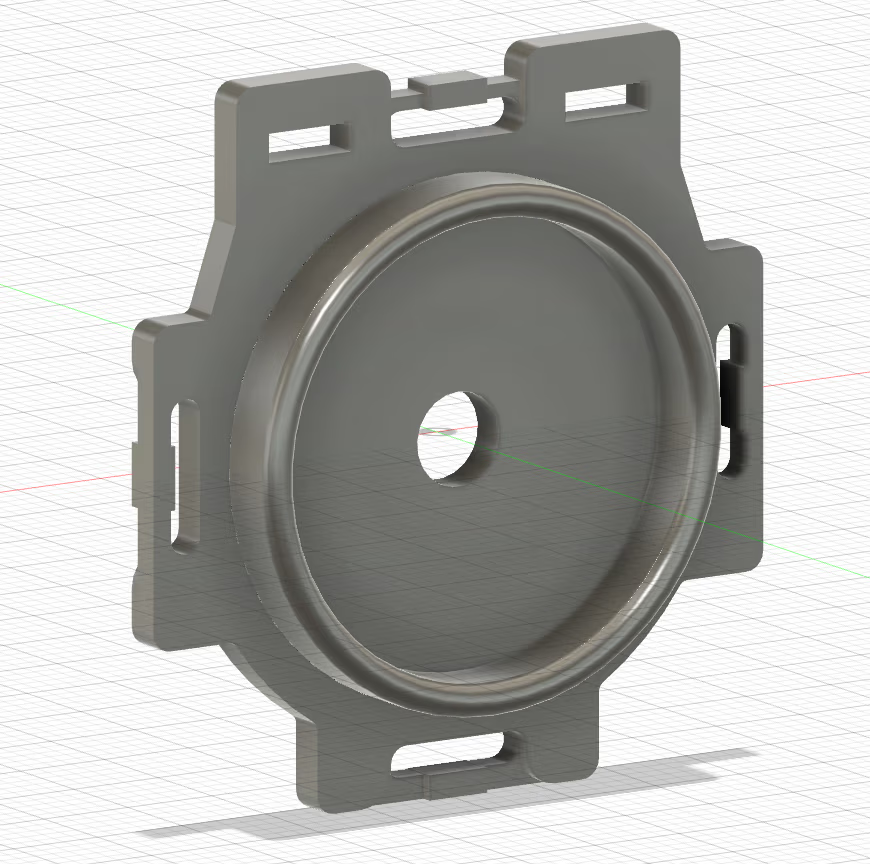
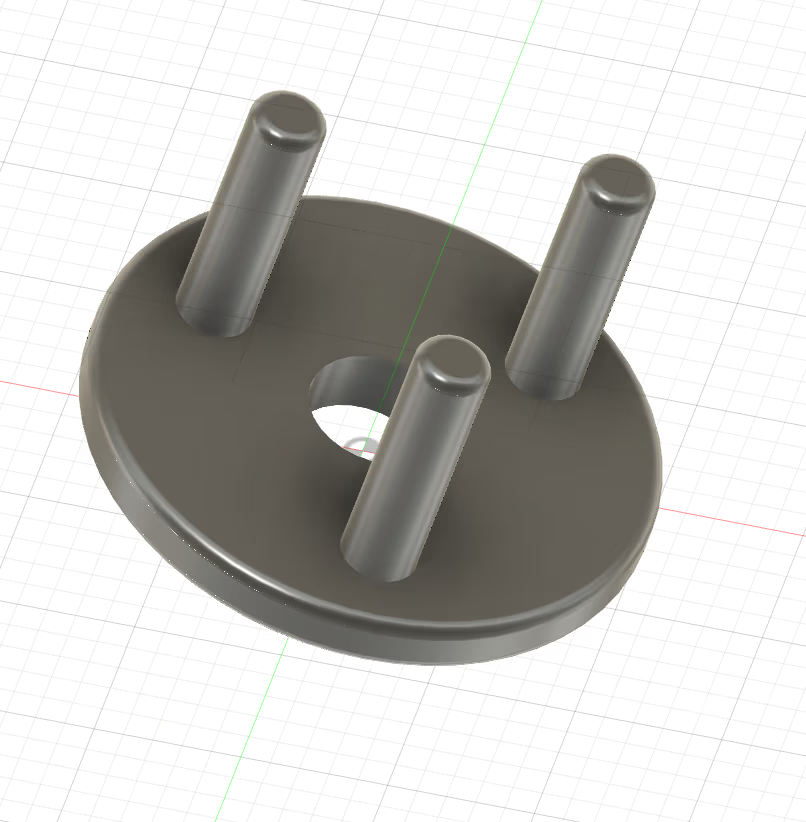
September 27, 2026
Goal
Hold temperature tightly across the operating range.
Work completed
James replaced library PID with custom PID (Sep 25), found the minimum useful heater output (Sep 26), and tuned gains per target: 30 °C (Kp 800, Ki 5), 40 °C (Kp 1750, Ki 50), 45 °C (Kp 5000, Ki 50) and 50 °C (Kp 23000, Ki 50).
Result
Custom PID holds within ±0.5 °C at most and ±0.12 °C once stable; tuned runs hold ±0.2–0.45 °C. Time to reach target: 515 s at 30 °C, 703 s at 40 °C, 880 s at 45 °C and 2001 s at 50 °C.
Next step
Integrate the tuned heater into V2.
September 21, 2026
Goal
Simulate realistic reactor data and refine the OD chamber.
Work completed
Lia defined the ideal reactor JSON (reactor, port, fan PWM and RPM, pump state and speed, temperature and target, OD, pH), worked out pH control from the acid or base added and the volume change, and planned an HTML view and scheduled commands (e.g. raise the temperature in five hours). Rebecca noted CAD changes: lower slots so the OD sensor sits near the bottom of the vial, and a keyhole slot for the cap so the vial sits in complete darkness.
Result
Command and telemetry format agreed for all subsystems.
Next step
Get each subsystem's script reading and writing the shared JSON.
Figures
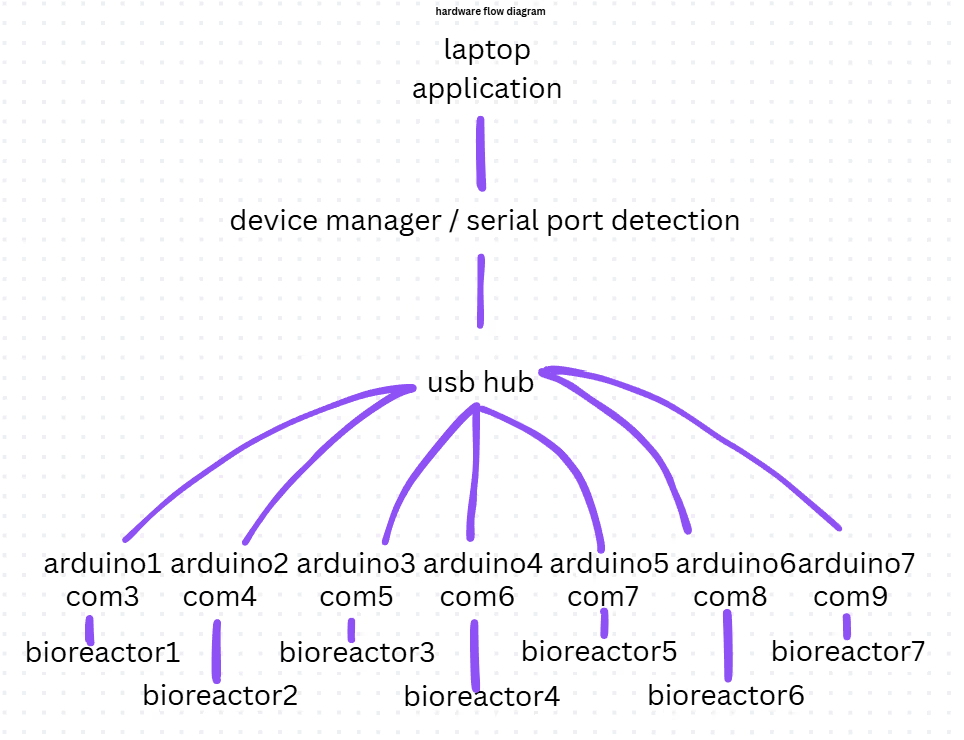
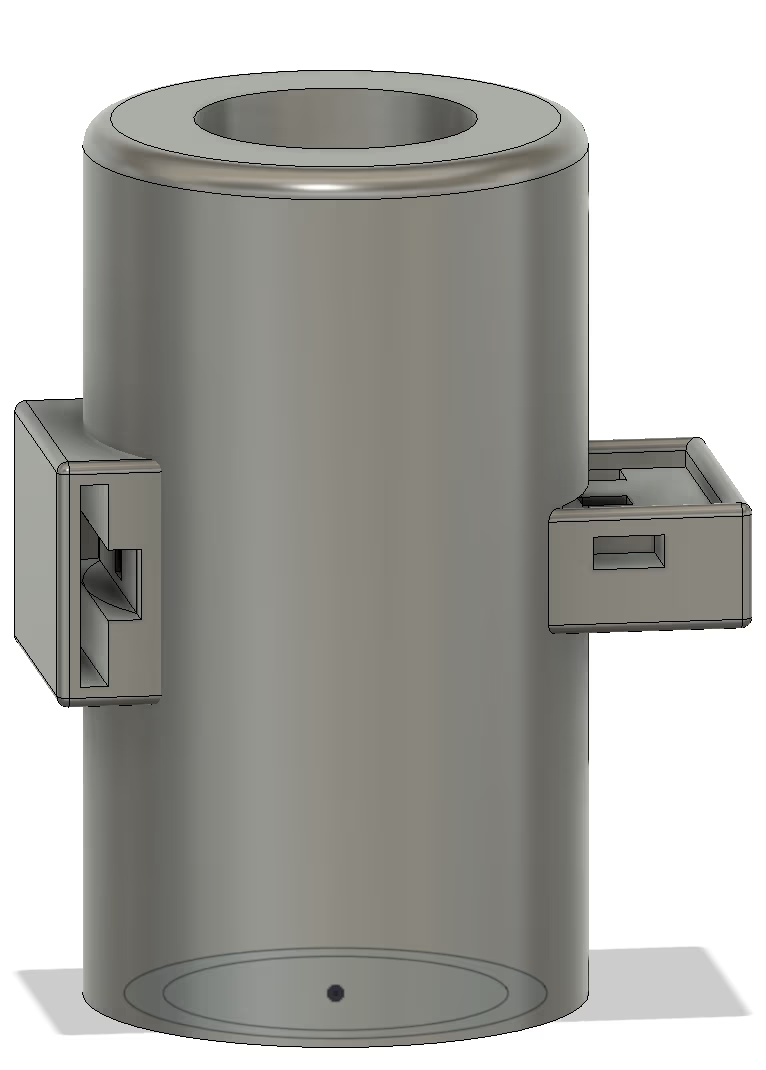
September 17, 2026
Goal
Tune temperature control.
Work completed
James ran full-power heater tests (Sep 16) and short PID tests at a 36 °C target with Kp = 2500, Ki = 10, Kd = 0.
Result
Integral wind-up is large when heating from room temperature, but without Ki the temperature settles just below target. Fix: only enable PID near the target, or write custom PID with a cap on integral build-up.
Next step
Write custom PID and tune gains per target temperature.
Figures
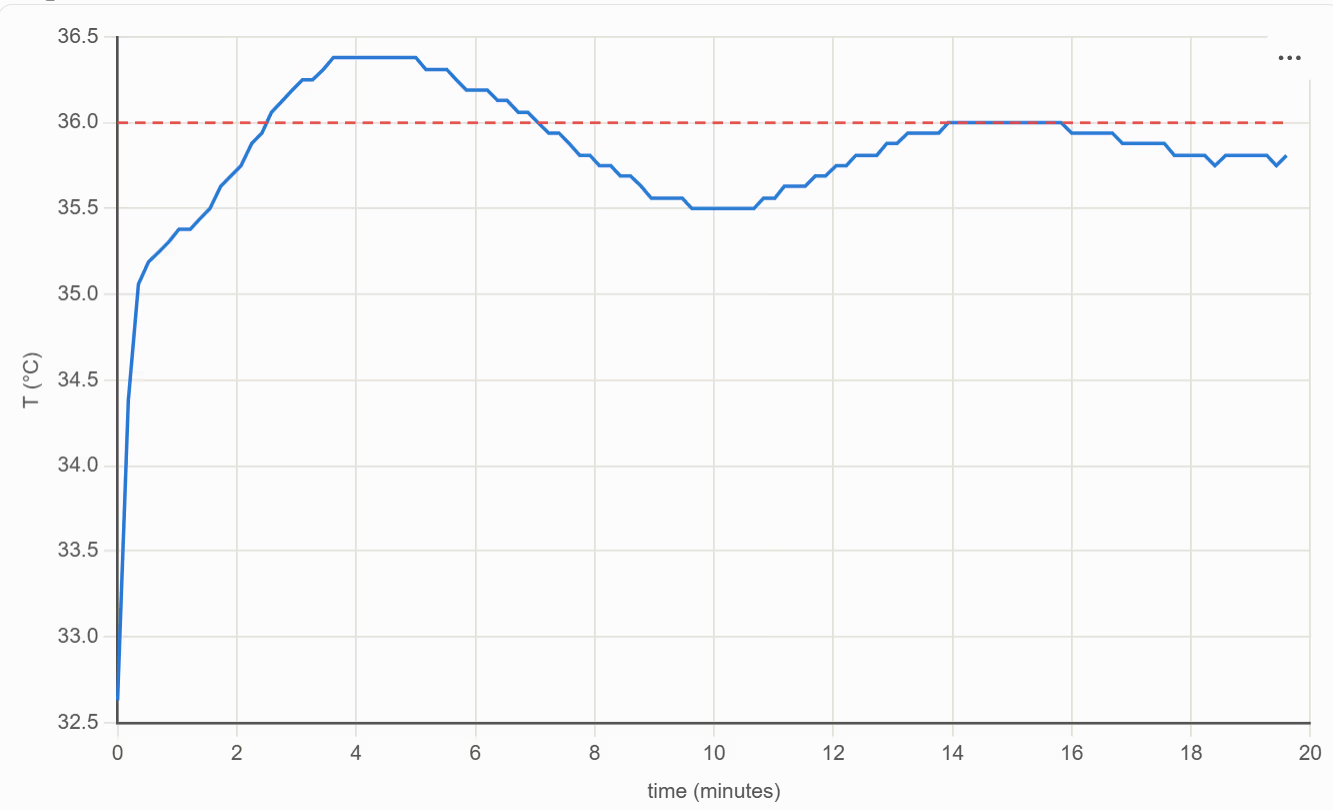
September 14, 2026
Goal
Start the school year and prepare the conference poster.
Work completed
First in-person meeting of the school year (Mondays 5:30 PM). Lindsay finished a CAD model of the exact Adafruit peristaltic pump. Lia added a spectrophotometry graph and pH control using two inlet pumps of known pH. Arya laid out the hardware poster with a cost breakdown and progress for each subsystem.
Result
Hardware poster printed on September 18 for the UofT Microplastics Conference.
Next step
Tune the heater's PID control.
Figures
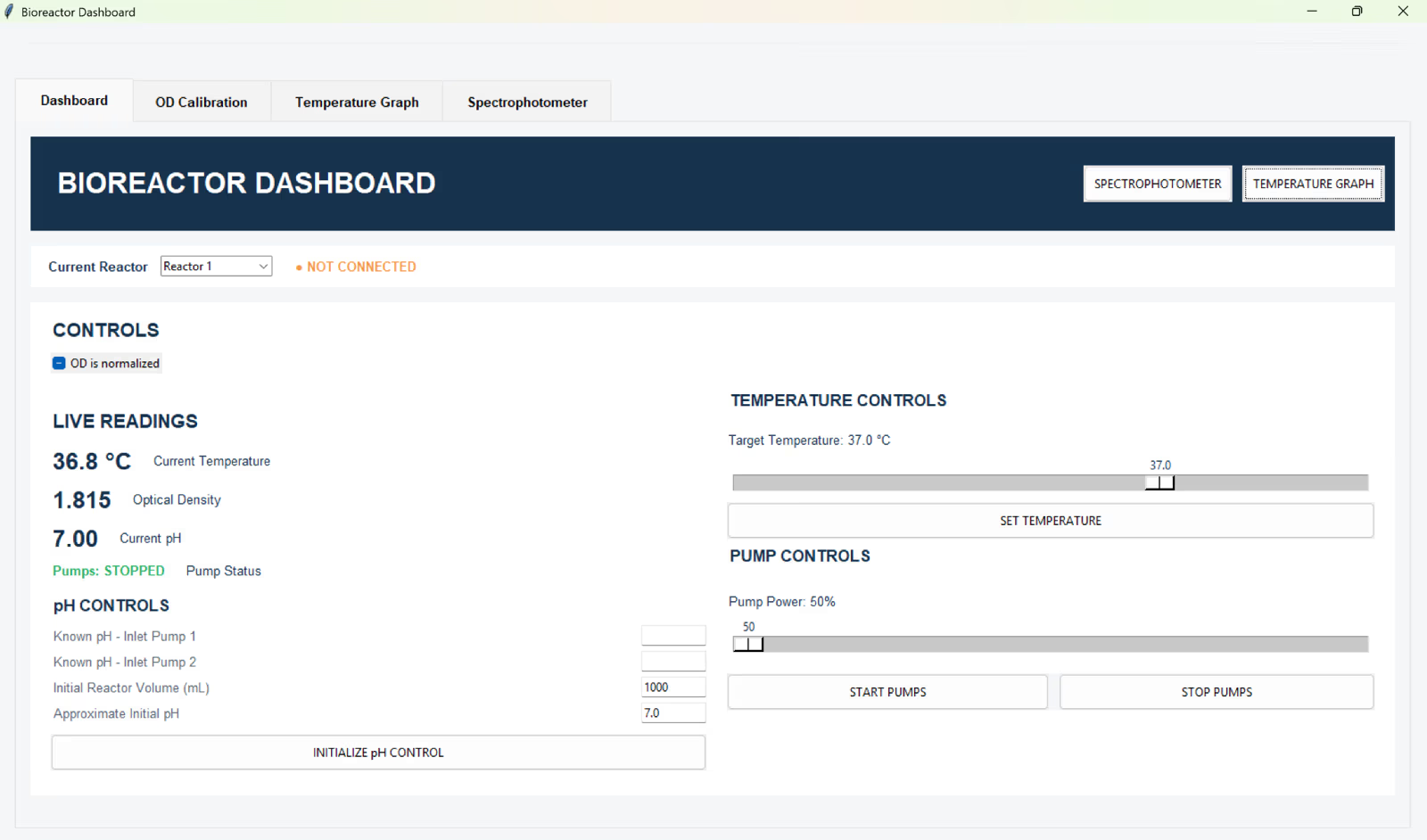
September 6, 2026
Goal
Find how few points a reliable OD calibration needs.
Work completed
Claire fitted quadratic calibration curves using 2, 3, 4 and all 10 points, measured the vial and holder for a new CAD model (Sep 2–3), and wrote up the OD code: SoftWire addresses for the reference and measuring sensors, dark, blank and sample collection, then normalized OD. Lia added a normalized / raw OD checkbox (Sep 8).
Result
First, middle and last points give nearly the same curve as all ten (R² = 0.993), so a three-vial calibration is enough for users.
Next step
Build the calibration flow (dark, blank, then samples) into the dashboard.
Figures
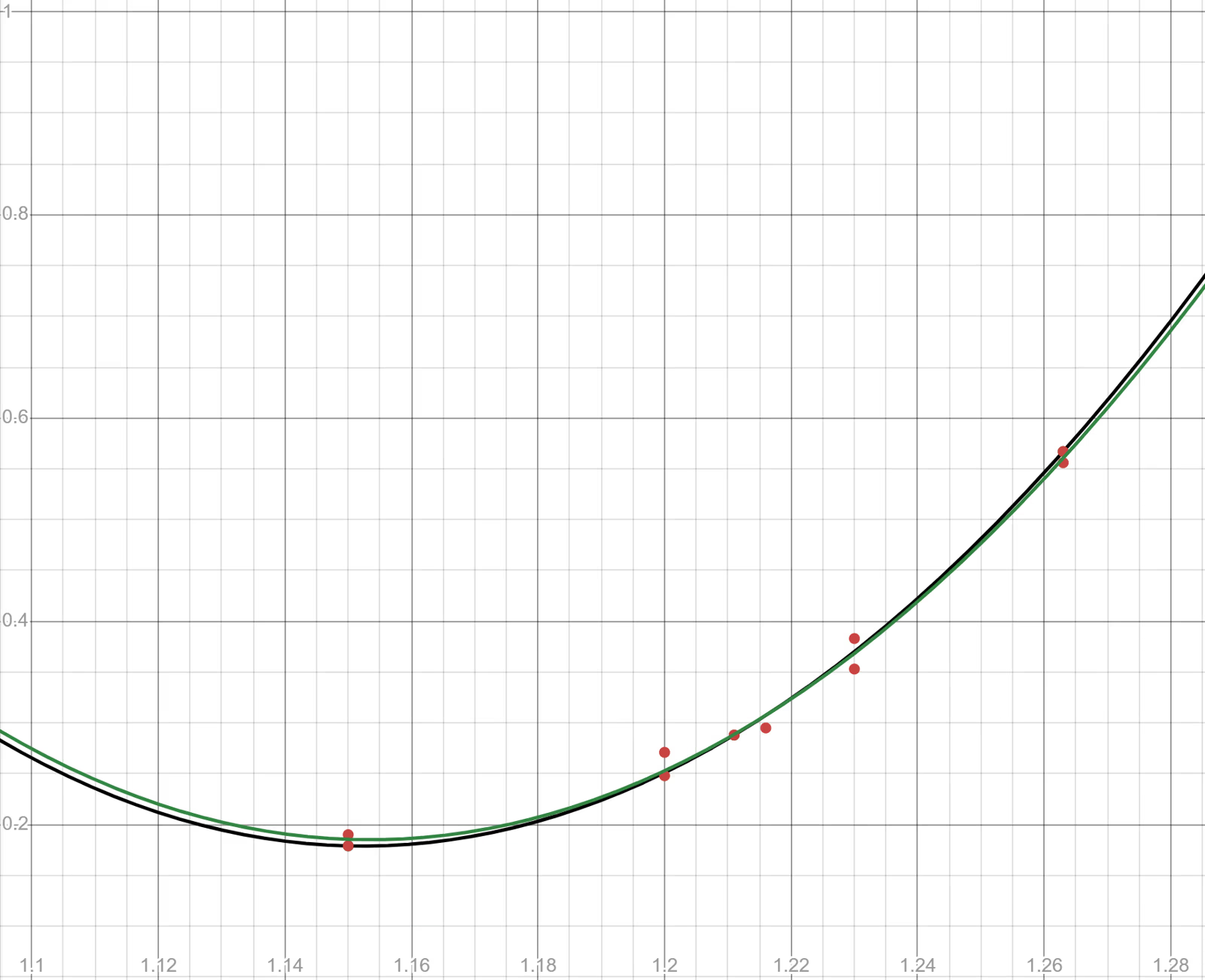
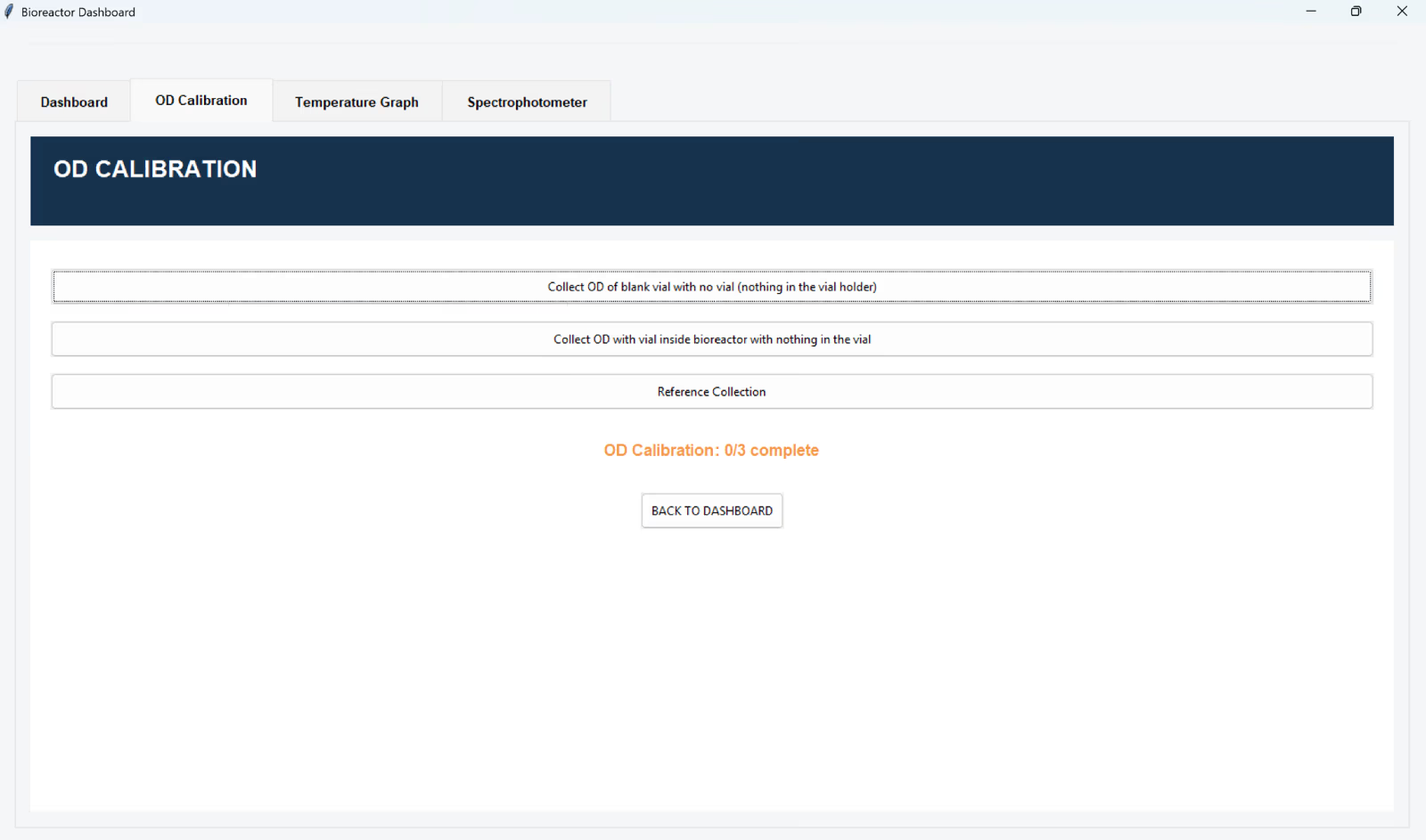
September 1, 2026
Goal
Compare the bioreactor's OD sensor with a spectrophotometer.
Work completed
Claire measured bacterial cultures on a spectrophotometer (OD600) and on the integrated bioreactor's OD sensor (normalized OD, nOD). Lia added a spectrophotometer tab, colours, greyed-out calibration buttons, a warning when pumps are used before calibrating, a target-temperature slider, a live temperature reading and graph, and simulated reactor data by having an Arduino Nano write JSON to USB every 500 ms.
Result
nOD tracks OD600 (trendline R² ≈ 0.99), but taking the vial out shifts the reading because the gap between cap and holder lets in different amounts of room light. Loose jumper wires dropped out mid-run (Stemma QT connectors next), and changes beyond two decimal places are noise from light and LED fluctuations.
Next step
Redesign the OD compartment to block ambient light and fit the vial consistently.
Figures
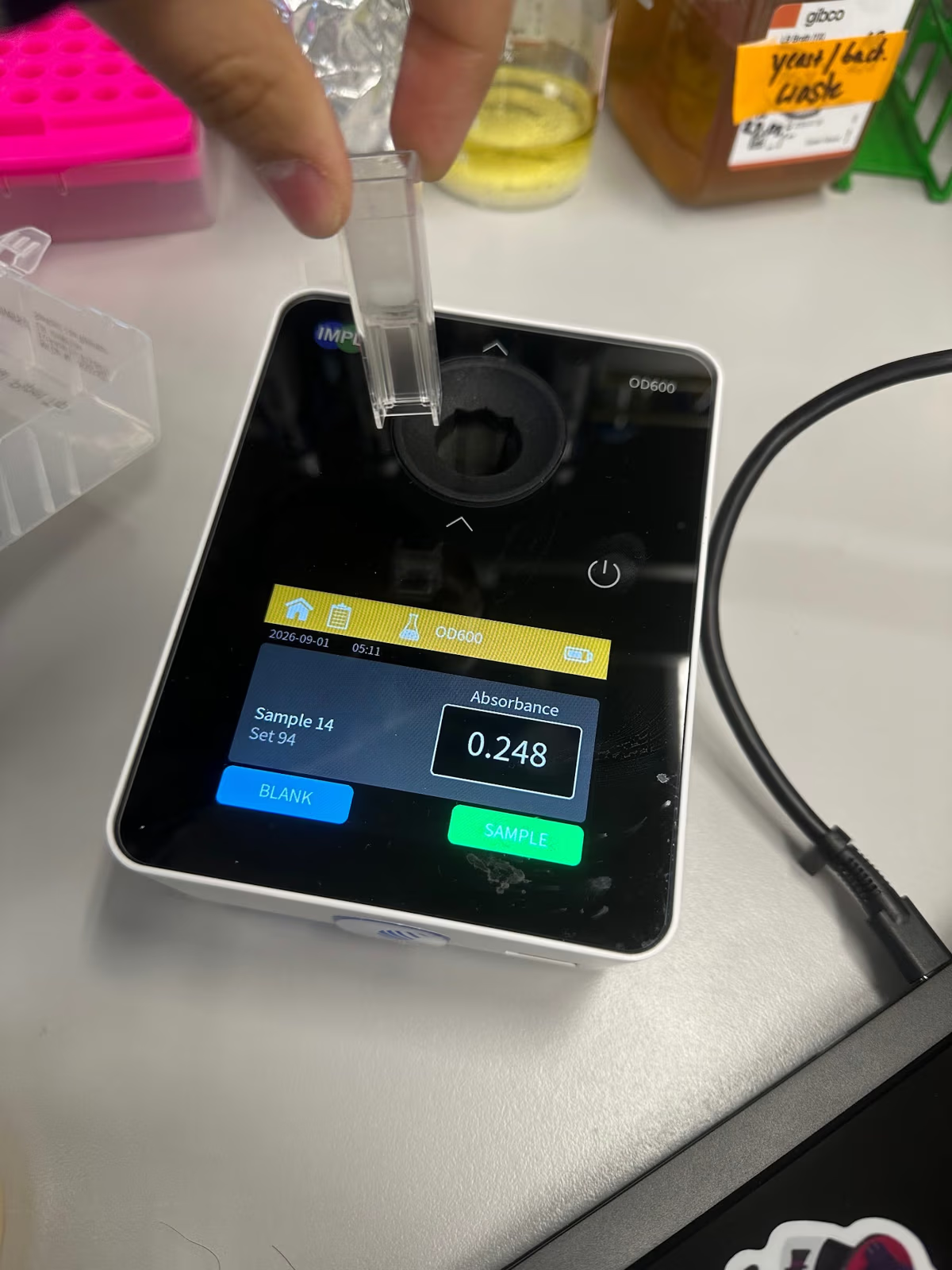
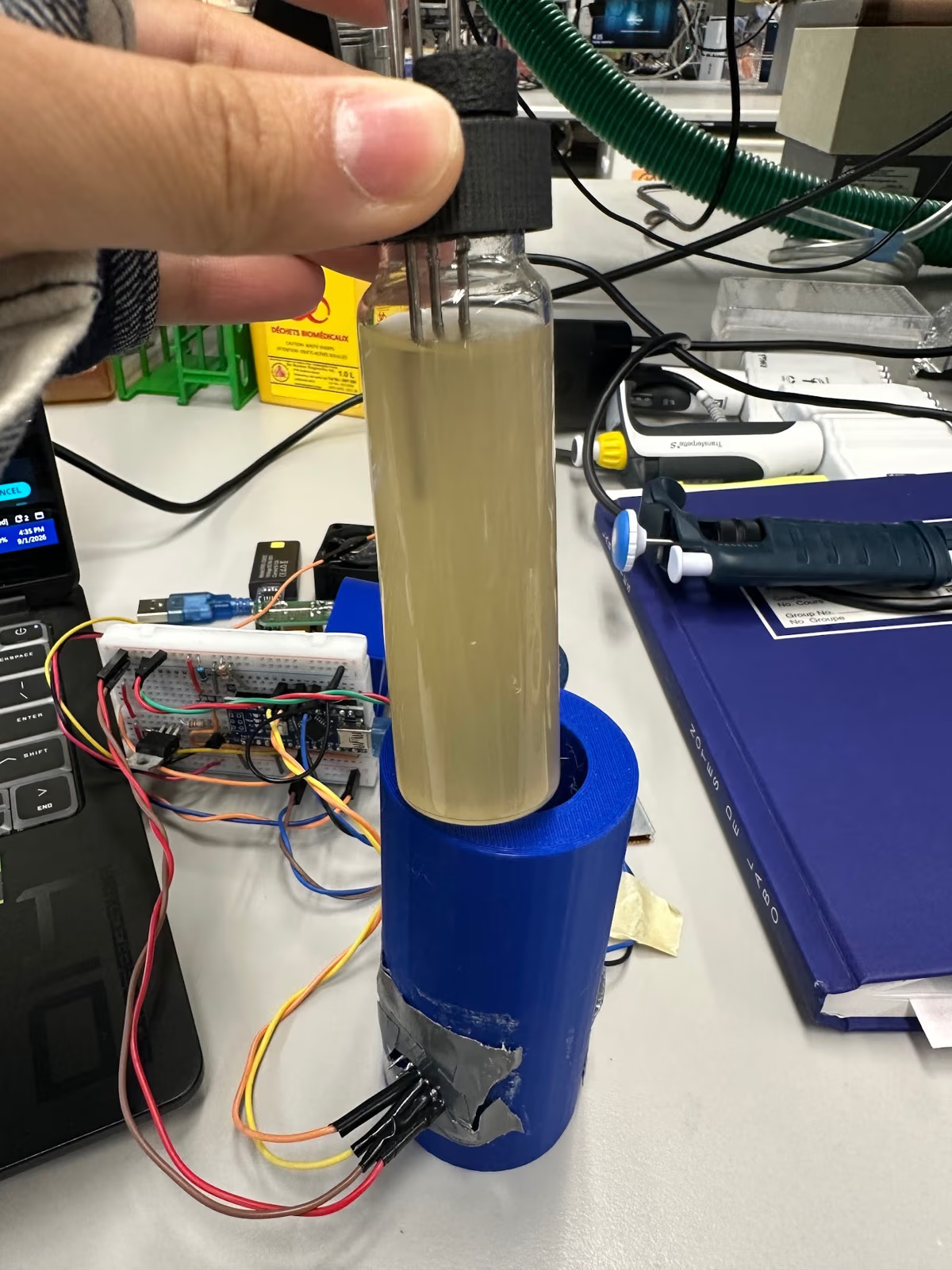
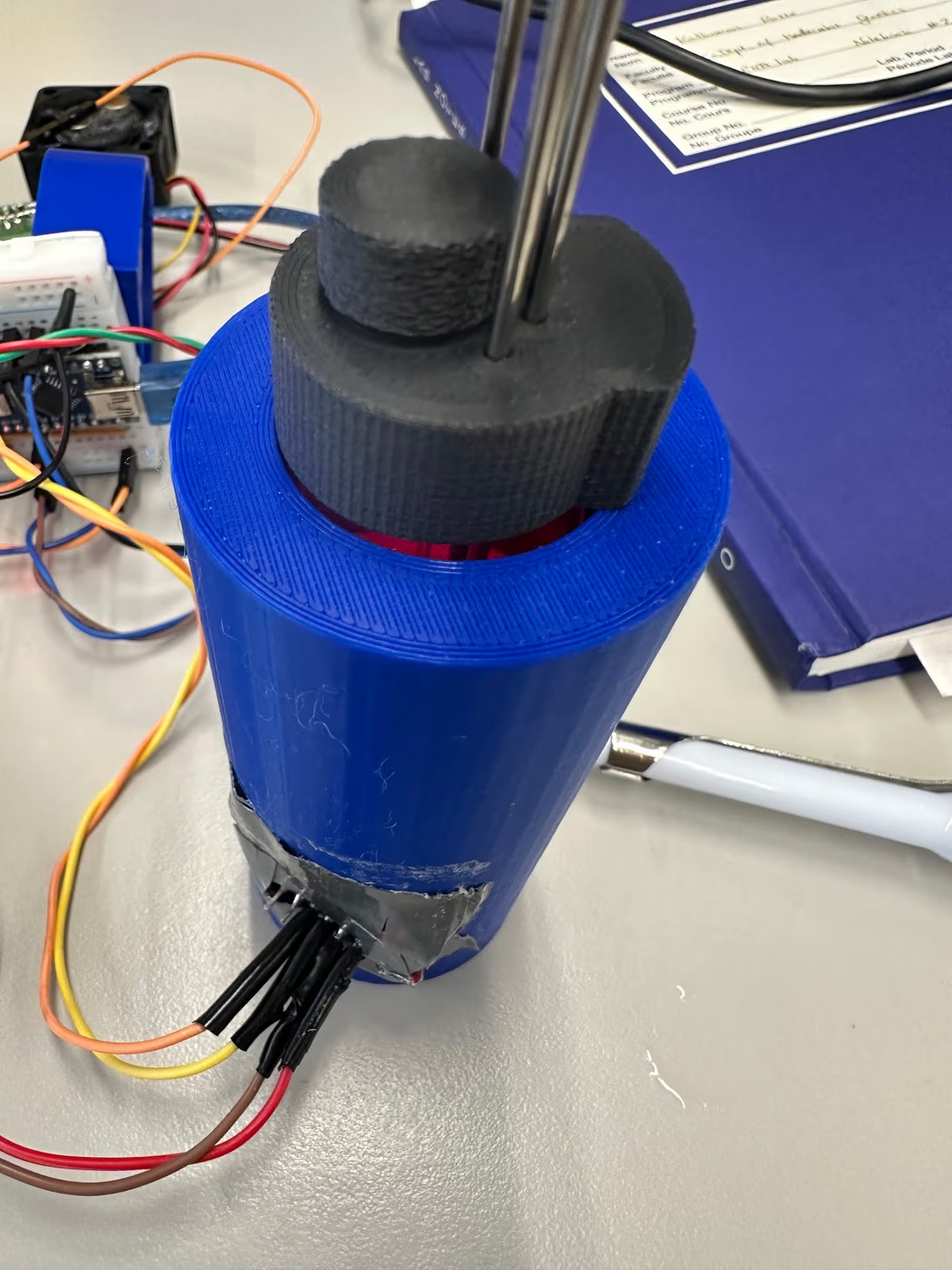
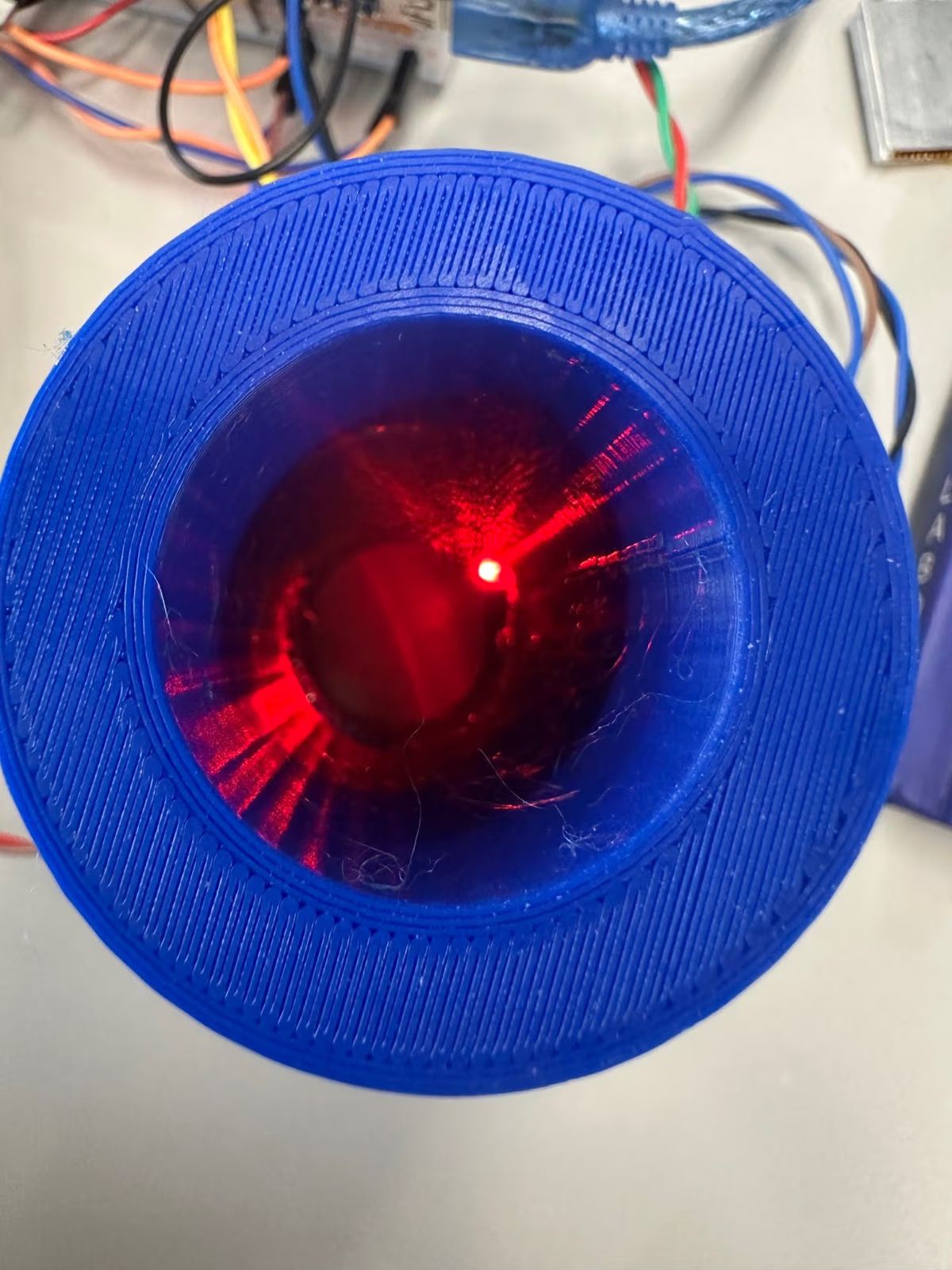
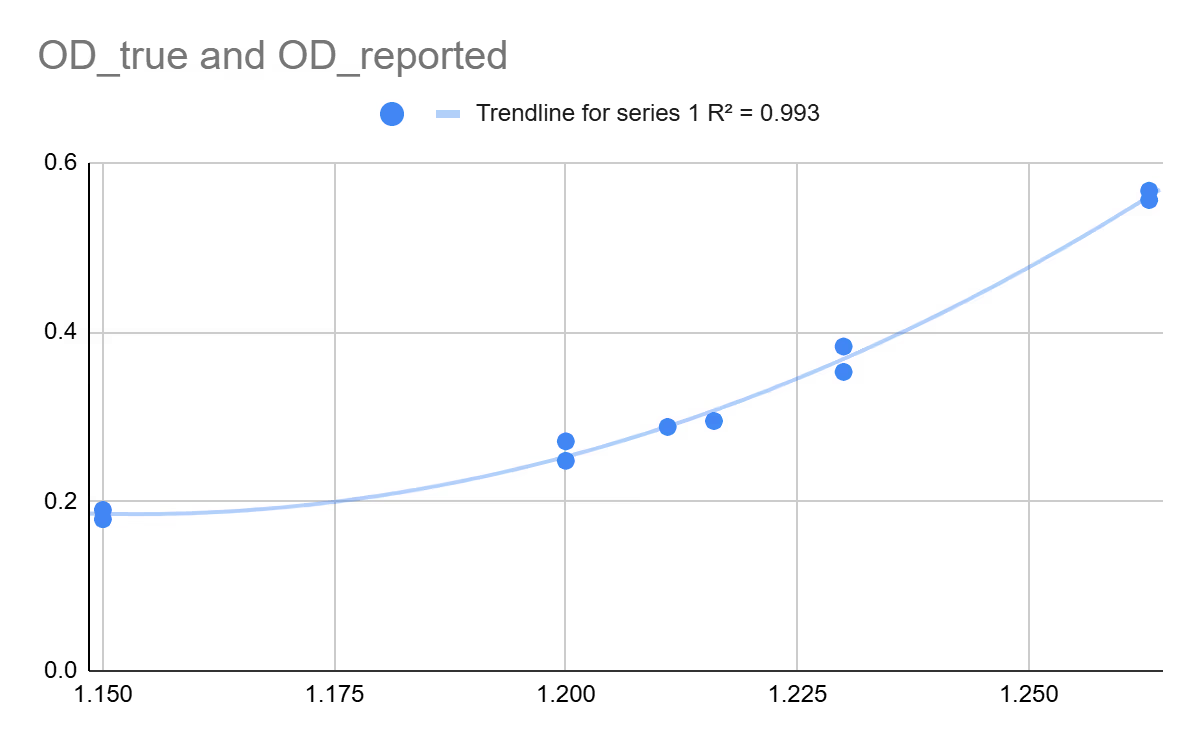
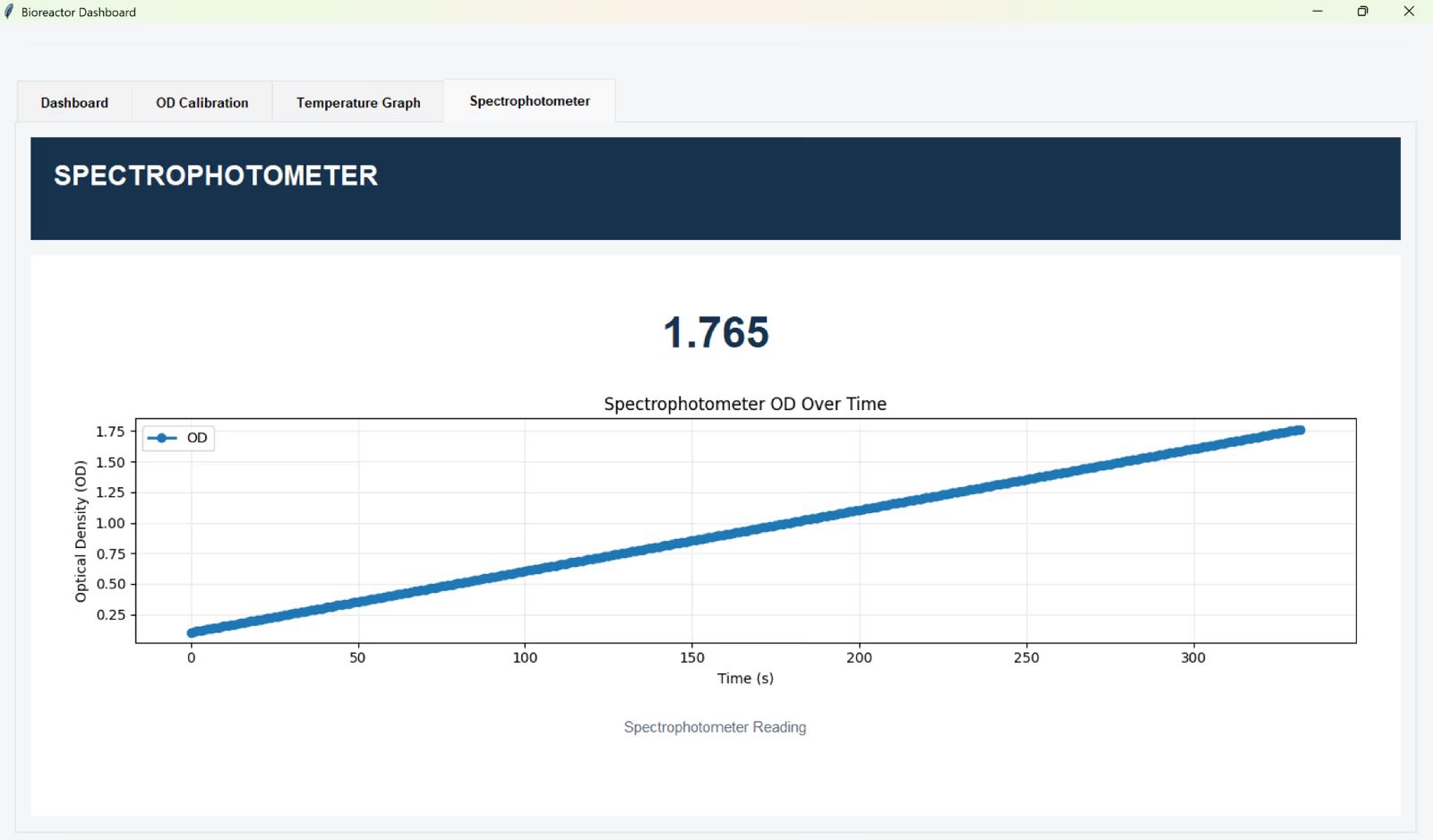
August 31, 2026
Goal
Bring on a mentor and plan OD calibration.
Work completed
Met Prof. Milica Radisic (University of Toronto, tissue engineering). Planned a continuous OD graph and a calibration curve from 5–10 vials of known OD, shown in the background of every experiment. Spencer offered to teach the team and lend a spectrophotometer for OD calibration.
Result
Prof. Radisic joined as Hardware mentor with monthly design reviews, plus a research student to help scale the bioreactor down to a faster, lower-volume screening format.
Next step
Run the first OD tests against the spectrophotometer.
August 25, 2026
Goal
Write up V1 and lock the V2 design direction.
Work completed
Wrote the V1 subsystem write-ups for the wiki (context, requirements, subsystems, experiments, results, reflection). Lia specified the Tkinter dashboard: a setup button that records dark (no vial) then blank-vial OD, a pump stop button and power slider bounded by experiment, and JSON for targets and commands. Read past hardware-award wikis for structure.
Result
New V2 CAD design locked in with easier maintenance, such as removable tubing for autoclaving. Subsystem integration holding steady.
Next step
Calibrate OD against a spectrophotometer and meet Prof. Milica Radisic on August 31.
August 18, 2026
Goal
Document V1 wiki structure, CAD assembly, and OD integration code.
Work completed
Lia: received Human Practices Info V1; reviewed award-winning hardware wikis for patterns (context → requirements → subsystems → experiments → results → reflection). Specified Tkinter setup (dark/blank OD), pump stop + PWM slider, JSON targets/commands, multi-Arduino power notes. Claire: CAD iterations for OD wiring space, vial holder cutouts, horizontal peristaltic pump drawers (vs vertical), breadboard slot; continued SoftWire OD classes (divide-by-zero expected on dummy values).
Result
V1 documentation outline and control UI requirements captured; mechanical layout shifted to horizontal pump drawers for shorter vial height.
Next step
Fill wiki V1 / Experiments tabs; finish OD setup/calibration code path; keep dashboard JSON protocol.
Figures
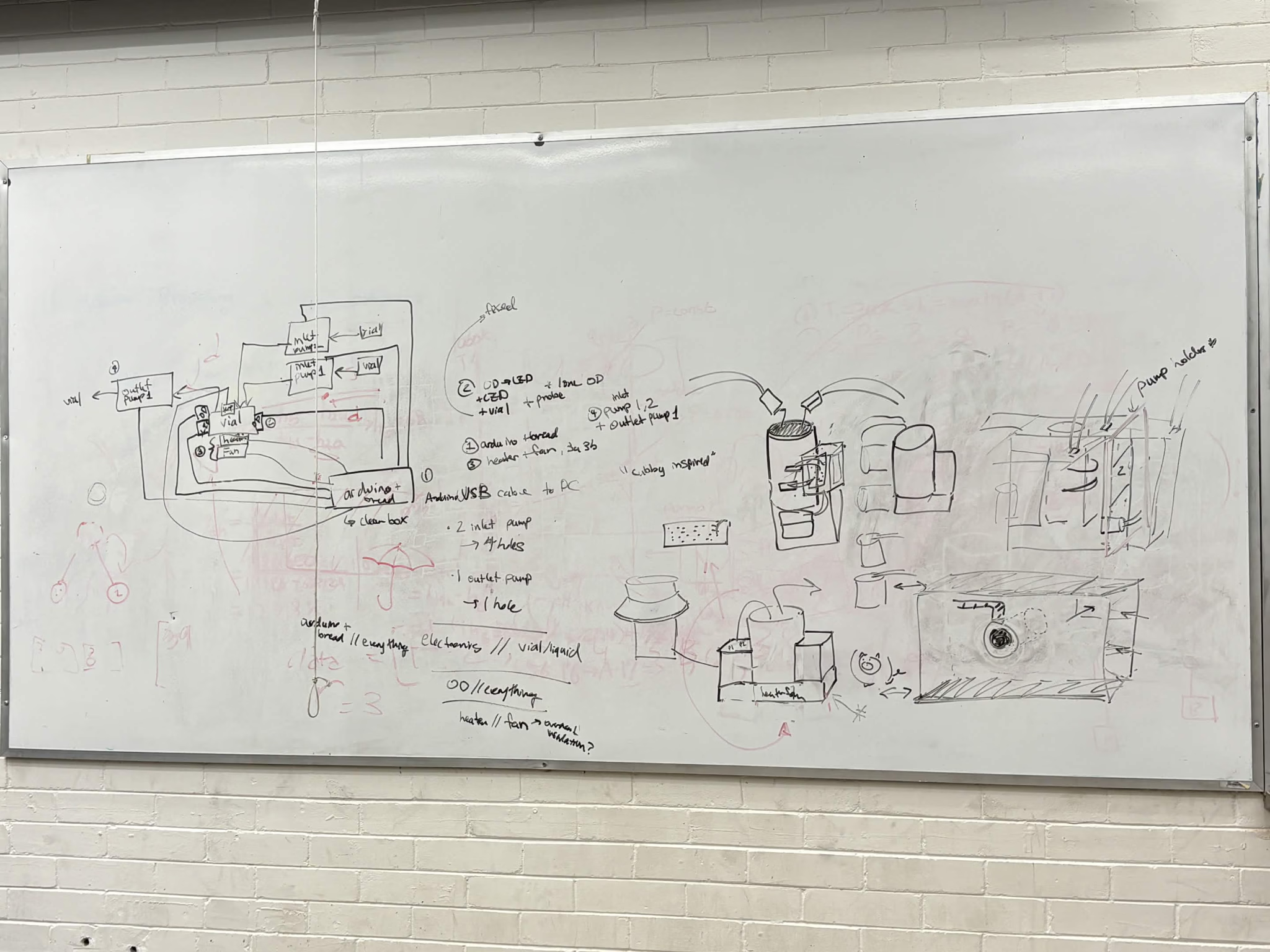
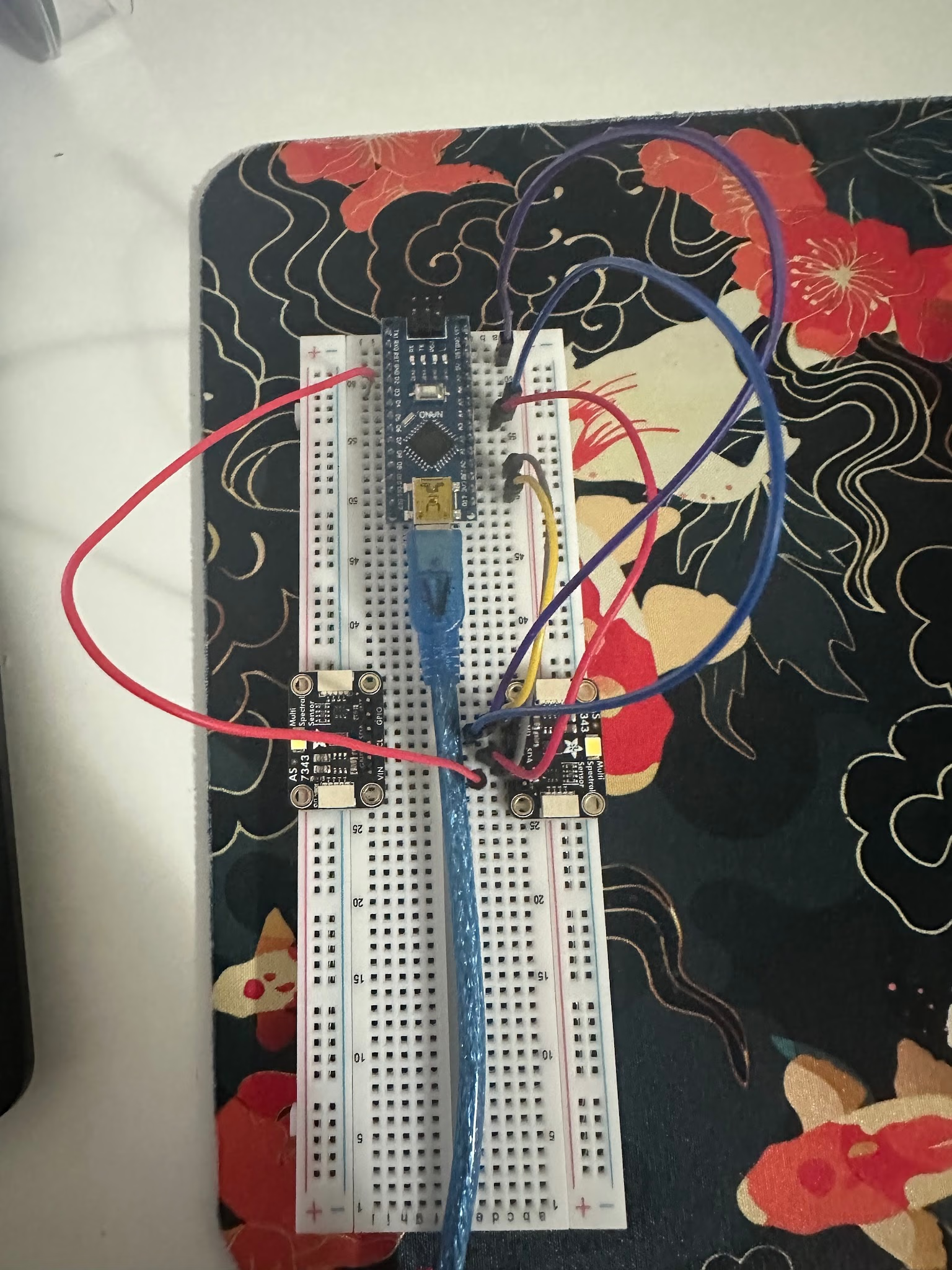
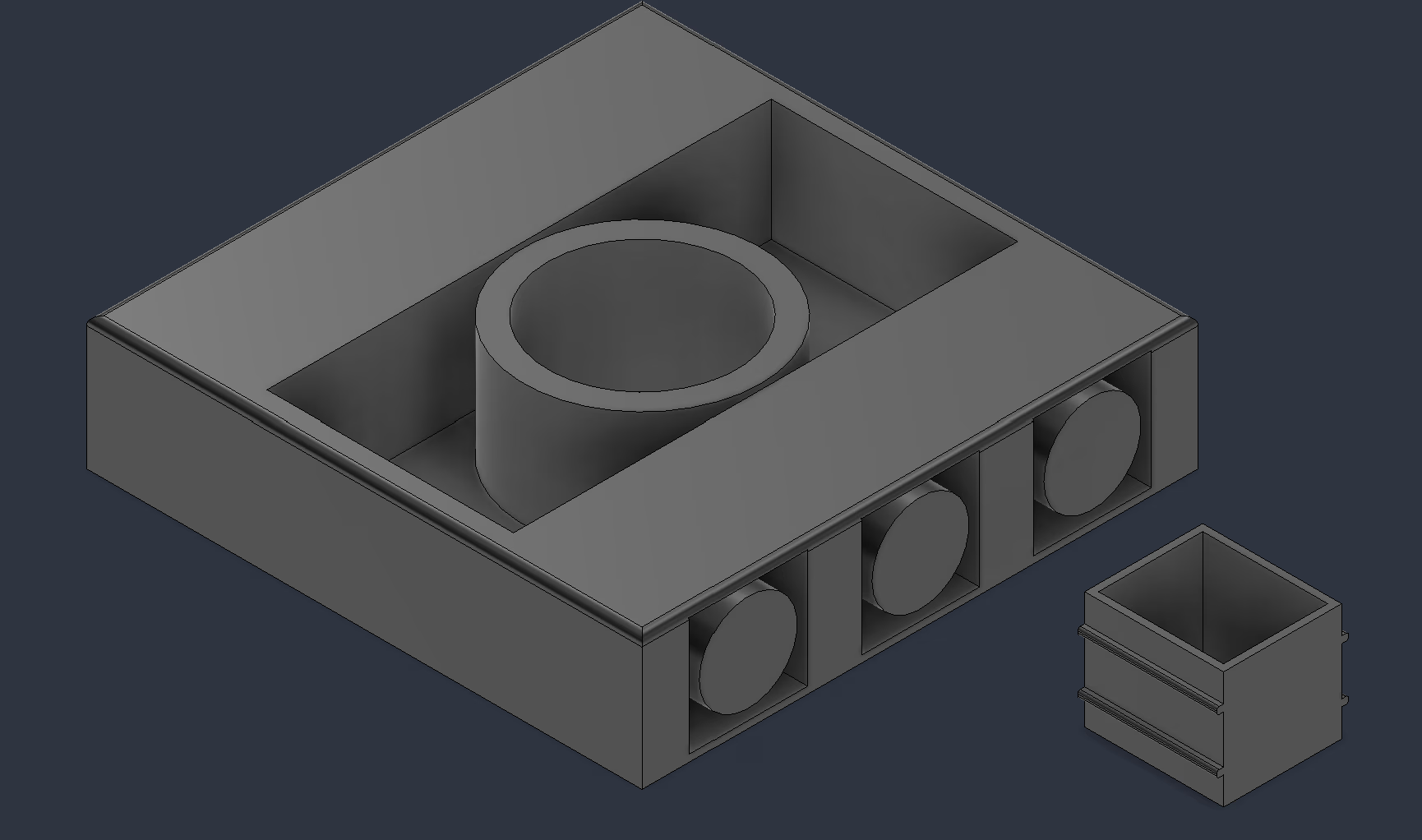
August 11, 2026
Goal
Answer HP sustainability power questions and fix USB hub data path.
Work completed
Lia: HP power liaison; tested USB hubs (powered hubs are often charge-only; non-powered ones transfer data). Researched powered hubs that still pass data. Continued code error-handling and GitHub workflow fixes. Claire: ongoing CAD/OD integration rewrite (dates fuzzy Aug 11–18).
Result
Clearer hub purchasing criteria; HP V1 power figures drafted for wiki.
Next step
Order data-capable powered hub; continue OD class rewrite + CAD drawers.
August 4, 2026
Goal
Stabilize multi-reactor Tkinter dashboard behavior.
Work completed
Lia: in Tkinter dashboard testing, a bad input from one bioreactor disrupted telemetry for all units.
Result
Need per-reactor isolation / better validation so one fault does not take down the board.
Next step
Add input validation and isolate serial readers per port.
July 30, 2026
Goal
Characterize Sunon fan tach / RPM floor for stirring.
Work completed
Arya wired Sunon fan tach and confirmed RPM readout; lowest stable speed ~1800 RPM, too high for culture safety concerns.
Result
Fan usable for tach testing but minimum RPM likely unsuitable for bacteria; need geared / PWM alternative or different impeller drive.
Next step
Evaluate lower-RPM stirring options; document MicroSD autonomy notes from Jun 27 research.
July 27, 2026
Goal
Resize OD mechanical envelope and continue pump/UI work.
Work completed
Claire: vial holder geometry notes (inner radius 35.1 mm; 148×148 mm plate; scale factors). Lindsay: continued pump drive debug. Lia: serial UI and multi-Arduino interface comments.
Result
Mechanical envelope refined for scaled prints; electrical/UI threads still open.
Next step
Integrate OD fixture with pump drawers in CAD; keep transistor + serial work.
July 25, 2026
Goal
Clarify normalized OD vs spectrophotometer OD600 calibration.
Work completed
Documented nOD as current/reference ratio vs “real” OD from fitting nOD to spectrometer OD600; noted 180° transmission geometry for current fixture.
Result
Calibration plan: collect spectrometer OD600 alongside bioreactor ratios, fit curve, map live readings.
Next step
Collect paired calibration points once dual sensors are stable.
Figures
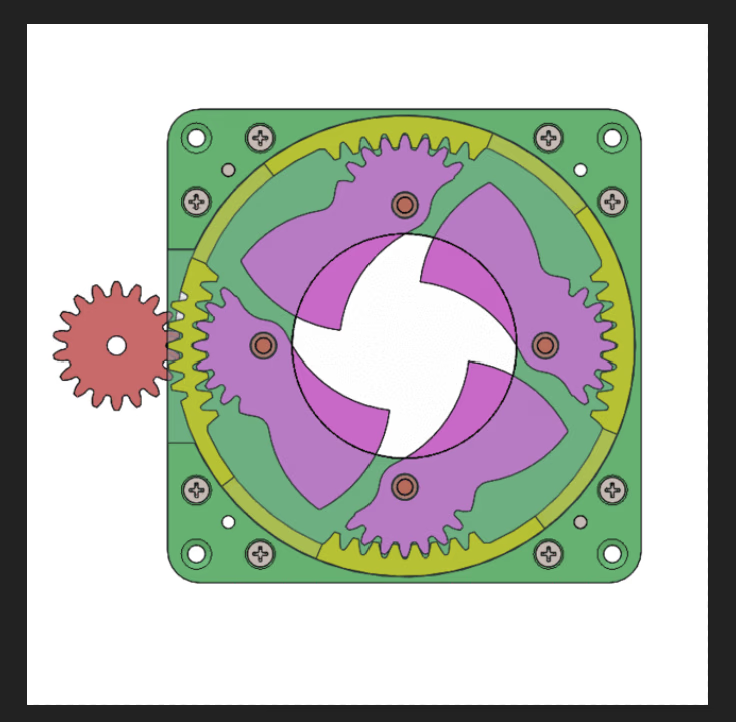
July 21, 2026
Goal
Advance serial UI architecture and keep subsystem actuation over COM.
Work completed
Lia: pushed for modular helpers and JSON-over-serial (temp / OD / actuator status). Explored pyserial host scripts; drafted UI features (command line, CSV download); researched Grafana / Flask / Prometheus path for later dashboards.
Result
Host↔Arduino contract leaning JSON; early Grafana install notes captured.
Next step
Prototype serial command loop for fan / heater / pump; harden error handling across ports.
Figures
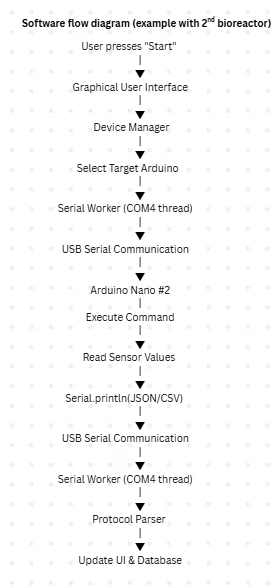
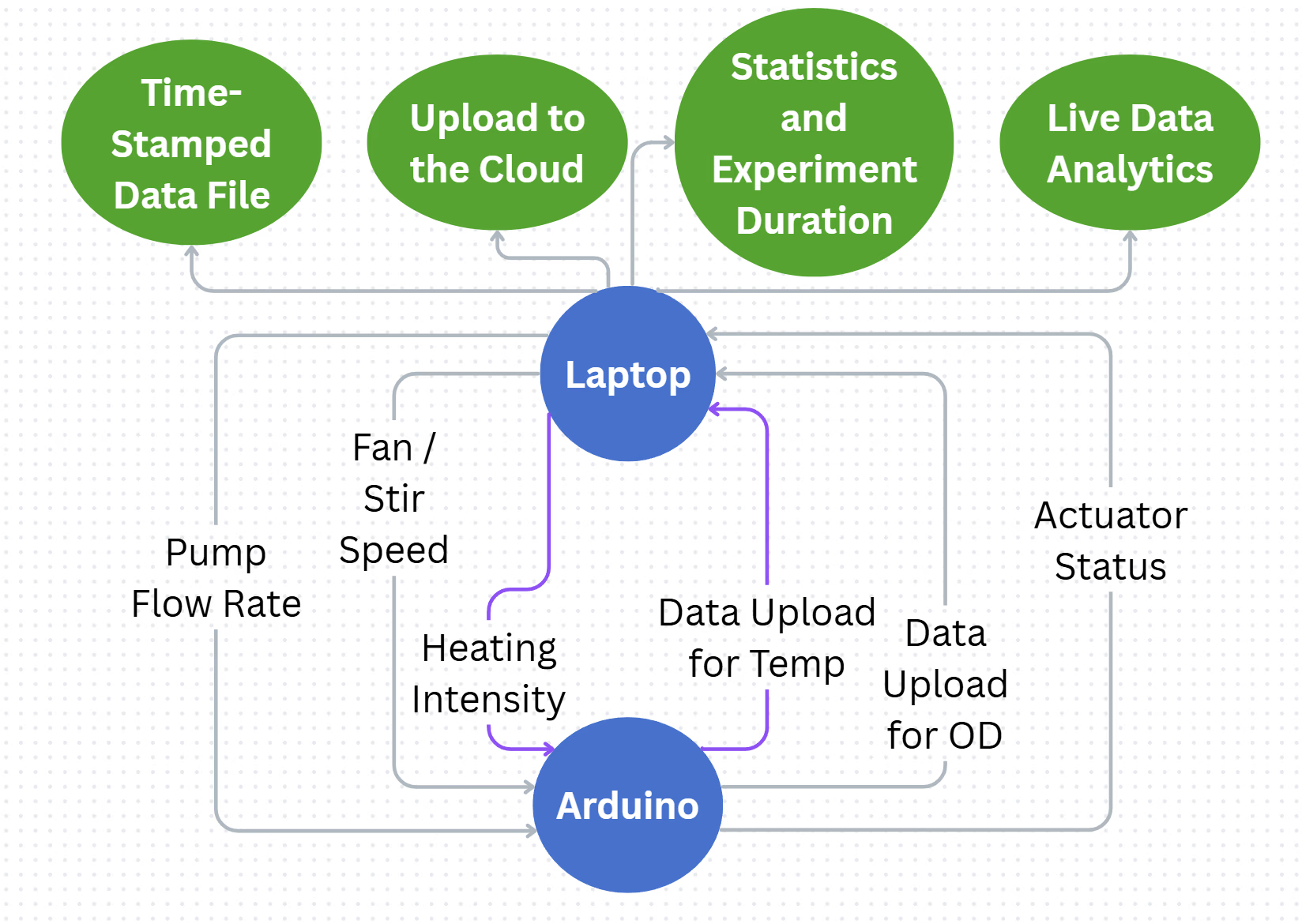
July 20, 2026
Goal
Run two AS7343 sensors and debug pump transistor drive.
Work completed
Claire: dual-sensor SoftWire path in progress. Lindsay: peristaltic pump drive via S8050 transistor: direct PSU-to-pump worked; base drive from Arduino failed; recalculated base resistor (~330 Ω) after datasheet math; also hit avrdude sync / upload failures.
Result
Dual OD addressing moving forward; pump circuit suspect (base resistor / transistor current headroom vs 500 mA pump).
Next step
Retry pump with ~330 Ω base resistor; confirm Nano upload path; keep SoftWire dual OD work.
Figures
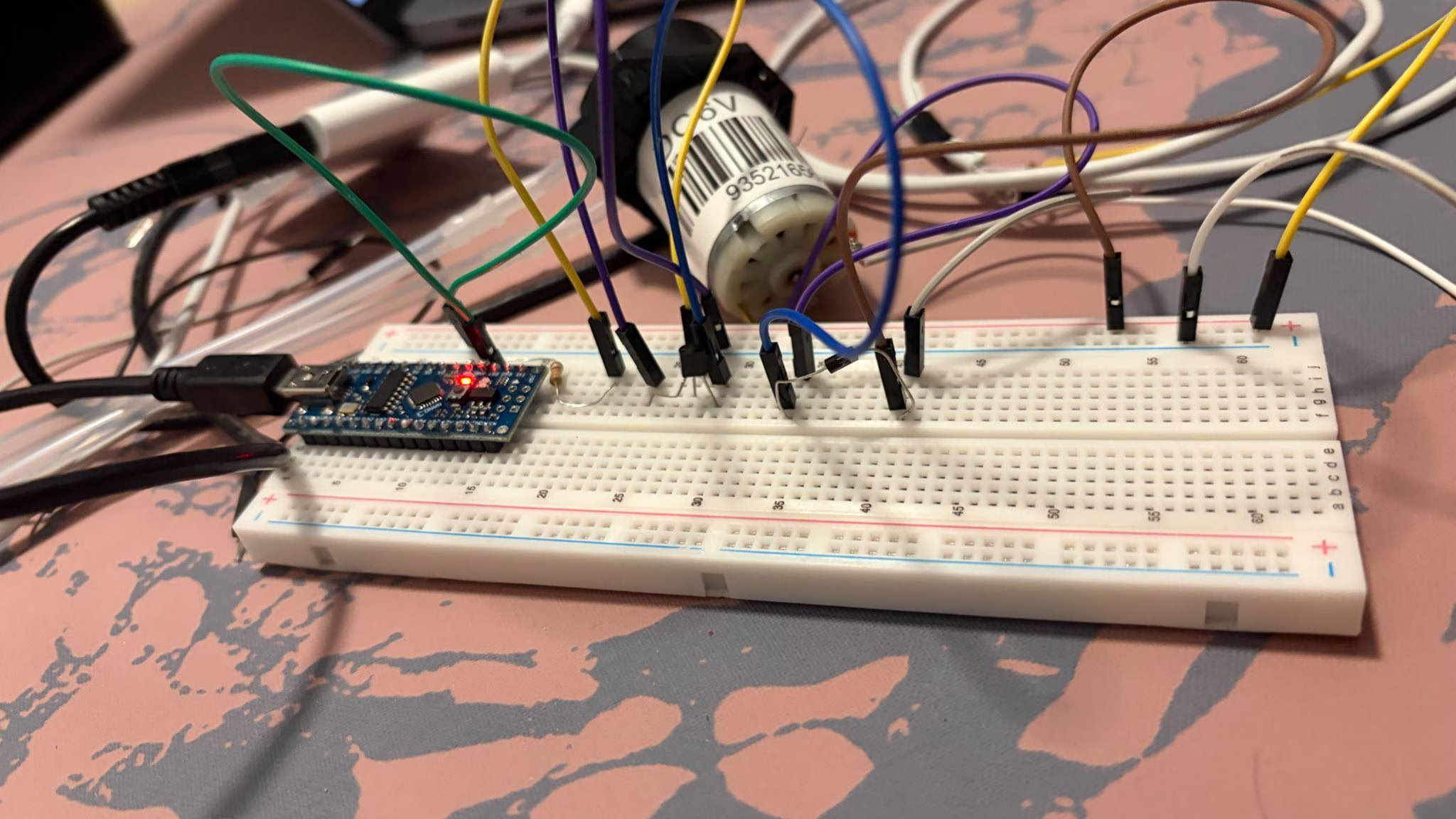
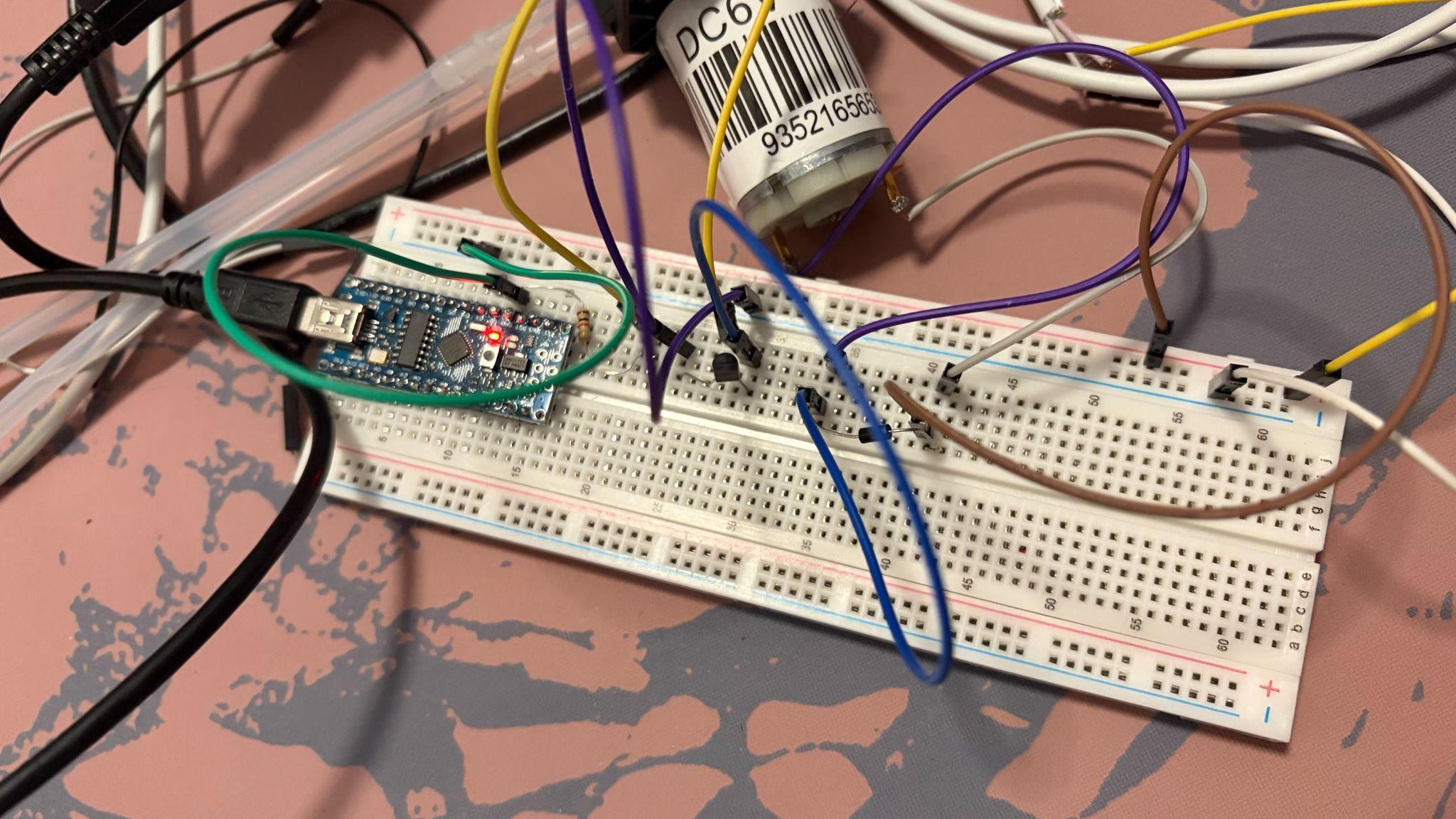
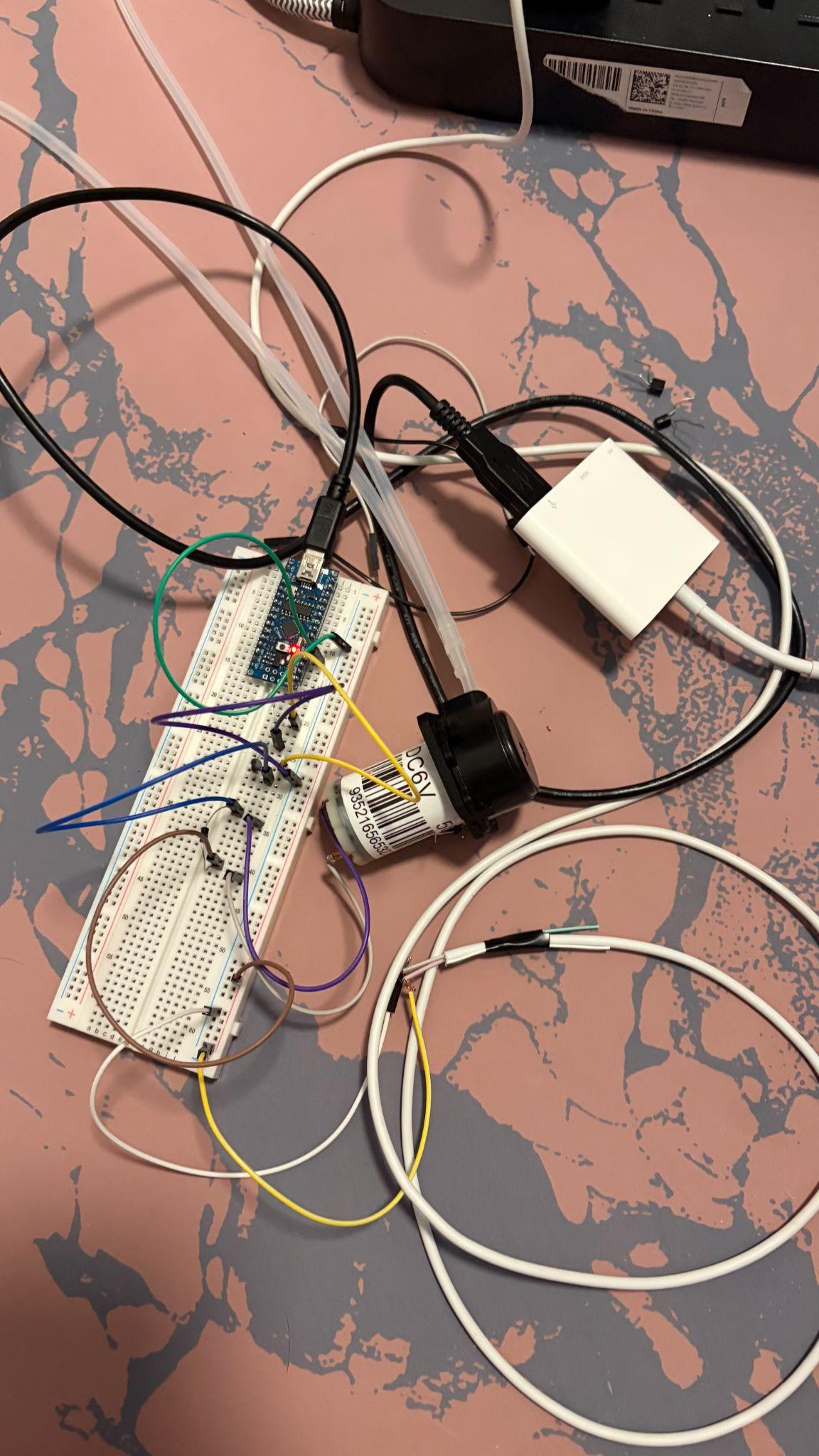
July 18, 2026
Goal
Collect single-sensor readings and lock reference procedure.
Work completed
Exercised single AS7343 reading path and documented reference collection for calibration.
Result
Single-sensor data path usable for early math checks.
Next step
Bring up second sensor on SoftWire.
July 13, 2026
Goal
Define reference vs measuring sensor roles for normalized OD.
Work completed
Sketched ref + measuring sensor logic so normalized OD can be computed as a ratio once SoftWire addresses both devices.
Result
Clearer nOD architecture: blank/dark calibration then live ratio.
Next step
Code SoftWire dual-bus reads; validate single-channel collection first.
July 11, 2026
Goal
Stabilize OD bench setup and reference collection workflow.
Work completed
Continued OD fixture setup after CAD/wiring; documented reference and blank collection needs for later nOD math.
Result
Physical OD test fixture progressing; reference logic still to be coded.
Next step
Implement reference / blank collection steps before dual-sensor runs.
Figures
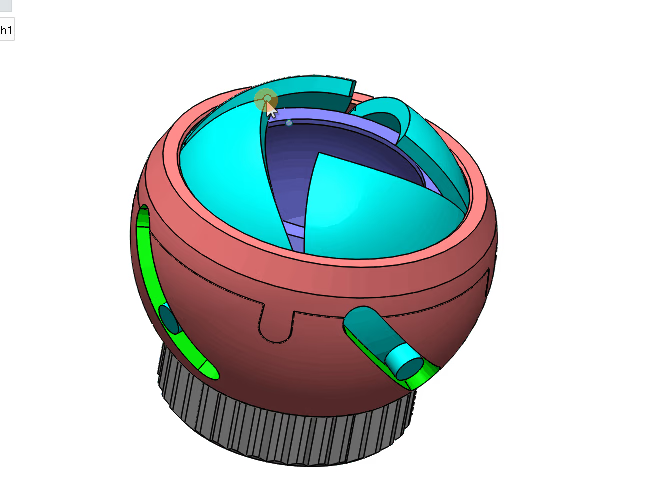
July 10, 2026
Goal
Wire Arduino Nano to one AS7343 and verify I2C readings.
Work completed
Wired a single AS7343 (shared I2C address blocks dual sensors for now). Brought up Adafruit AS7343 basic_readings; fixed baud rate; used an I2C scanner sketch to confirm device ACK.
Result
Single-sensor path reading; dual-sensor addressing deferred to SoftWire / software I2C.
Next step
Continue OD setup; plan SoftWire for two same-address sensors.
Figures
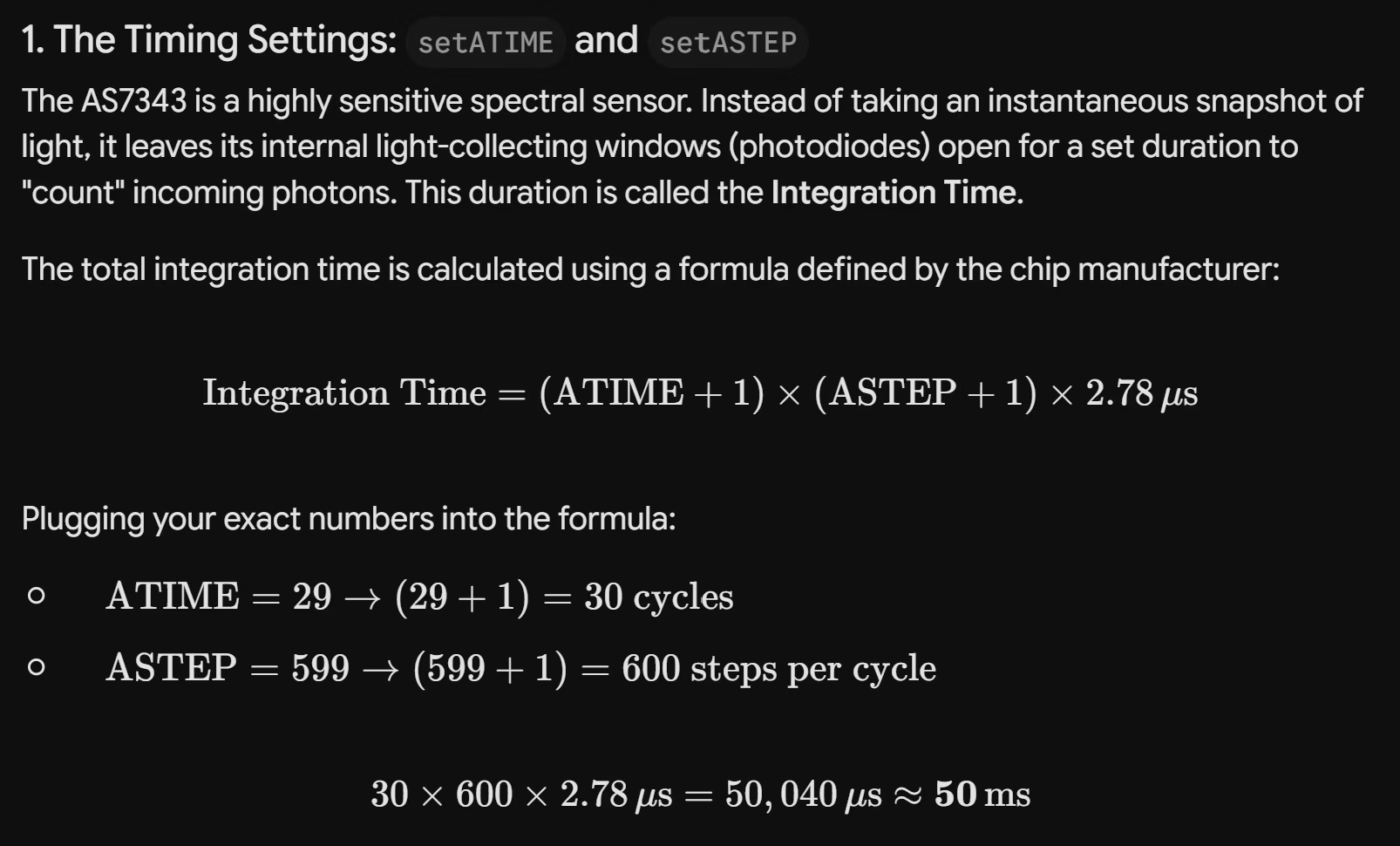
July 9, 2026
Goal
Re-CAD the OD vial holder for AS7343 sensors and pioreactor vial diameter.
Work completed
Replaced prior OPT101-oriented holder (stilts for stir-bar clearance, dual photodiode cutouts) with a 35 mm vial design, stilts attached for stability, and larger AS7343 cutouts while keeping dual-sensor orientation.
Result
Print-ready OD holder CAD updated for AS7343 + pioreactor vial geometry.
Next step
Print holder; start Nano + AS7343 wiring and Adafruit basic_readings sketch.
Figures
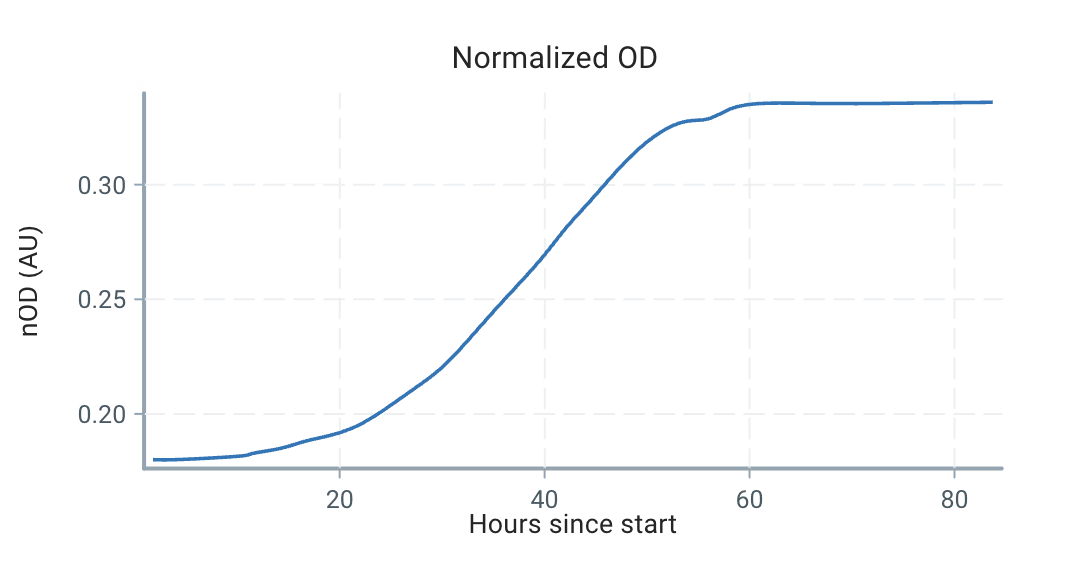
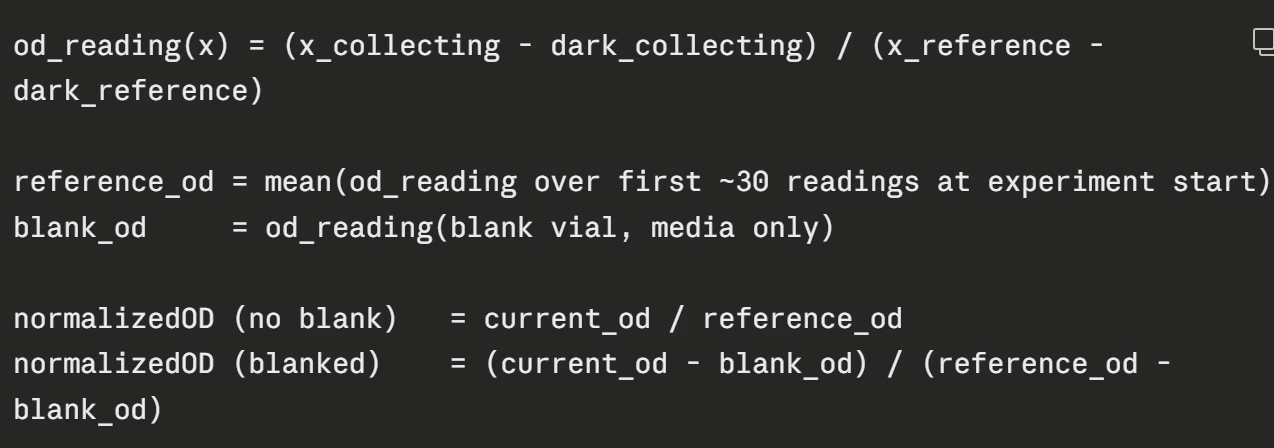
July 7, 2026
Goal
Launch shared repo, set build schedule, and integrate subsystem code.
Work completed
Set up sprints and team roster; created GitHub repo; chose Thursday build evenings. Member updates: Claire on ADAfruit library + new CAD; Lia on Serial Studio (8 devices); Lindsay soldered pumps; James on vial sleeve print and thermocouple at 55 °C; integration pseudocode reviewed.
Result
Bioreactor repo live; Thursday build nights confirmed; RRF deadline set for Friday.
Next step
Add subdesign folders to GitHub; complete RRFs; run in-person build tests; document progress for wiki.
Deliverables
- Complete RRFs by Friday
- Thursday build nights on calendars
- Subsystem folders in GitHub repo
June 28, 2026
Goal
Prepare for extended build session and finalize RRF experiment instructions.
Work completed
Planned 2.5–3 h build meeting: RRF finalization, Artem lab updates, Jira/item sign-out, When2Meet for build nights, KiCad pin diagram activity, and Arduino coding kickoff.
Result
Build-session agenda set; Sunday evening check-in scheduled for RRF edits.
Next step
Complete RRF instructions; run collaborative KiCad pin diagram session; start subsystem code.
June 23, 2026
Goal
Hand out subsystem components and align pinouts with DoE/RRF plans.
Work completed
Reviewed pinout diagrams (OD needs voltage divider); handed out subsystem components; discussed RRF and DoE; OD CAD check-in; TIM reminder; planned Arduino pinout layout activity.
Result
Subsystem ownership distributed; OD sensing validated at different densities pending temp/heater tests first.
Next step
Group build session; collect Arduino libraries in shared spreadsheet; finalize logic loops.
June 16, 2026
Goal
Finalize OD CAD, transition to Jira, and review power diagrams.
Work completed
Claire completed initial OD CAD and sent prototype for print. Team discussed Jira for task tracking, RRF protocol diagrams, motor driver vs transistor tradeoffs, and power diagram review (capacitors, pull-up resistors, I2C buffer limits).
Result
OD CAD prototype ordered; RRF protocols in progress; power architecture reviewed as a team.
Next step
Continue KiCad pinout work; build RRF protocols with diagrams; run power diagram review follow-ups.
June 9, 2026
Goal
Plan subsystem design-of-experiment protocols and CAD for caps/OD.
Work completed
Outreach check-in; member updates on CAD for self-healing caps and OD components; pH interim plan (effluent harvest + manual probe); microcontroller comparison; bioreactor layout sketching. Temperature / heater validation methods drafted in the master engineering workbook.
Result
DoE variables defined for flow rate, temperature accuracy, autoclave path, and sourcing; power budgeting and I2C daisy-chain options documented.
Next step
Solder pumps; finalize CAD prints; draft stress-test variable lists per subsystem.
Figures
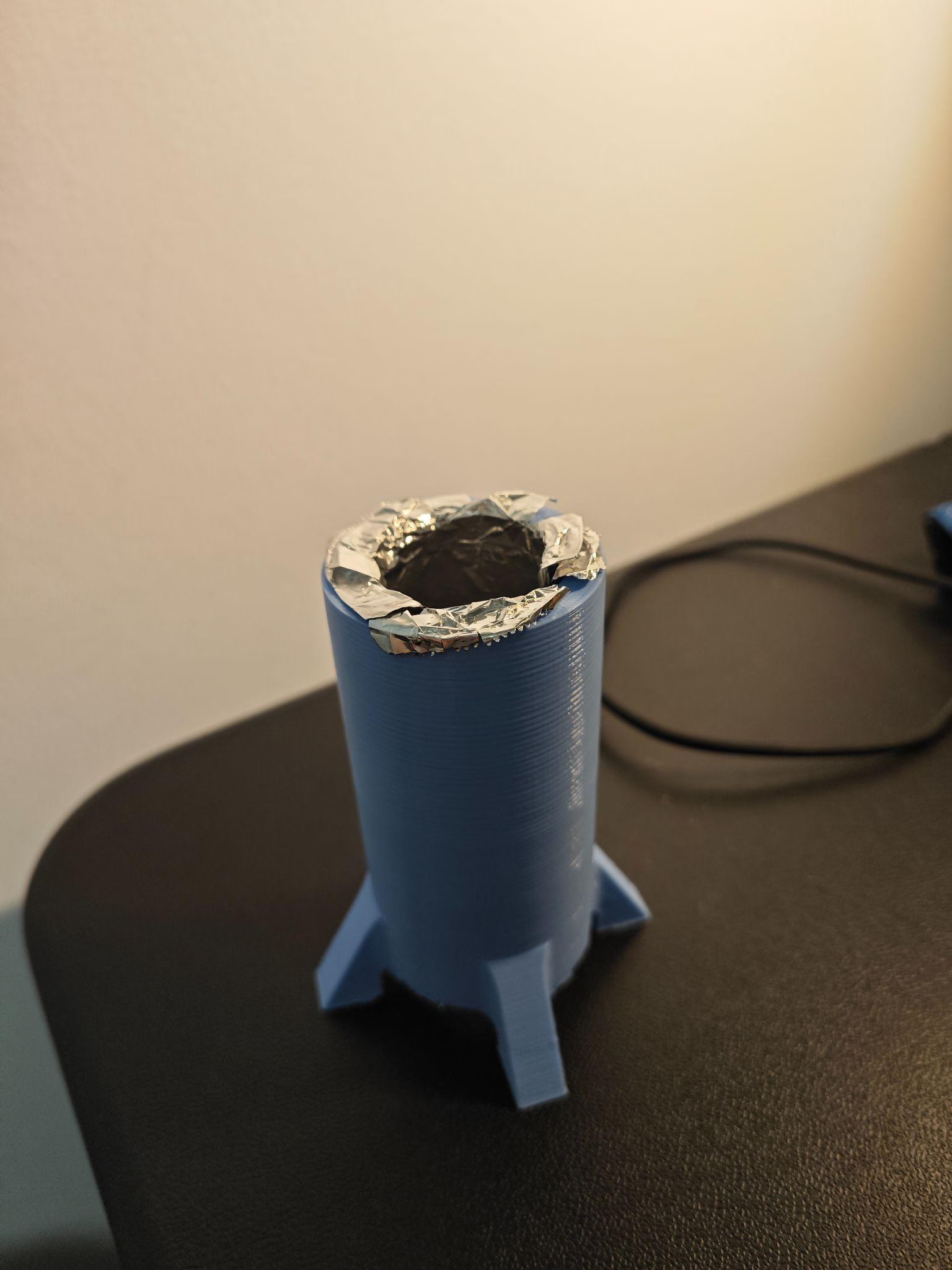
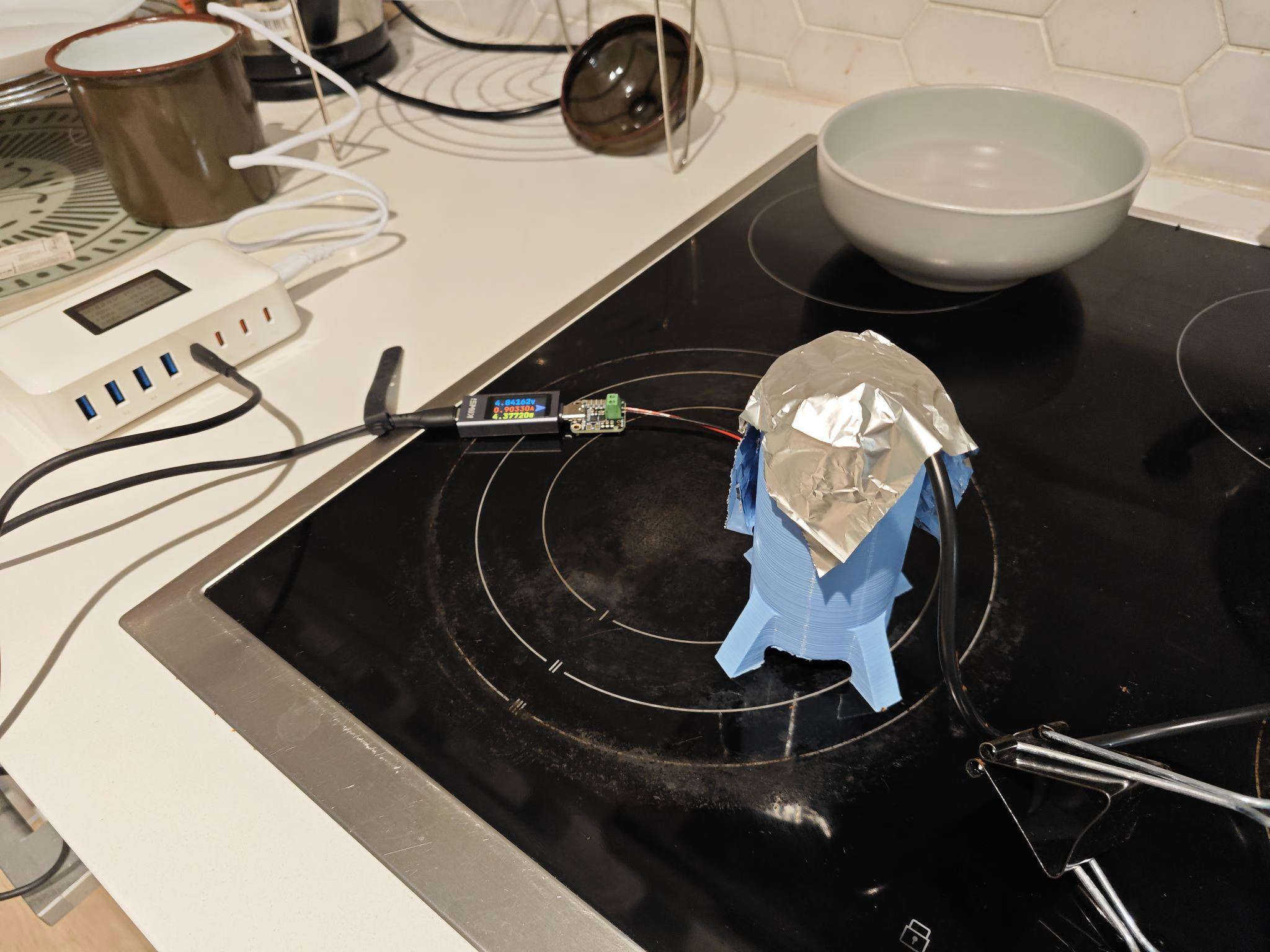
June 2, 2026
Goal
Lock OD component selection and draft system architecture v1.
Work completed
Selected combined photodiode + TIA for OD600; James calculated heater losses and insulation options; Lindsay validated pump wiring; Karys weighed reusing pioreactor CAD vs DIY pump. Drafted sensor → MCU → cloud hierarchy and split physical vs cloud UI controls.
Result
System architecture v1 outlined; physical UI for temp/runtime/OD controls, cloud for analytics; validation experiments assigned per subsystem.
Next step
Order two OD components; James to model heat-up time and resistor layout; everyone design subsystem validation experiments for next week.
Deliverables
- Order combined photodiode + TIA (×2)
- Power management research: Lindsay, Lia, James
- Subsystem validation experiments: all members
May 30, 2026
Goal
Compare connectivity options for multi-reactor setups.
Work completed
Evaluated USB hub (long serial, many ports) vs WiFi/Bluetooth modules across setup difficulty, code rewrite, cost, and connection reliability.
Result
Tradeoff table started; no final architecture chosen yet.
Next step
Build cost/complexity comparison table and pick a connectivity path for scale-up.
May 26, 2026
Goal
Align bioreactor requirements with wet lab and dry lab measurement needs.
Work completed
Filmed pioreactor demo; dry-lab leads confirmed temperature sweeps matter more than pH sweeps. Defined targets: continuous flow, OD600 feedback loop, 25–70 °C heating, 3-pump layout (2 in, 1 out), manual pH. Updated BOM for OD (LED + photodiode), heaters (~7.5 W per vessel), and Stemma QT CAD for removable tubing.
Result
Shared requirements doc across subteams; heater wattage and heat-up time estimates documented; GFP fluorescence on output noted as optional.
Next step
OD trio meeting May 27; James on thermal interface materials; Lia on cloud integration; Lindsay on pump + sensor integration; Claire on cap-holder CAD.
Deliverables
- OD meeting: Daisy, Claire, Aayush (May 27)
- Thermal insulation research: James
- Systems integration: Lia
- Pump + sensor integration: Lindsay
- Cap-holder CAD: Claire
May 19, 2026
Goal
Bench-test peristaltic pump and OD sensing; reassess real-time pH.
Work completed
Ran peristaltic pump test with red/blue water; attempted OD readings (noisy data). Discussed real-time pH sensing with Quigley; Lindsay reviewed pins; Karys exploring DIY pumps; James found Arduino Nano deal at myFab.
Result
Real-time pH adjustment deprioritized as not useful for current assays; pump plumbing validated visually; OD needs calibration work.
Next step
Everyone review pioreactor source code; Claire and Aayush continue OD prototyping.
May 16, 2026
Goal
Assign prototyping tasks for OD sensing, heating, and MCU connectivity.
Work completed
Discussed OD sensor options (~$14 TI), calibration efficiency, blackout box design, 3D-printed vs mason-jar caps, and PCB hat vs wrapped heater. Assigned MCU/wiring diagram research (CH32, STM32, Arduino, ESP32).
Result
OD research team formed (Aayush, Daisy, Claire); heater path confirmed with waterproof 10 cm sheath sensor; MCU compatibility investigation assigned.
Next step
Prototype OD calibration setup; investigate pin connections and libraries; complete testing procedure for Spencer.
Deliverables
- OD research: Aayush, Daisy, Claire
- Testing procedure / Spencer education: Soham, Aayush, Claire
- MCU wiring & library research: James, Soham (CH32)
May 12, 2026
Goal
Finalize BOM ordering decisions for core sensors and actuators.
Work completed
Reviewed highlighted BOM items: Stemma QT (I2C sensors, PWM pumps), cable costs, stepper motor for peristaltic pump, external vs internal temperature sensor, and manual pH measurement path.
Result
External temp sensor chosen for prototyping; manual pH via wet-lab probe accepted over unreliable inline sensing; thermocouple noted for autoclave path.
Next step
Place orders for agreed components; continue heater and pump integration research.
April 29, 2026
Goal
Continue BOM research and flag ambiguous requirement strings.
Work completed
Reviewed BOM progress on the shared sheet; leads asked dry lab and wet lab why we need a bioreactor and what we are measuring.
Result
BOM research ongoing; requirement-string review owners confirmed per section.
Next step
Finish component research; keep flagging ambiguous or high-priority requirements.
April 15, 2026
Goal
Debrief with Pioreactor CEO and kick off BOM + requirement-string ownership.
Work completed
Reviewed CEO notes (Stemma QT, avoid Raspberry Pi, use cheaper MCUs). Assigned BOM owners per component; reviewed requirement strings by section.
Result
BOM research delegated across the team; MCU direction shifted away from Raspberry Pi; requirement flags assigned by subsystem.
Next step
Complete BOM entries on the shared sheet; continue MCU connectivity and pump-fitting research.
Deliverables
- BOM owners: Lindsay (Stemma QT), Lia (pH), Daisy (OD diodes), James (temp/heating), Aayush (printer), Karys (pump), Arya (fan), Claire (glassware/tubes)
March 27, 2026
Goal
Define user-friendly design criteria for an accessible DIY bioreactor.
Work completed
Patricia presented accessibility lessons from open-source hardware (DNA playground, Bento Lab, pioreactor). Team shared current requirements and discussed integration with wet-lab assays.
Result
Agreed on friendly UI, clear instructions, safe assembly, and core features (OD, mixing, web interface, pumps, heating). Upstream/downstream separators deprioritized for now.
Next step
Refine requirements with ergonomics in mind (gloves, goggles); continue pioreactor prototyping.
March 20, 2026
Goal
Close sprint 1 and plan software + second pioreactor build.
Work completed
Reflected on first pioreactor build: screws, pumps, CPU-fan stirring, Raspberry Pi, photosensor OD, aeration, and heating. Reviewed stakeholder feedback (dry lab, wet lab, pioreactor expert login).
Result
Identified pain points: difficult screws, unclear instructions, hat-PCB limits one MCU per reactor, and material choices affecting accessibility.
Next step
Divide and conquer: software for bioreactor plus build of a second pioreactor; explore custom hat PCB or shared MCU options.
March 13, 2026
Goal
Onboard the hardware team and align on the pioreactor build direction.
Work completed
Shared reading resources in the drive; reviewed wet-lab assay context (PET–biotin collection surface) and pioreactor sticky-note notes.
Result
Team oriented on pioreactor as the starting platform and identified the wet-lab binding-assay constraint (false positives when cells cut PET without binding to the collector).
Next step
Continue pioreactor build; ask wetland leads about creative PETase filament testing ideas.